1 click
To install the template

Budget Tracking
Centralize your budgets and budget lines in a ready-to-use financial tracking application to better arbitrate, secure expenses, and detect overruns faster.
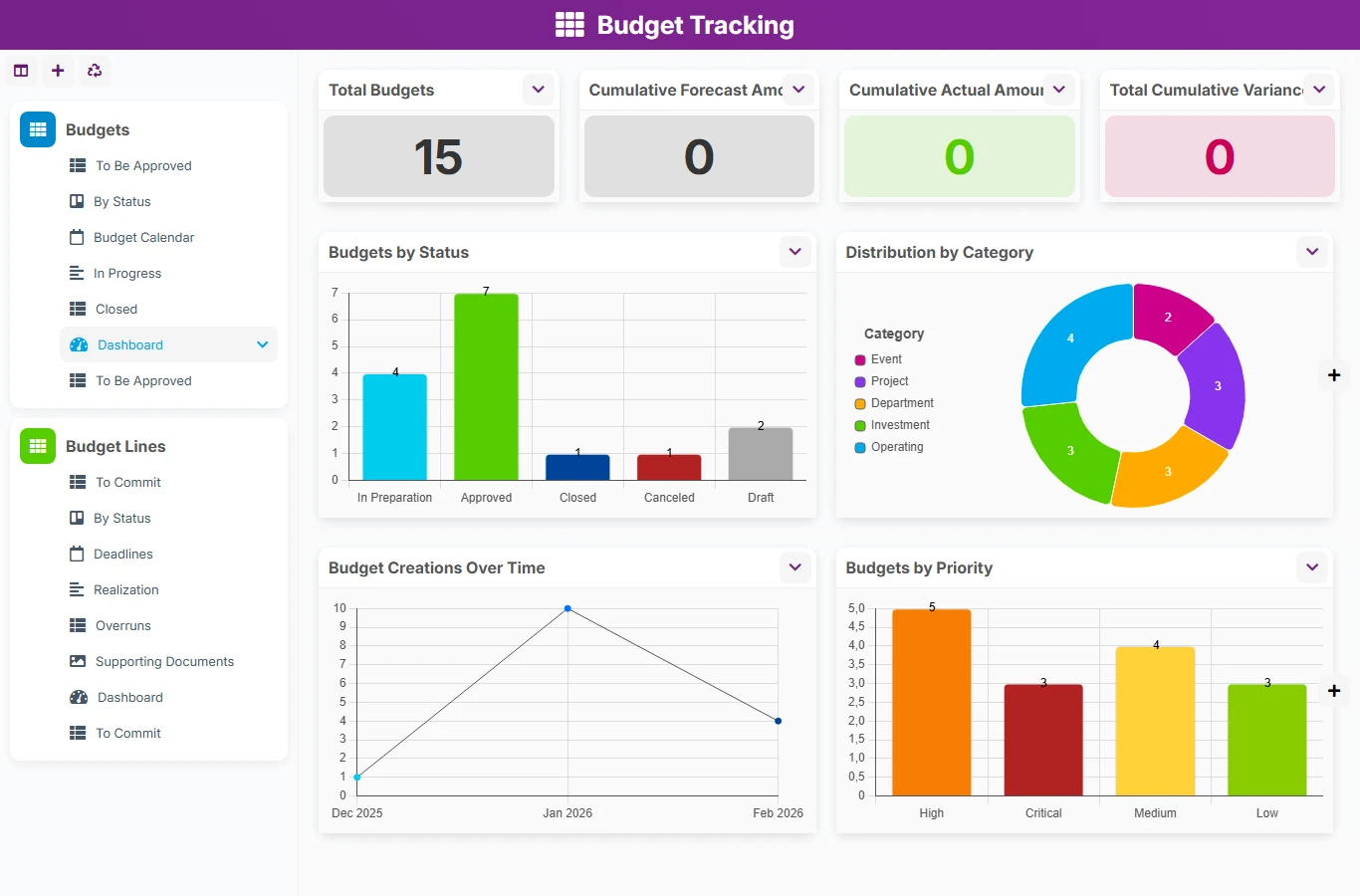
When budgets are tracked in scattered tables or unlinked files, variances appear too late and arbitrations become difficult. This template gathers budgets and their budget lines in a unique structure, with a clear attachment between the budget and its items, to continuously track forecasted amounts, actual amounts, and statuses.
1 click
To install the template
2
ready-to-use forms
100%
Customizable without development
France
Technology and hosting
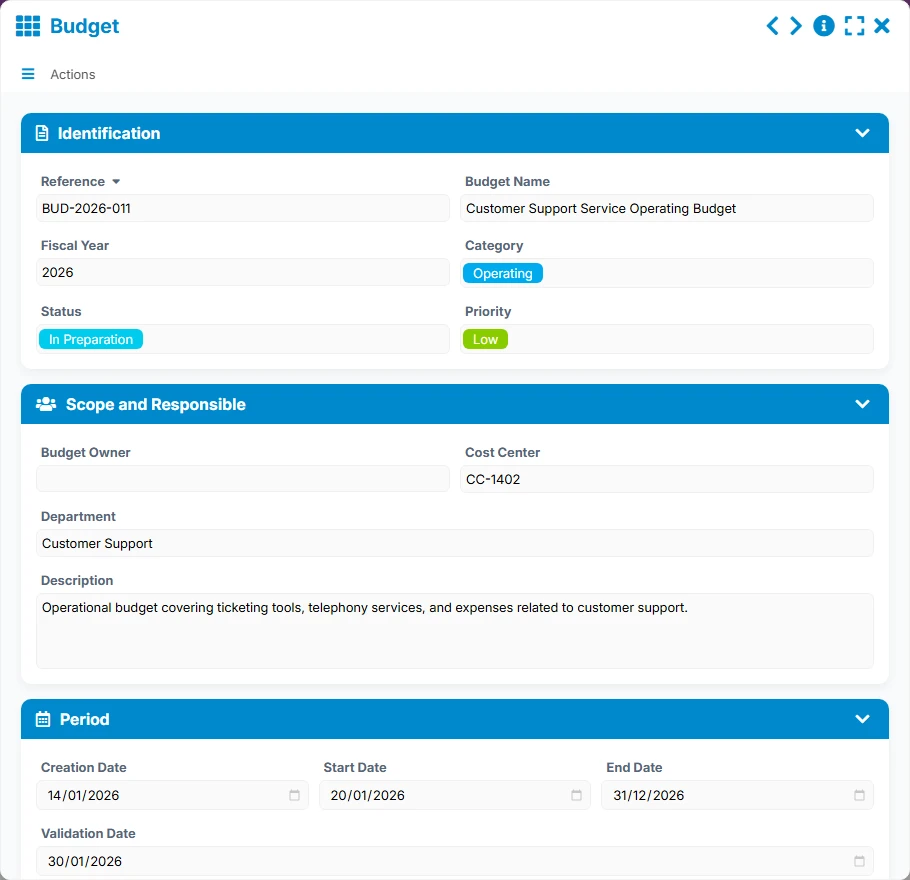
Main form to define the budget, its scope, its managers, its period, and its budget summary.
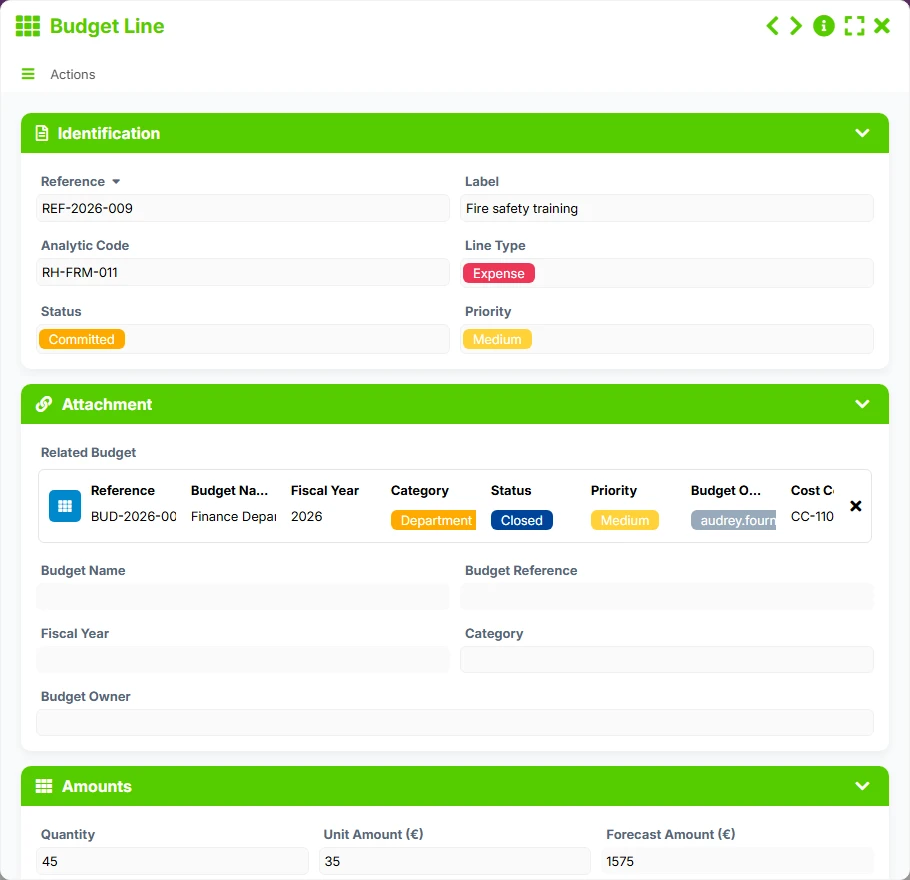
Detailed form to track each line attached to the budget, with its amounts, status, follow-up, and supporting documents.
Manage each budget with its reference, fiscal year, category, priority, status, manager, and monitoring scope.
Detail each expense or allocation item with its analytical code, type, amounts, follow-up, and its attachment to the parent budget.
Each budget can group several budget lines, making it easier to read the overall financial framework while maintaining detailed tracking by line.
Track cumulative amounts, variances, budgets by status, lines by status, and the evolution of creations over time.
Work in list, kanban, calendar, timeline, and gallery views to prioritize, prepare validations, spot deadlines, and control overruns.
The template follows a simple and usable logic on a daily basis: first, a budget is created, then it is completed with its budget lines. The relationships between the forms then allow for analyzing performance, identifying overruns, and managing arbitrations based on views and dashboards.
The user enters the reference, budget name, fiscal year, category, priority, manager, cost center, and department. The budget becomes the central object of management.
Each budget can receive several budget lines linked to the parent budget. The lines have their own label, status, priority, analytical code, amounts, and follow-up elements.
Budget line views highlight forecasted amounts, committed amounts, actual amounts, and variances to quickly spot deviations.
Status views, budgets to validate, and lines to engage help finance teams and managers prioritize files according to their actual state.
The budget calendar, timeline, dashboards, and closed views provide a clear reading of deadlines, progress, and history.
All forms offered in the app templates are editable and adjustable to your business, as well as the colors and layouts.
Structure a simple and readable budget tracking to maintain control over expenses, even with limited financial resources.
Harmonize the tracking of multiple budgets, cost centers, and managers in a shared and more easily manageable framework.
Track envelopes, fiscal years, and budget lines with a logic of control, validation, and traceability.
Yes. The Budget form centralizes financial files and allows tracking them in suitable views like list, kanban, calendar, or dashboard.
Yes. Each budget can be linked to several budget lines, allowing for the breakdown of amounts, tracking commitments, and controlling variances item by item.
Views dedicated to budget lines, especially the Overruns view, help identify items where the actual amount deviates from the forecasted amount.
Yes. The Fiscal Year field is present in the forms and allows structuring management by budget period.
The template offers a dashboard for budgets and another for budget lines, with indicators on totals, variances, statuses, and distributions.
Start with a ready-to-use structure to centralize your budgets, link your budget lines, and track your variances in real-time. Then customize the fields, views, and indicators according to your financial rules.
Here is what our clients say
Companies of all sizes and sectors that have optimized their operations with Airprocess



























