1 click
To install the template

Marketing campaigns
Centralize your campaigns, contacts, and follow-up actions in a ready-to-use marketing application. Plan your operations, target the right audiences, follow up at the right time, and measure the commercial impact of each campaign.
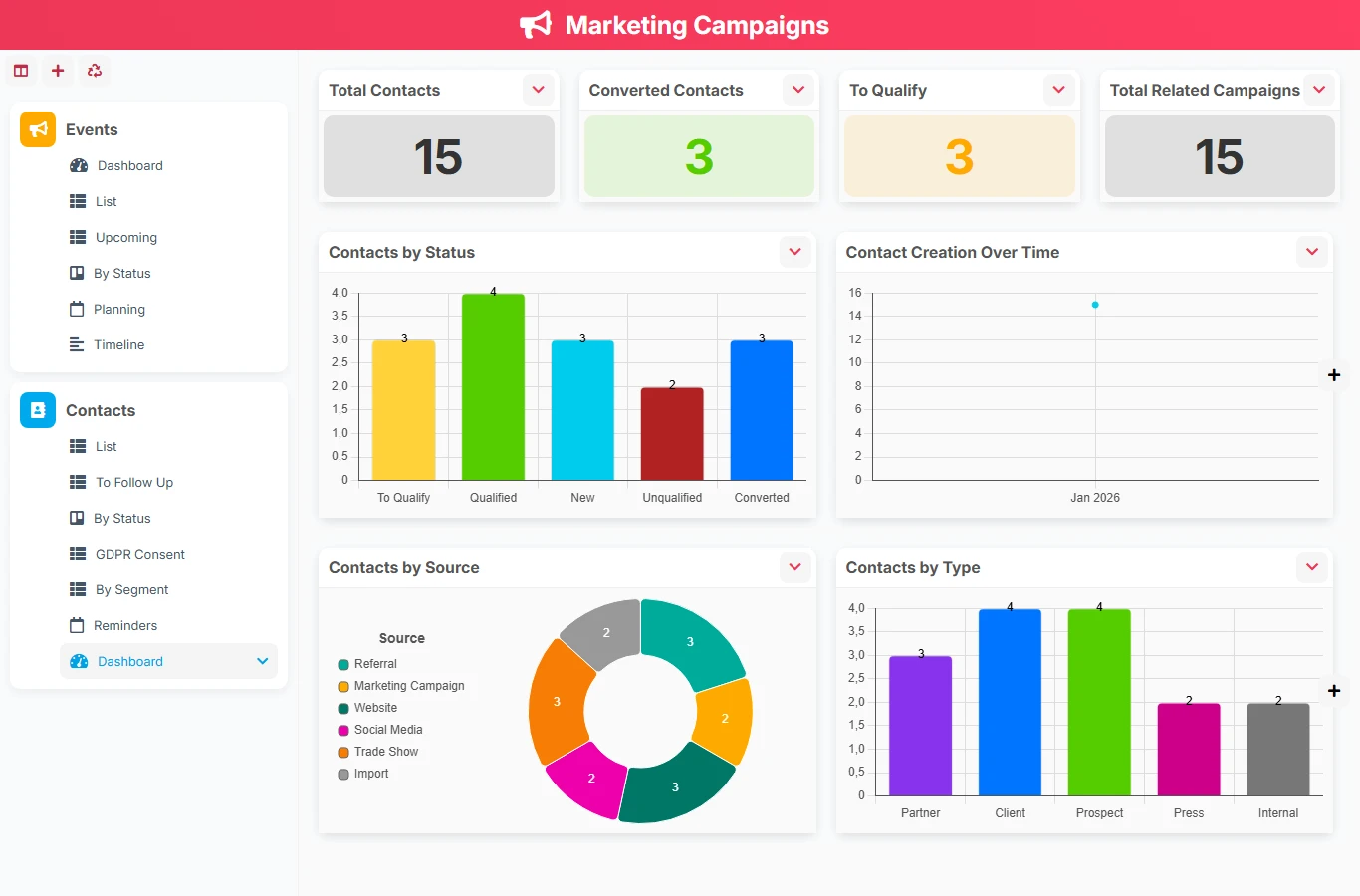
This template replaces scattered tables, isolated contact files, and manual tracking with a single database to manage your marketing campaigns. You maintain a common view of events, targeted contacts, follow-up deadlines, and results, with a logic usable by both marketing teams and sales managers.
1 click
To install the template
2
ready-to-use forms
100%
Customizable without development
France
Technology and hosting
Central form to describe each marketing campaign, its objective, its schedule, its status, its budget, and its associated contacts.
Tracking sheet for targeted or engaged individuals, with their qualification information, segment, consent, and follow-ups.
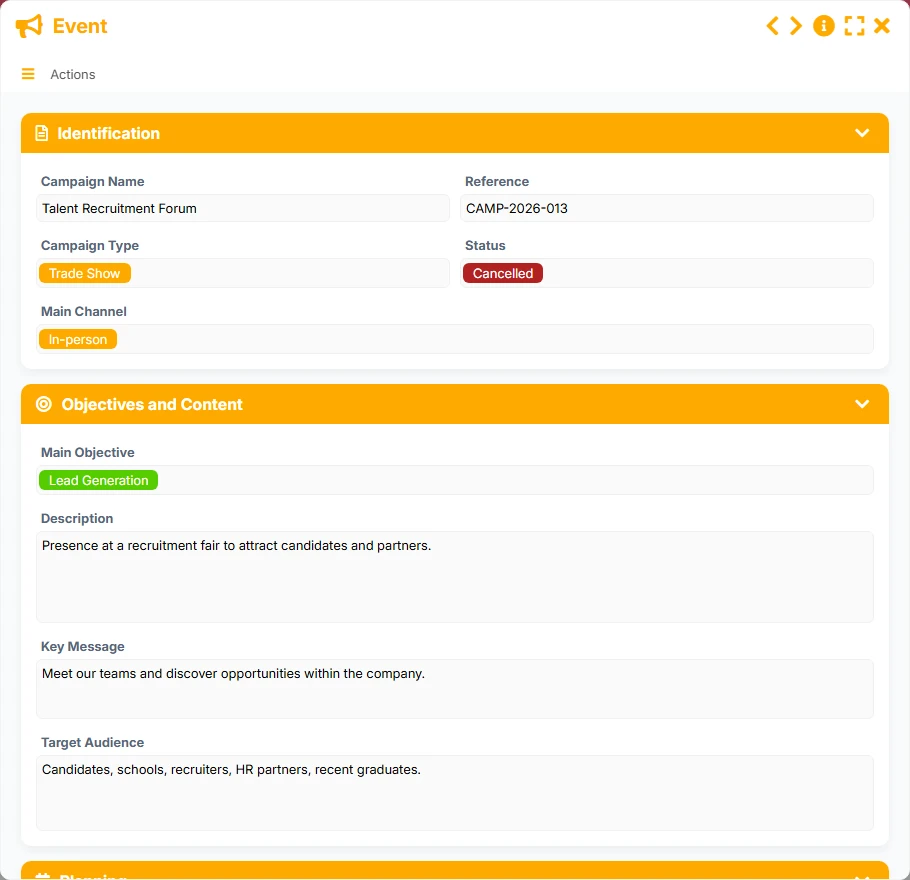
Create and track your campaigns with their key information: name, reference, type, status, main channel, objective, message, audience, and pilot dates.
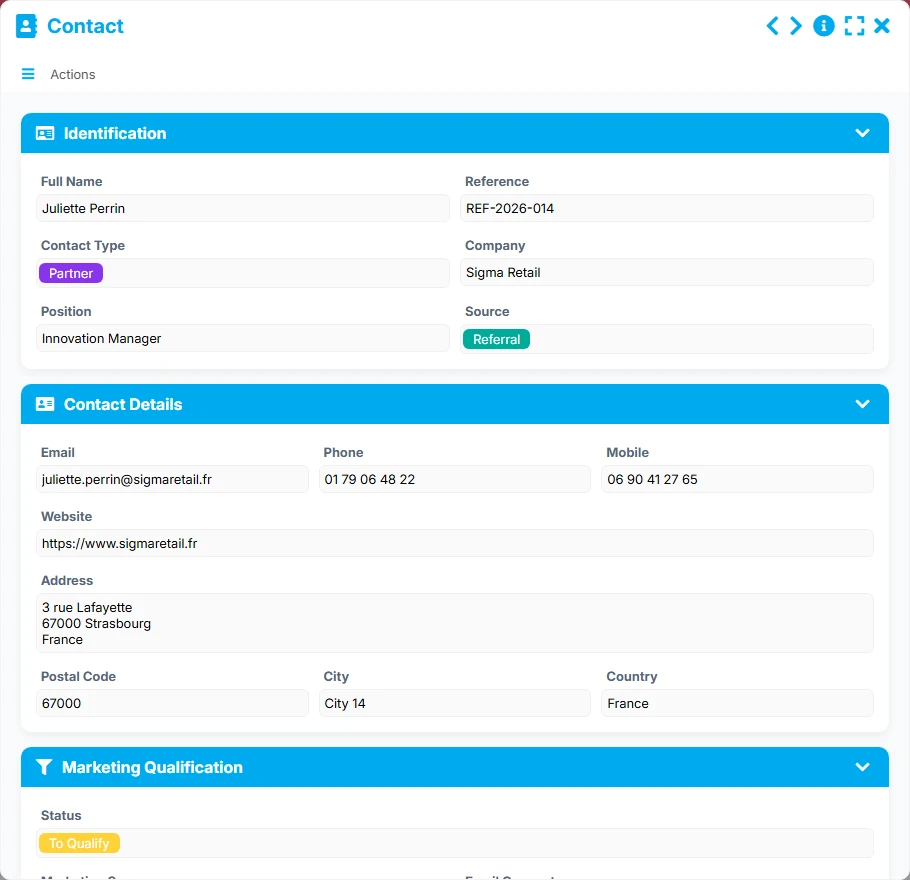
Maintain a complete record for each contact with their details, marketing qualification, source, company, role, and follow-up status.
Link each event to multiple contacts, and each contact to multiple campaigns, to accurately track the audiences actually reached.
Identify contacts to follow up, manage upcoming actions, and visualize contacts based on their status, marketing score, or email consent.
Measure the volume of campaigns, completed campaigns, budget spent, leads generated, and distribution by status, type, or source.
Work in list, kanban, calendar, timeline, or gallery views to adapt tracking to your marketing production pace.
The template follows a simple and realistic logic: you prepare the marketing event, attach the targeted contacts, manage follow-ups during and after the operation, and then analyze the results in the tracking views. The relationships between events and contacts make the process concrete and usable on a daily basis.
Enter the campaign name, reference, type, main channel, objective, status, and schedule. The List view allows you to keep a clear inventory of ongoing operations.
Fill in the contacts with their details, company, role, source, and marketing status. The By segment view helps distribute audiences and better target actions.
The many-to-many link between Event and Contact allows attaching the same campaign to multiple people while keeping a cross-history on the contact side. This is the basis for reliable marketing tracking.
Use the To follow up, Follow-ups, and Email consent views to prioritize follow-ups, respect consents, and maintain the right level of engagement after distribution.
The Planning, Timeline, and Upcoming views show the campaigns to launch, those already planned, and the sequence of actions. You maintain a clear reading of deadlines.
The dashboard summarizes total campaigns, completed campaigns, budget spent, leads generated, and distribution by type or status to guide your decisions.
All forms offered in the app templates are editable and adjustable to your business, as well as the colors and layouts.
Structure your campaigns without multiplying Excel files and maintain simple visibility on contacts and follow-ups.
Coordinate multiple campaigns, teams, and segments with a common database and shared management views.
Organize your information or awareness actions with rigorous tracking of audiences, deadlines, and documents.
Manage your mobilization campaigns, contacts, and follow-ups in a clear framework, useful for community engagement and memberships.
Yes. The template covers both levels: marketing events on one side, contacts on the other, with a direct relationship to link multiple people to the same campaign and track history on the contact side.
Yes. The By status, Planning, Timeline, and Upcoming views are designed to visualize progress, deadlines, and marketing workload.
The To follow up, Follow-ups, and By status views allow identifying contacts to follow up, prioritizing actions, and organizing follow-up work without losing context.
Yes. The event dashboard and the contact dashboard provide a synthetic reading of campaigns, leads generated, converted contacts, sources, and volumes over time.
Yes. Dedicated views like Email consent and By segment facilitate targeting and help work in a more compliant and relevant manner.
Start with a ready-to-use base to structure your events, contacts, and follow-ups. Then adapt the fields, views, and rules to your organization to gain efficiency and visibility.
Here is what our clients say
Companies of all sizes and sectors that have optimized their operations with Airprocess



























