1 click
To install the template

Patient Tracking
Structure patient follow-up in a clear application that links care files to health events while maintaining a reliable view of statuses, priorities, and upcoming reminders.
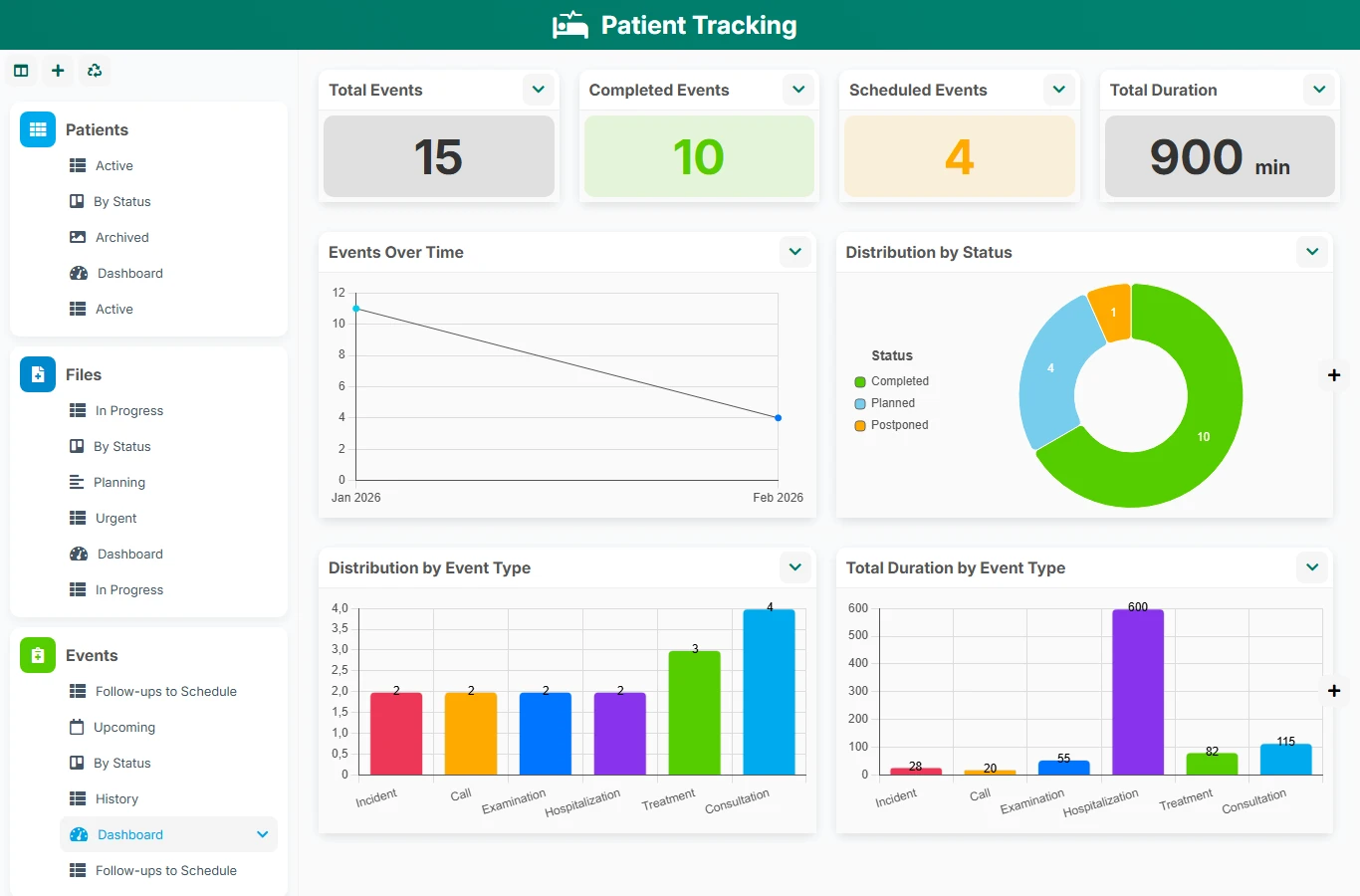
This template helps teams move away from scattered tables, isolated notes, and untracked exchanges. Each patient, each file, and each event remain connected, facilitating continuity of follow-up, coordination among professionals, and quick consultation of history.
1 click
To install the template
3
ready-to-use forms
100%
Customizable without development
France
Technology and hosting
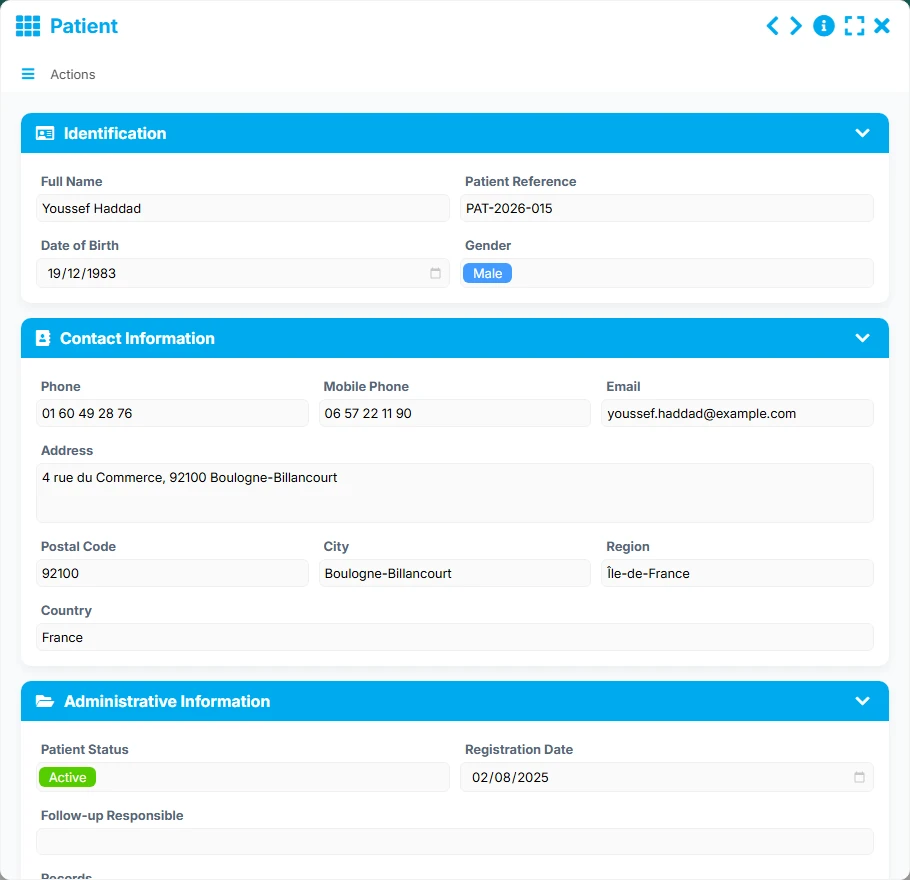
Patient identification form with contact details, administrative information, and follow-up notes.
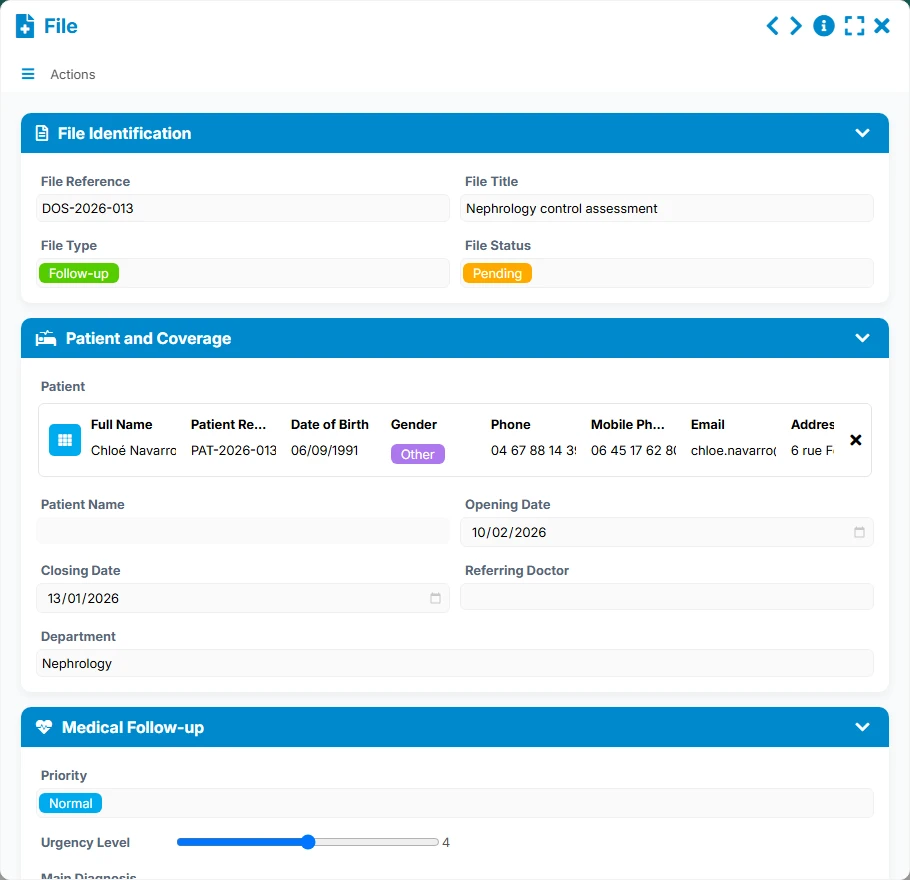
Care file linked to a patient, with status, priority, dates, service, and referring physician.
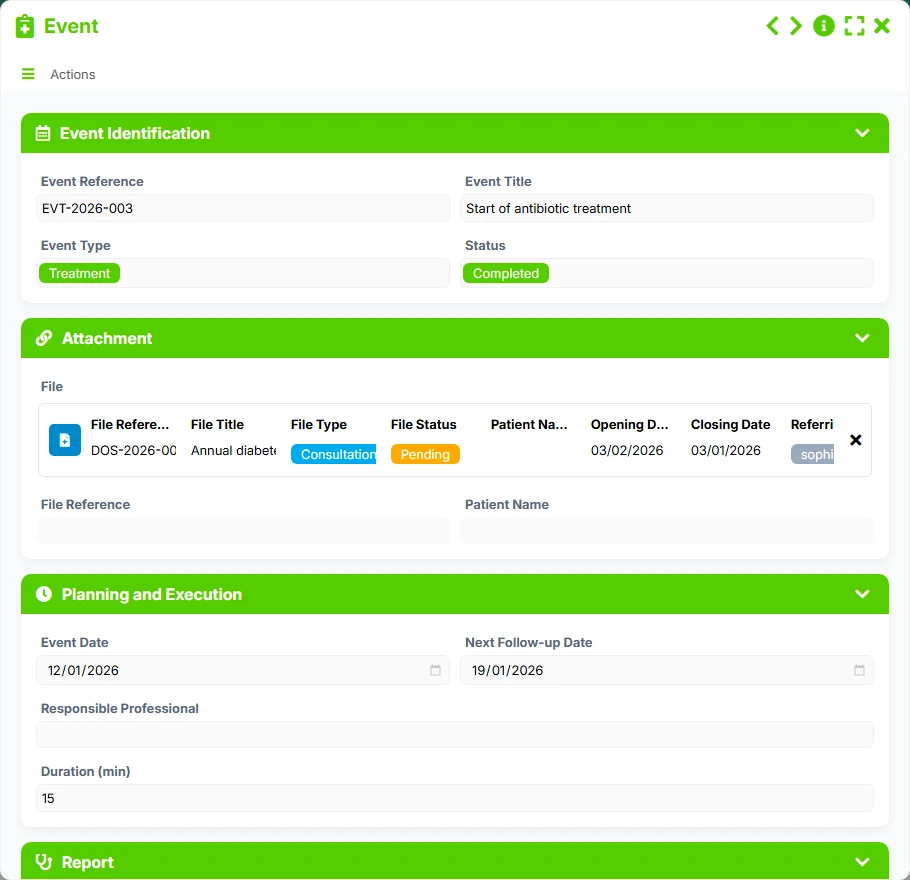
Record of an action, visit, or follow-up related to a file, with planning, execution, and report.
Centralize the identity, contact details, and administrative information of each patient in a clear and usable reference form for daily use.
Gather care files with their statuses, opening and closing dates, priority, and referring physician.
Plan and record events related to a file to keep track of actions, reports, and upcoming follow-ups.
Link a patient to multiple files, then a file to multiple events to reconstruct the complete history of care.
Track active patients, urgent files, follow-ups to plan, and history through list, kanban, calendar, timeline, and dashboard views.
The template reproduces a logical workflow: first, create the patient, then link their care files, and finally record events as follow-up progresses. Management views then help identify priorities, next actions, and files needing immediate attention.
The Patient file centralizes the name, reference, date of birth, contact details, and useful administrative elements to quickly identify the person being followed.
Each file is linked to a unique patient and can describe the type of care, status, priority, referring physician, and concerned service.
A file can contain multiple events, with their type, status, date, responsible professional, and next follow-up date to organize reminders.
The Upcoming, Urgent, and Follow-ups to plan views help teams spot what needs to be done now, what is pending, and what requires quick checks.
The History view and dashboards allow analyzing completed events, opened files, active patients, and the evolution of follow-up over time.
All forms offered in the app templates are editable and adjustable to your business, as well as the colors and layouts.
Organize the tracking of files and events in structures that must ensure clear traceability and a shared vision of care.
Coordinate follow-up paths in multi-service organizations where multiple teams must consult the same information and respect common priorities.
Gain methodology with a simple tool to structure patients, files, and follow-up actions without multiplying files.
Yes. The intended relationship allows a patient to be associated with multiple files, suitable for successive follow-ups or multiple care.
Yes. Each file can reference multiple events, allowing the chronology of actions, appointments, and associated follow-ups to be maintained.
The Active, In Progress, Urgent, Upcoming, Follow-ups to plan, History views, and dashboards provide an operational reading of priorities and progress.
Yes. Fields related to the referring physician, responsible professional, service, and statuses facilitate shared work and handover.
Yes. Dashboards and calendar, timeline, and kanban views help track file openings, planned events, and overall activity.
Start with a ready-to-use base to centralize patients, files, and events. Then add your fields, views, and follow-up rules to align it with your business processes.
Here is what our clients say
Companies of all sizes and sectors that have optimized their operations with Airprocess



























