1 click
To install the template

Maintenance Tracking
Centralize your equipment, plan interventions, track repairs, and follow useful contacts in a ready-to-use application to reduce delays, secure operations, and extend the lifespan of your assets.
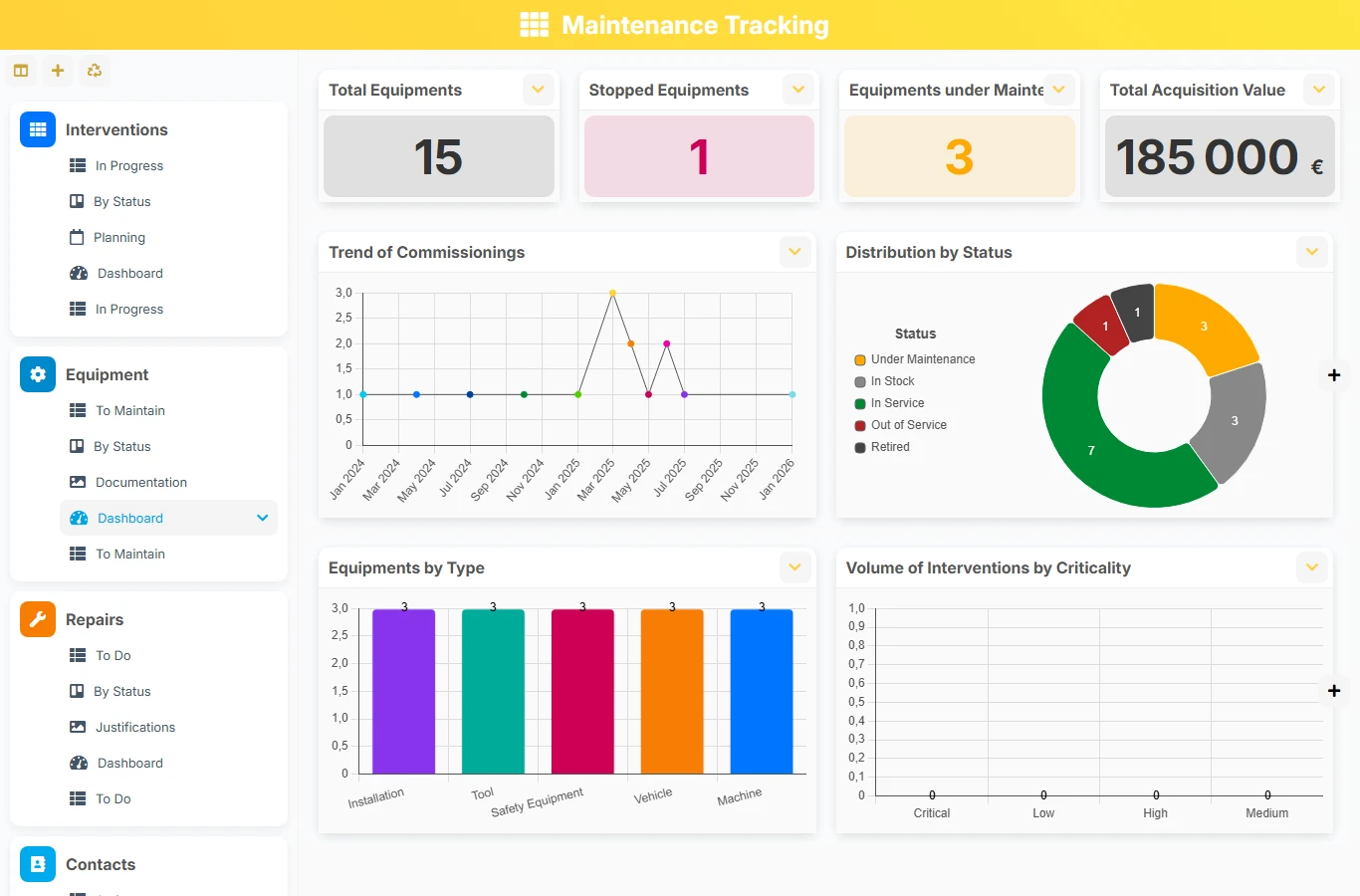
This AirProcess template helps maintenance teams structure requests, plan interventions, and keep repair history in one place. You gain visibility on critical equipment, upcoming deadlines, mobilized technicians, and restoration costs, without relying on scattered manual tracking.
1 click
To install the template
4
ready-to-use forms
100%
Customizable without development
France
Technology and hosting
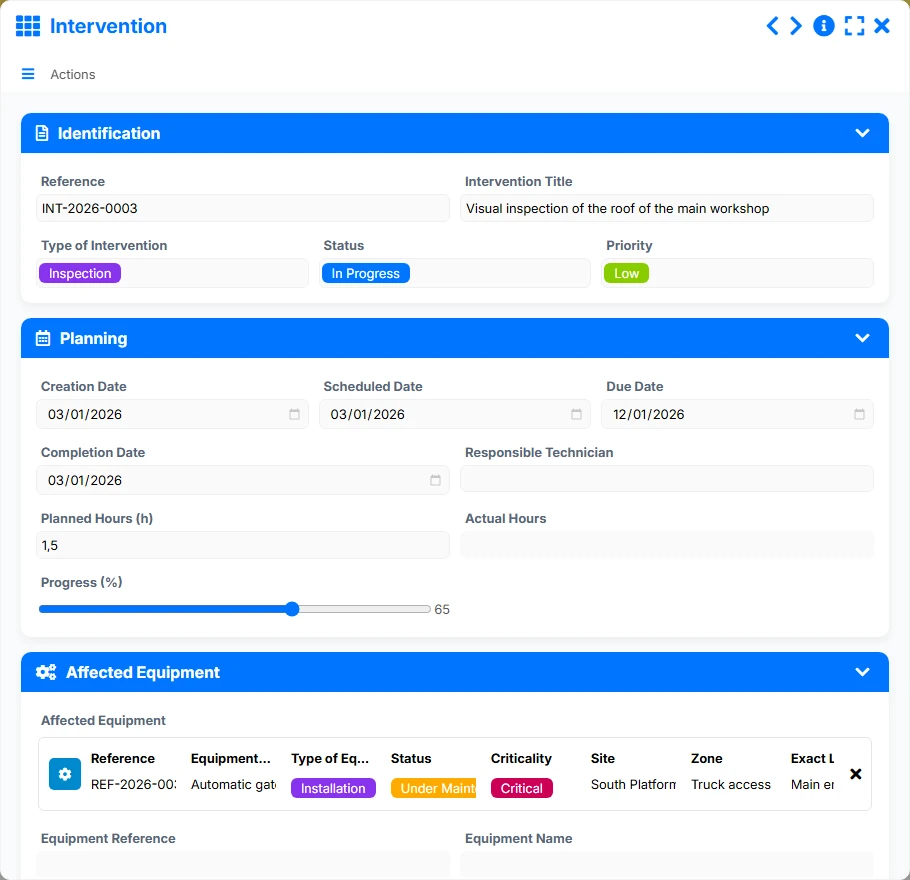
Central form to plan, track, and close maintenance operations with the right equipment, the right technician, and the right dates.
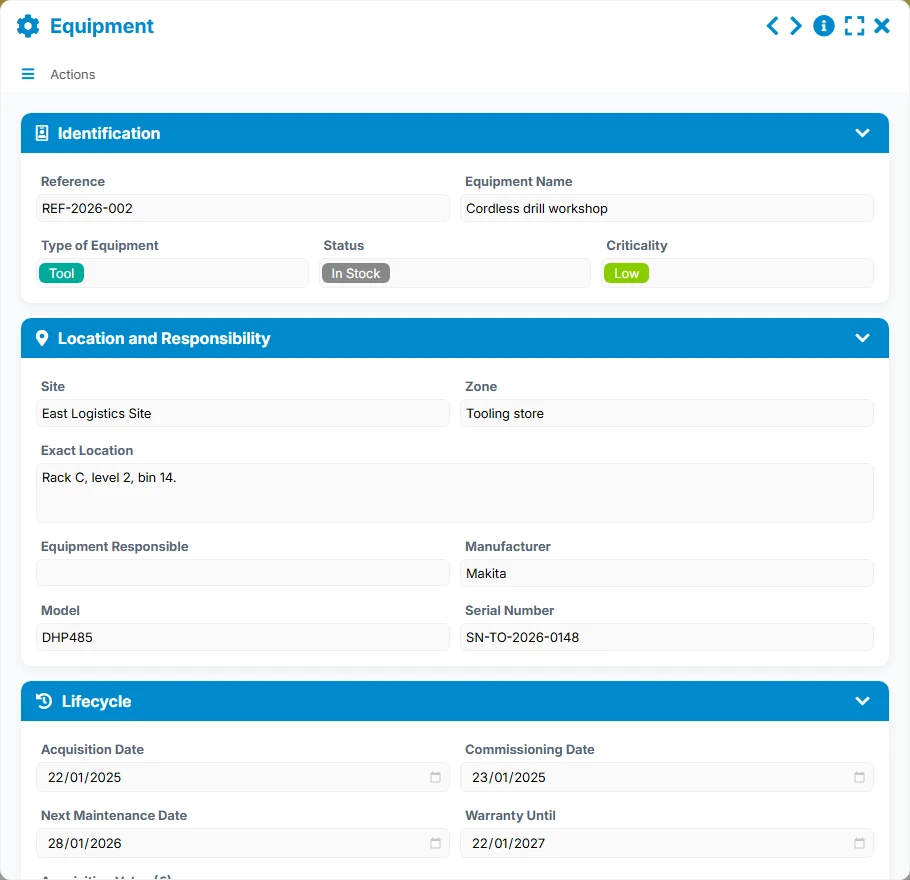
Asset repository to be maintained, with their status, criticality, location, and next maintenance.
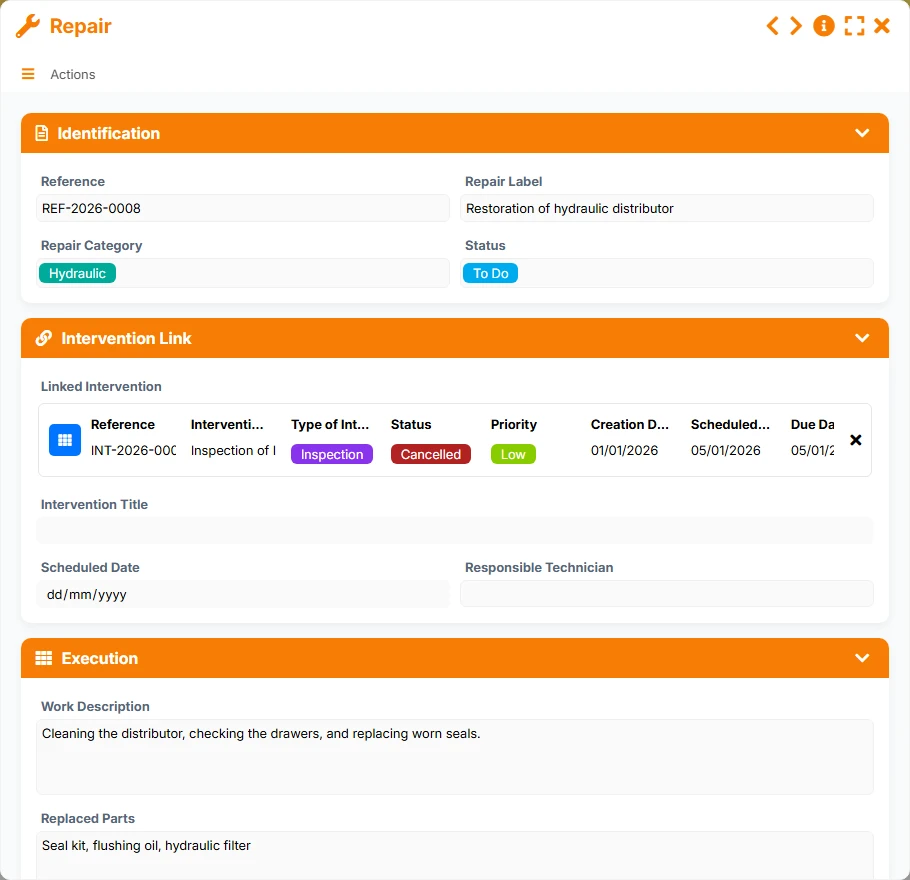
Execution details of the work associated with an intervention, useful for tracking actions taken, costs, and justifications.
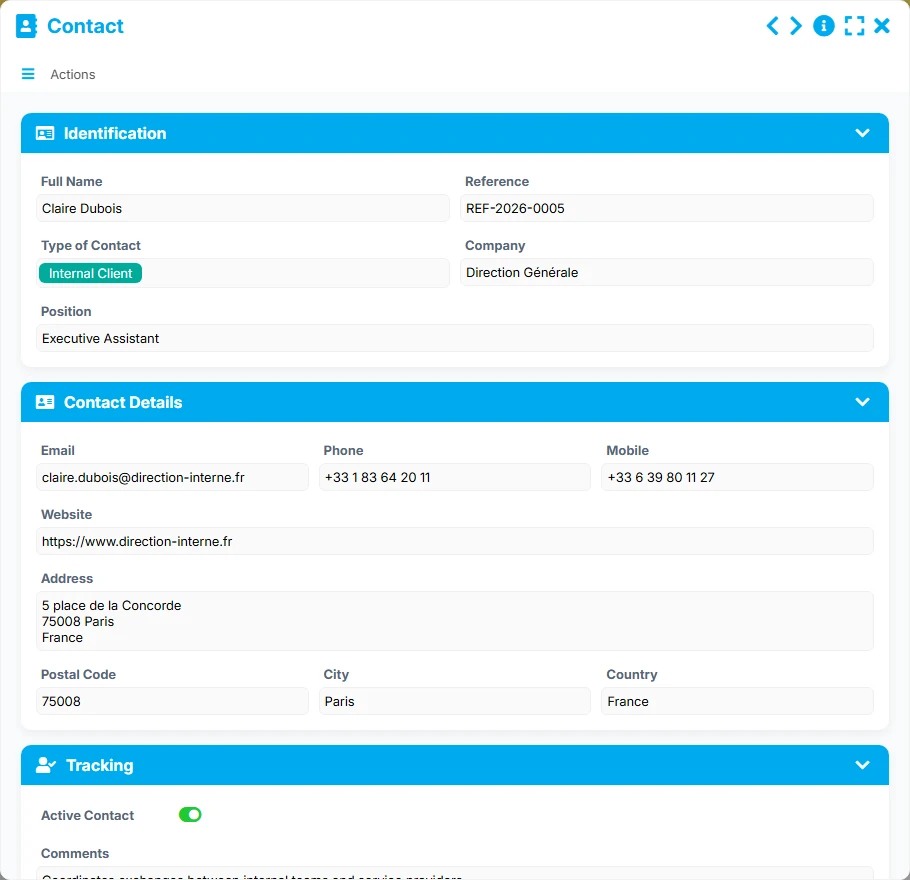
Directory of people to mobilize for tracking equipment, interventions, and suppliers.
A dedicated form to create, qualify, and close each intervention with its reference, status, priority, key dates, and responsible technician.
A structured equipment database to document each asset, its location, criticality, manufacturer, and maintenance history.
Each intervention can group several related repairs, allowing for detailed tracking of work performed, parts replaced, costs, and time spent.
Track internal and external contacts, such as equipment managers, technicians, or suppliers, with their contact details and company.
Lists, kanbans, calendars, galleries, and dashboards provide an immediate overview of ongoing interventions, equipment to maintain, and repairs to follow.
The template relies on a clear business logic: first, equipment is referenced, then interventions are linked to the concerned asset before detailing the repairs made. Tracking views then allow prioritizing emergencies, anticipating deadlines, and controlling maintenance workload.
Each piece of equipment is described with its reference, name, type, criticality, site, zone, location, and responsible person. This database serves as an anchor point for all maintenance tracking.
The intervention is linked to a single piece of equipment via the concerned Equipment field. The planned date, due date, status, priority, and responsible technician are filled in to frame the execution.
An intervention can contain multiple repairs. Each repair is linked to the intervention, with its label, category, planned date, work description, replaced parts, and cost or time indicators.
The In Progress, By Status, and Planning views provide an immediate overview of interventions to be processed, those approaching deadlines, and the distribution of workload by technician or priority.
Active contacts, suppliers, or equipment managers are accessible in the same space. This facilitates follow-ups, preparation of interventions, and tracking of repair justifications.
All forms offered in the app templates are editable and adjustable to your business, as well as the colors and layouts.
Structure a simple and shared maintenance tracking to avoid forgetfulness, document interventions, and better prioritize emergencies.
Coordinate multiple sites, multiple technicians, and multiple categories of equipment within a more readable common framework.
Track technical equipment, repairs, and contacts with traceability adapted to service constraints.
Organize the maintenance of your equipment, sites, and infrastructures with a simple tool to ensure reliable operations.
Yes. Equipment can be scheduled with a next maintenance date, while interventions and repairs allow for managing corrective actions and their execution.
Yes. The template provides a relationship between Intervention and Repair, allowing for detailing multiple actions within the same maintenance operation.
The status, priority, planned date, and due date fields, as well as the In Progress, By Status, and Planning views, help quickly identify what needs to be addressed first.
Yes. Each piece of equipment centralizes its reference information and can group multiple interventions, making it easier to consult its maintenance history.
Yes. The Contact form allows for keeping the contact details of useful people for operational tracking, whether they are technicians, managers, or suppliers.
Yes. You can adapt fields, statuses, views, and usage rules to fit your organization and maintenance processes.
Install this template to track your equipment, organize your interventions, and trace your repairs in a single space. You can then adapt it to your sites, teams, and business priorities without starting from scratch.
Here is what our clients say
Companies of all sizes and sectors that have optimized their operations with Airprocess



























