1 click
To install the template

Mission Tracking
Centralize your missions, your contacts, your timesheets, your deliverables, and your interventions in a clear application to track progress, manage deadlines, and secure each commitment.
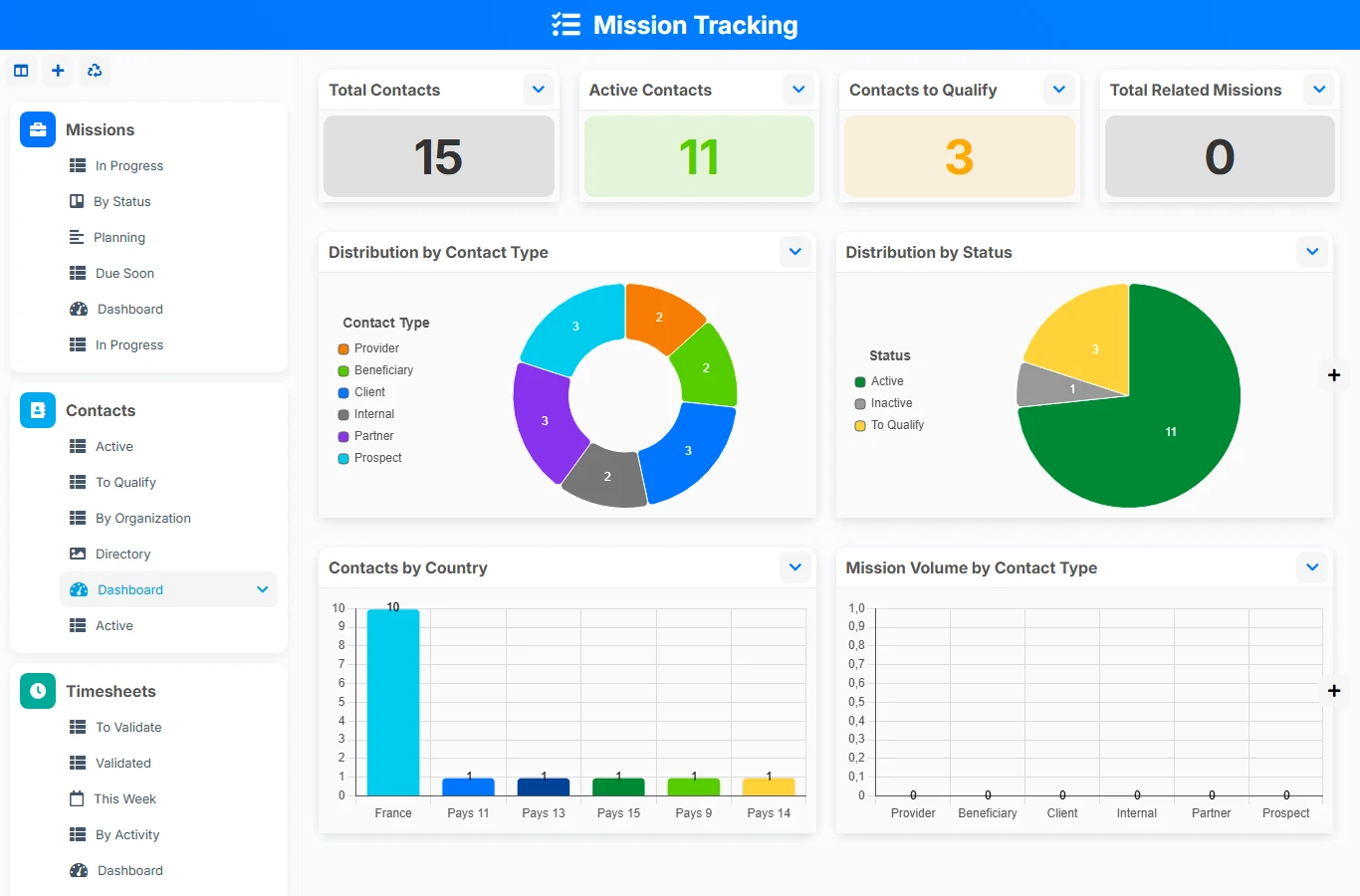
This mission tracking template avoids multiple Excel sheets, scattered exchanges, and reminders being forgotten. Each mission is linked to a main contact, then enriched with timesheets, deliverables, and related interventions. You get a structured view of the work done, deadlines to meet, and the consumed workload.
1 click
To install the template
5
ready-to-use forms
100%
Customizable without development
France
Technology and hosting
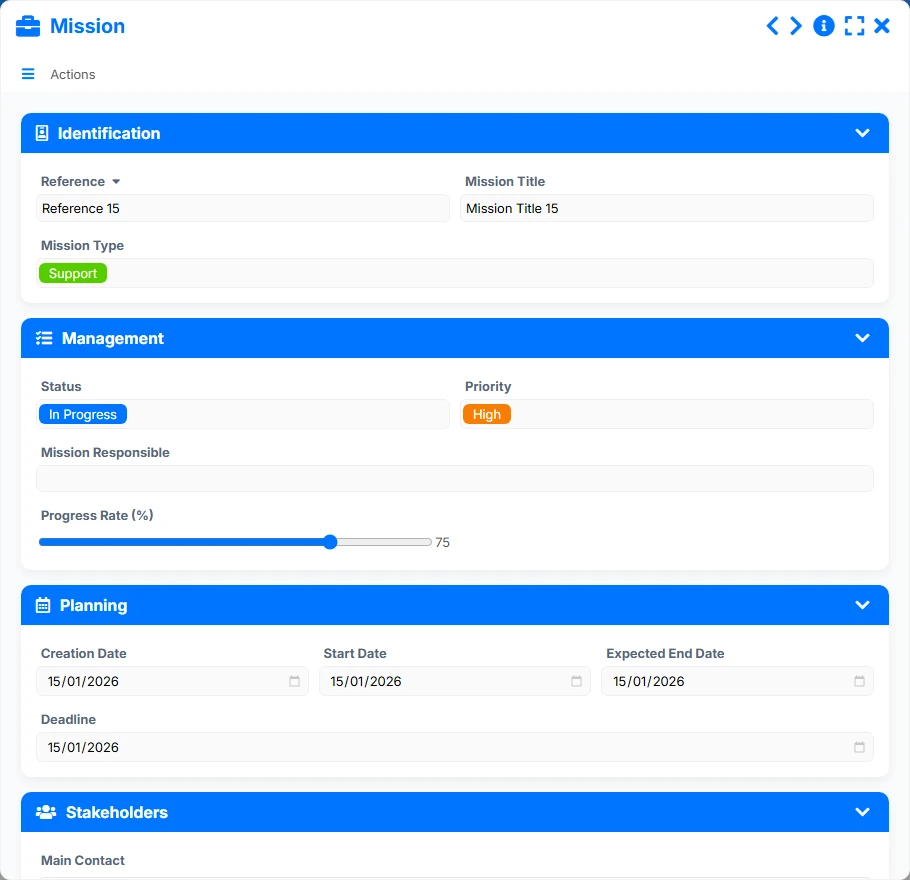
Central form to describe the mission, its progress, its dates, its manager, its main contact, and its steering elements.
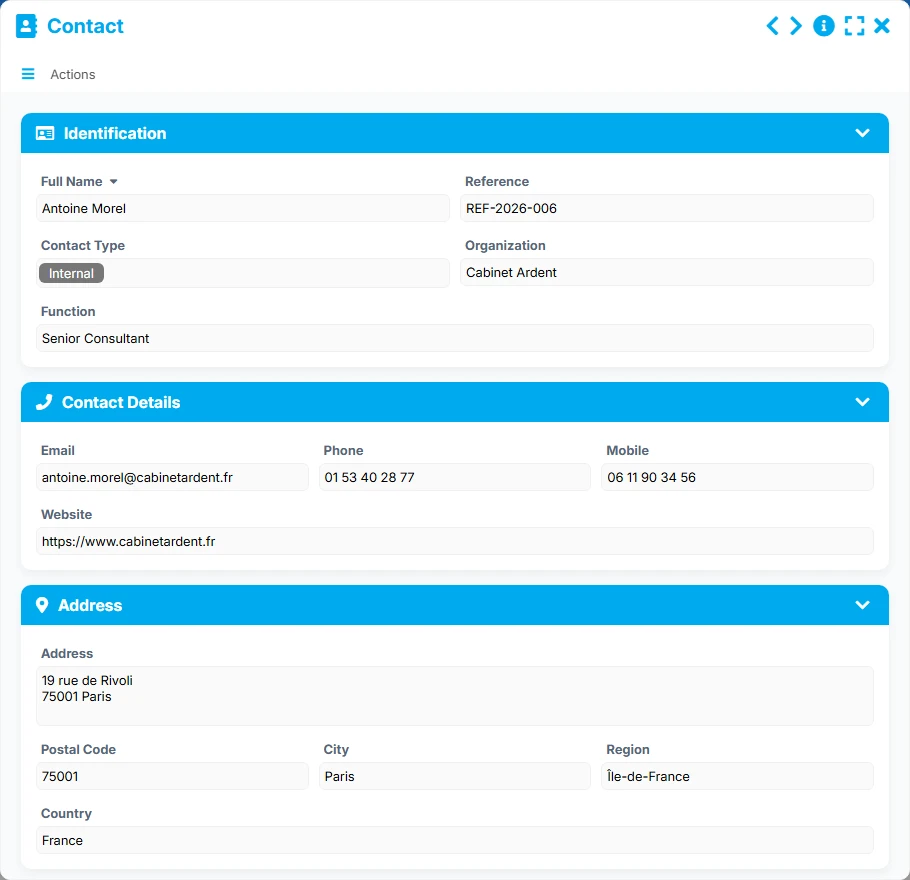
Directory of contacts related to missions, with their details, their organization, and their tracking information.
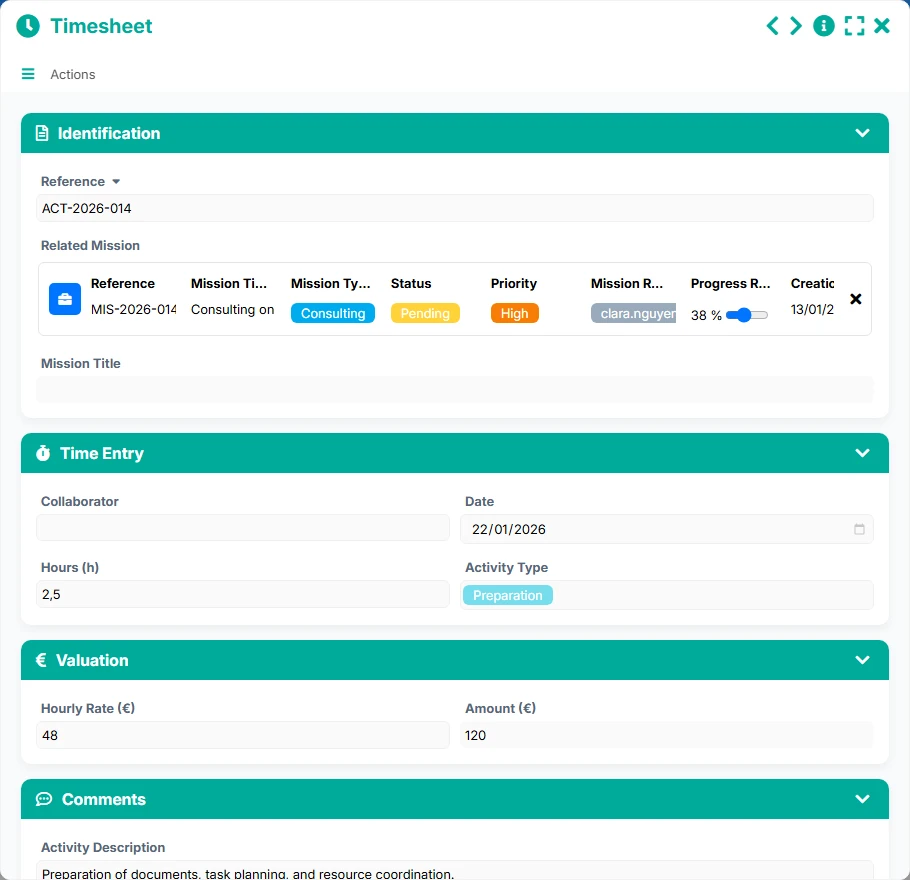
Entry of hours spent on a mission, with valuation, activity performed, and concerned collaborator.
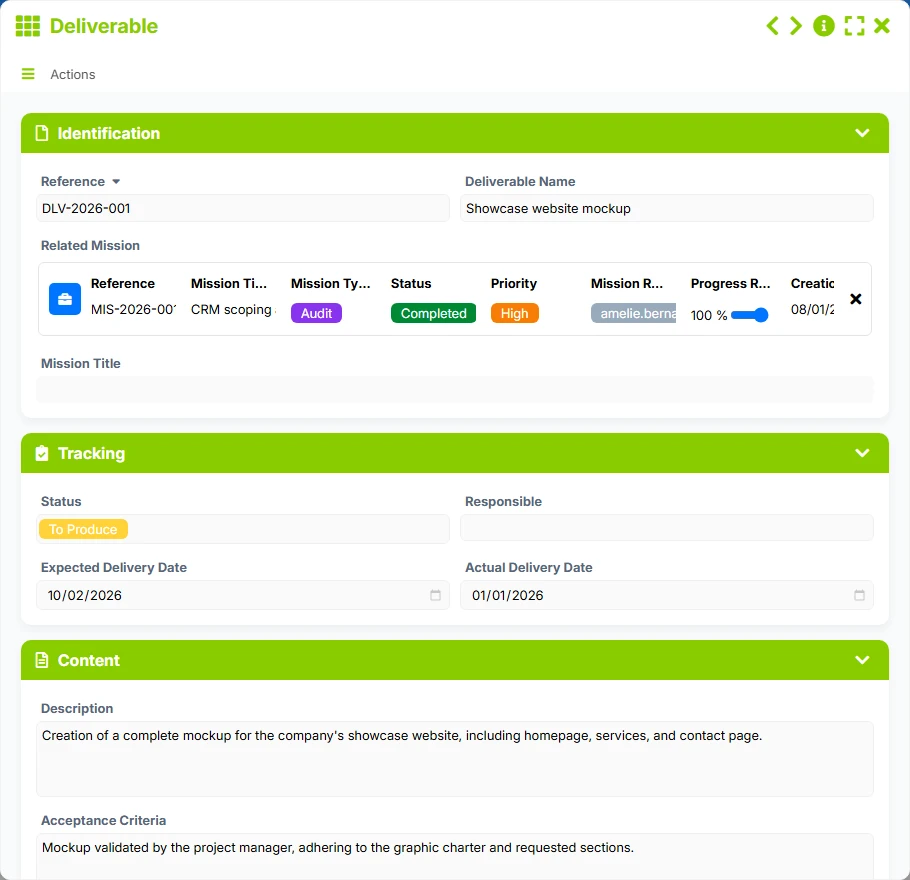
Tracking of expected deliverables by mission, from their status to delivery dates and acceptance criteria.
Planning and tracking of interventions related to a mission, from organization to execution.
Describe each mission with its reference, status, priority, manager, key dates, progress, planned budget, and steering information.
Associate each mission with a contact to centralize exchanges, identify the concerned organization, and quickly find the reference interlocutor.
Record timesheets by mission with the collaborator, date, number of hours, type of activity, hourly rate, and valued amount.
Attach deliverables to the mission, track their status, responsible person, planned and actual delivery dates, as well as acceptance criteria.
Plan interventions related to a mission with their type, status, intervenor, date, duration, and location to maintain an actionable schedule.
The template is based on a simple logic: a mission is created first, then it becomes the anchor point for time spent, expected deliverables, and interventions to be carried out. The views then allow you to track the state of progress, deadlines, validations, and delays at a glance.
The Mission sheet gathers the reference, title, type, status, priority, manager, planned start and end dates, as well as the main contact. It is the starting point for tracking.
Each mission is linked to a Contact, and the same contact can group multiple missions. This relationship facilitates management by organization, interlocutor, or mission portfolio.
Timesheets are entered from the mission to record hours, type of activity, collaborator, and financial valuation. The views to validate, validated, and this week help control the workload.
Each mission can reference multiple Deliverables. You track their status, responsible persons, planned and actual delivery dates, and quickly identify deliverables that are late or to be produced.
Interventions related to the mission allow you to anticipate upcoming actions, track their schedule, identify urgencies, and keep a record of operations carried out.
All forms offered in the app templates are editable and adjustable to your business, as well as the colors and layouts.
Structure the tracking of missions without multiplying tools, with a simple base to manage deadlines, deliverables, and time spent.
Coordinate multiple teams, multiple managers, and multiple types of commitments in a shared management logic.
Track your field missions, your interventions, and your deliverables with a clear view of the resources mobilized and deadlines.
Organize missions, control expected deliveries, and maintain a readable history of actions, time spent, and interventions.
Yes. The mission is the central file, and it can reference multiple timesheets, multiple deliverables, and multiple interventions. This allows tracking actual execution without dispersing information.
Yes. The main contact serves as an anchor point, and one contact can group multiple missions. This is convenient for tracking a client, partner, or organization across multiple commitments.
The views In progress, Due, and By status allow you to quickly spot missions to monitor. Late deliverables and urgent interventions also provide immediate operational insight.
Yes. Each timesheet contains hours, hourly rate, and amount. The tracking views help analyze entered hours, generated amounts, and pending validations.
Yes. The status, priority, dates, and planning fields allow managing both short interventions and longer missions with multiple deliverables and stages.
Yes. Responsibilities, statuses, and tracking views facilitate teamwork, with a simple reading for operational teams as well as for managers.
Start with a ready-to-use structure to centralize your missions, contacts, deliverables, timesheets, and interventions. Then customize the fields, statuses, and views according to your way of working.
Here is what our clients say
Companies of all sizes and sectors that have optimized their operations with Airprocess



























