1 click
To install the template

Purchase Tracking
This AirProcess template centralizes the entire purchasing cycle in a single application: supplier referencing, product and service catalog, creation of purchase orders, tracking of lines, reception of deliveries, and invoice control. You secure each step, reduce oversights, and maintain a reliable view of commitments and payments.
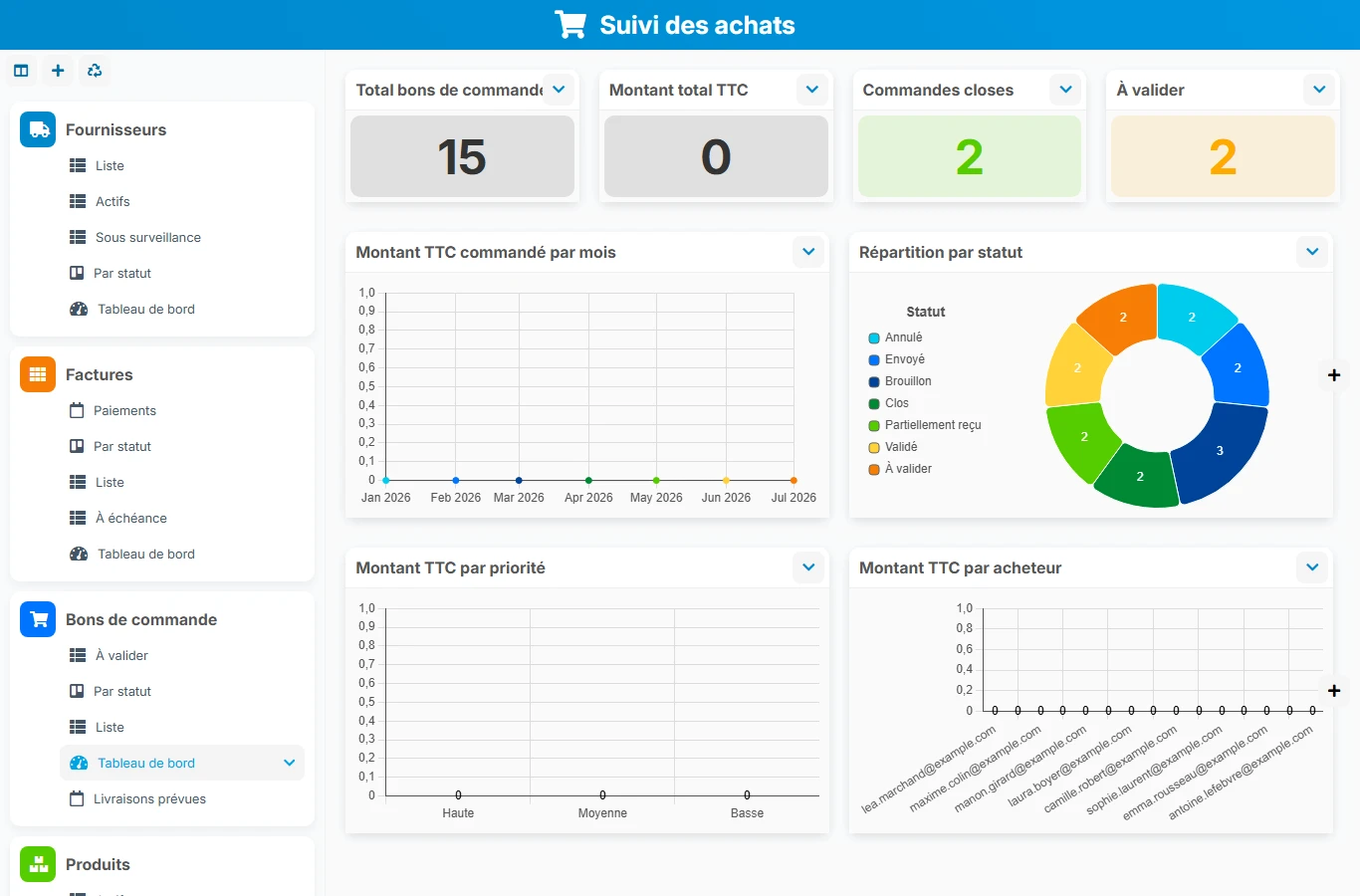
When purchases are tracked in separate files or by email, risks increase: unapproved orders, poorly tracked deliveries, difficult-to-reconcile invoices. This template structures the relationships between suppliers, orders, deliveries, and invoices to provide your teams with a common, clearer, and more responsive framework.
1 click
To install the template
7
ready-to-use forms
100%
Customizable without development
France
Technology and hosting
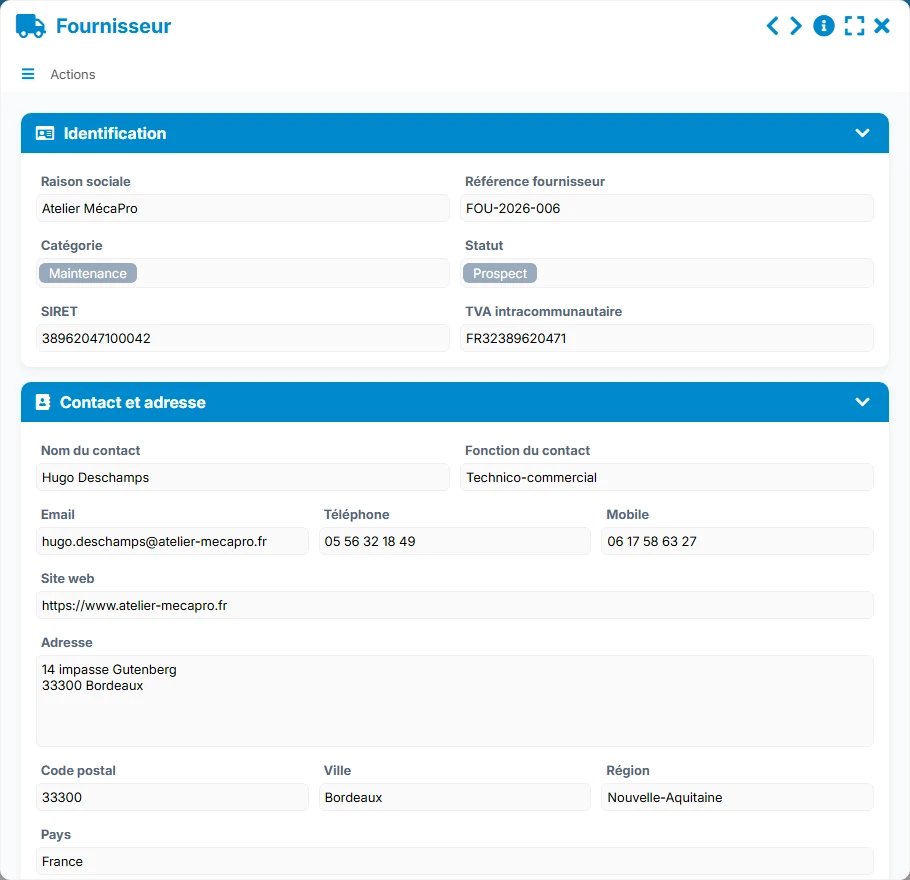
Complete sheet to manage the supplier's identity, contact details, purchasing conditions, documents, and links to orders and invoices.
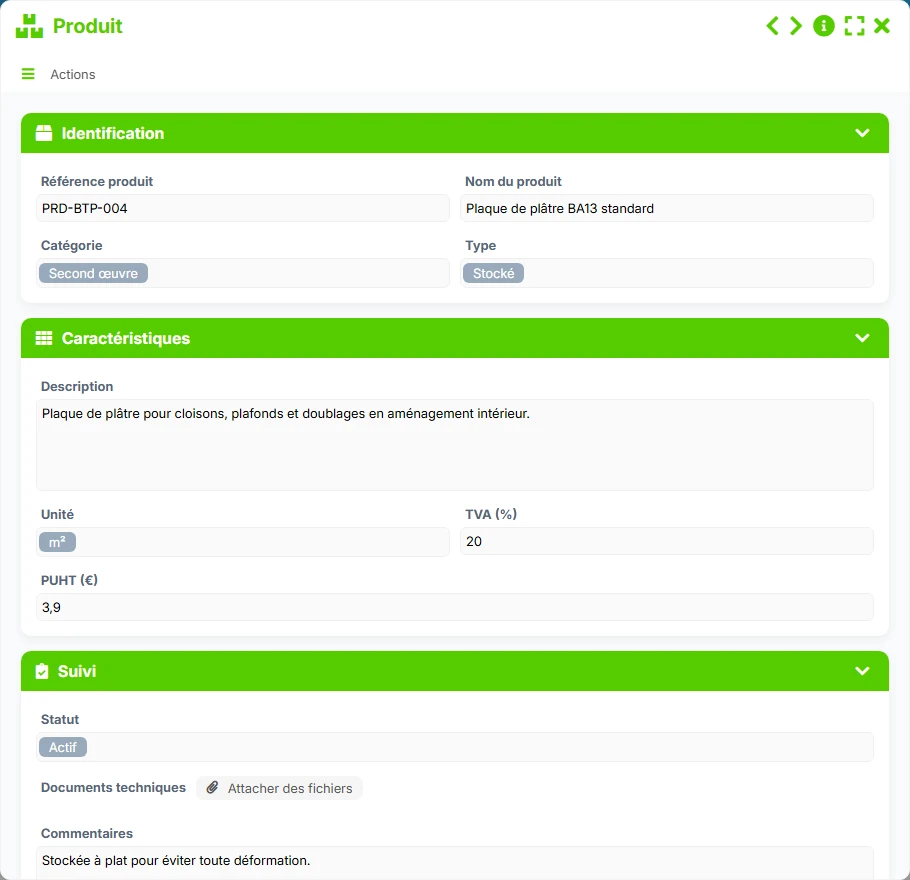
Reference of purchased items with their characteristics, unit prices, status, and technical documents.
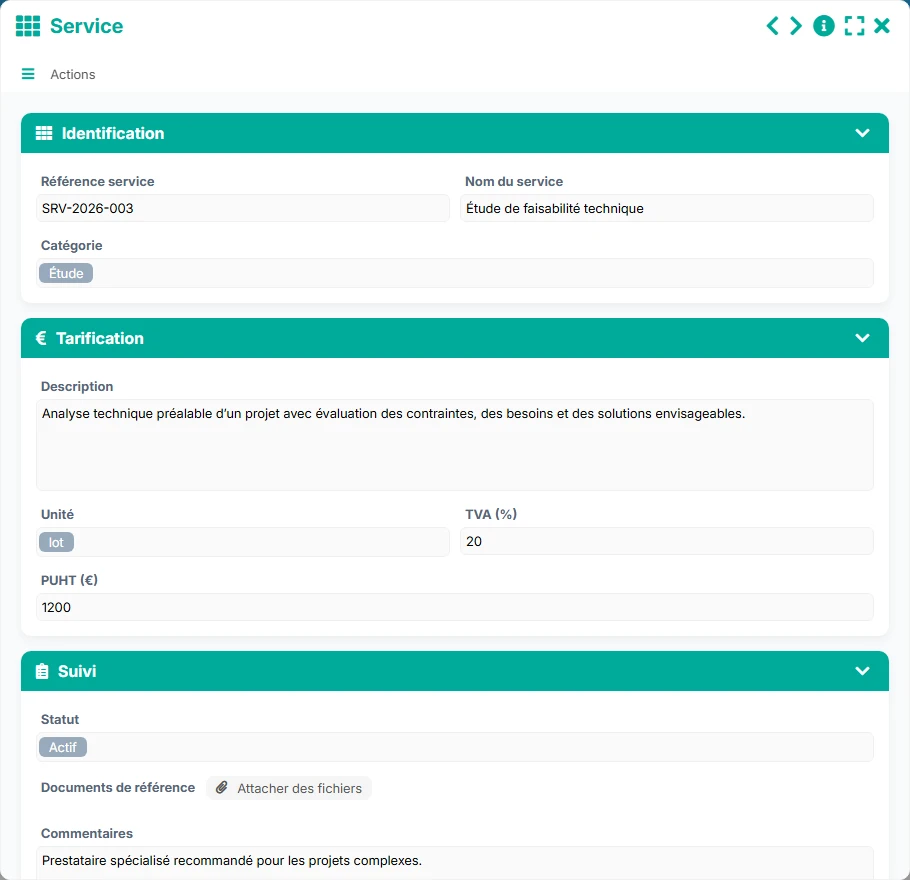
Reference of services with pricing, unit, VAT, description, and reference documents to standardize non-physical purchases.
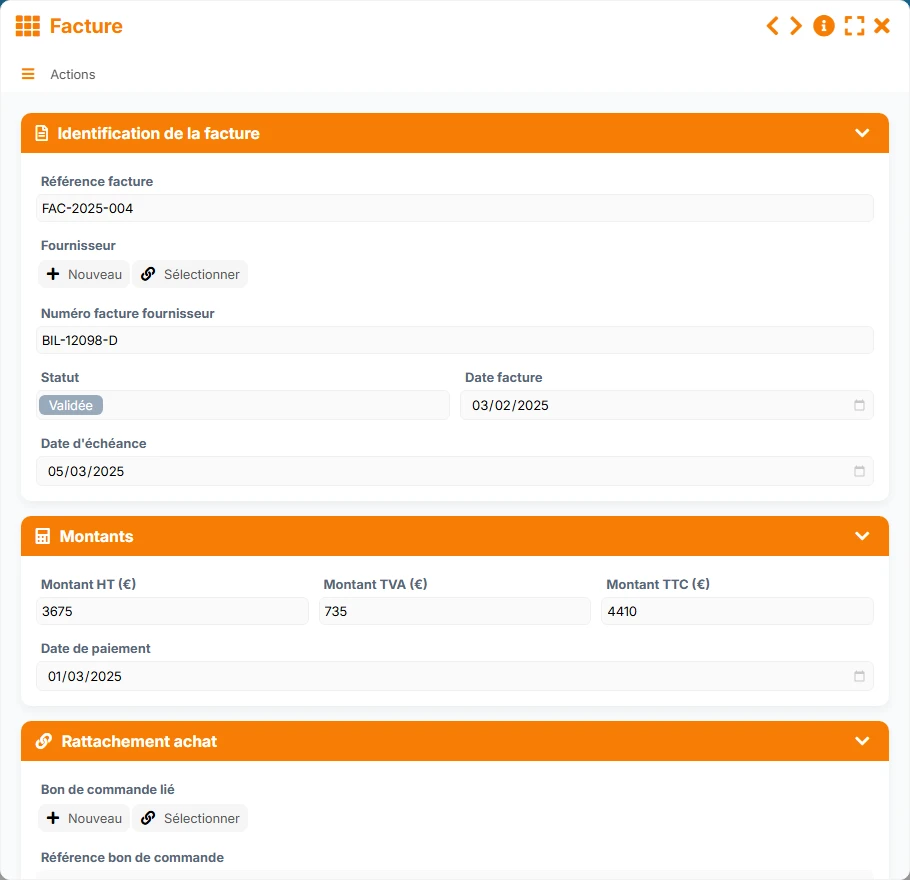
Tracking of supplier invoices linked to the purchase order, amounts, due dates, payment date, and associated documents.
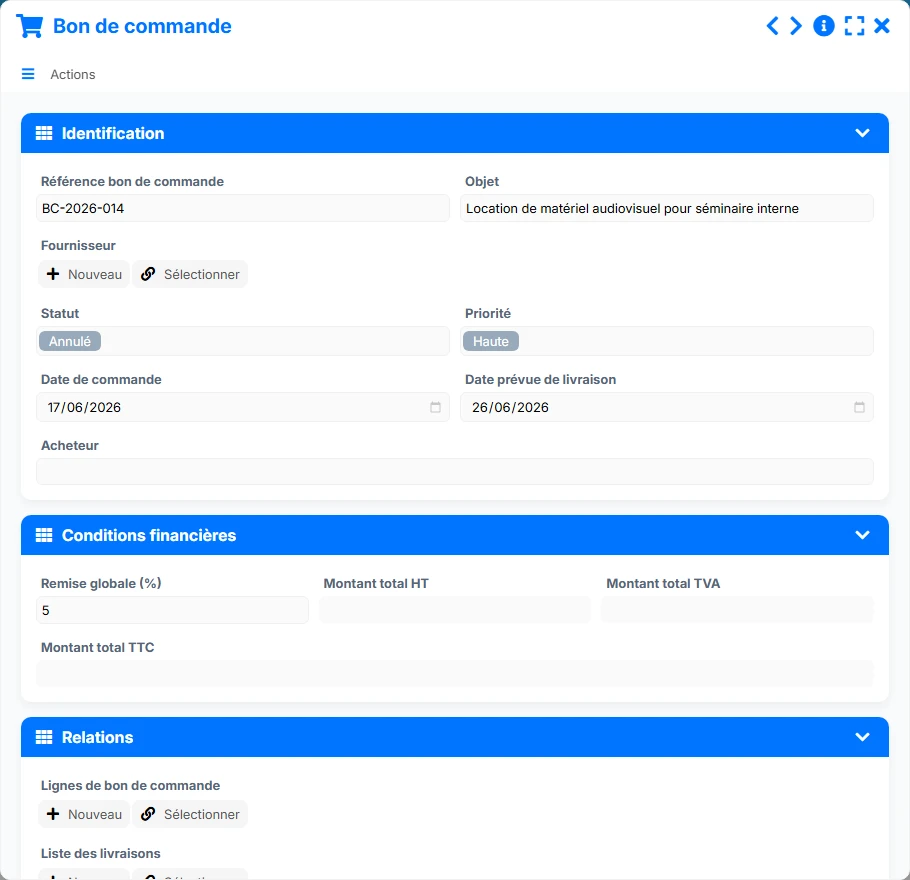
Main purchasing document to frame the supplier, financial conditions, dates, priority, and expected deliveries.
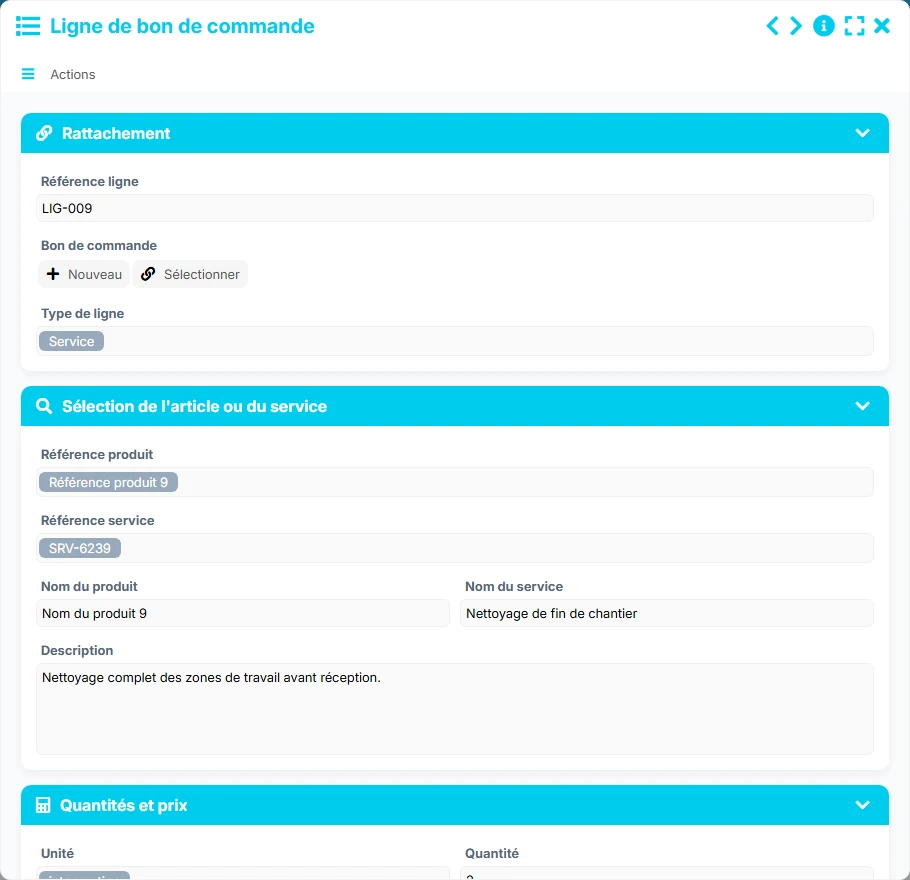
Operational detail of a purchase order to enter each item or service, quantities, amounts, and receipt tracking.
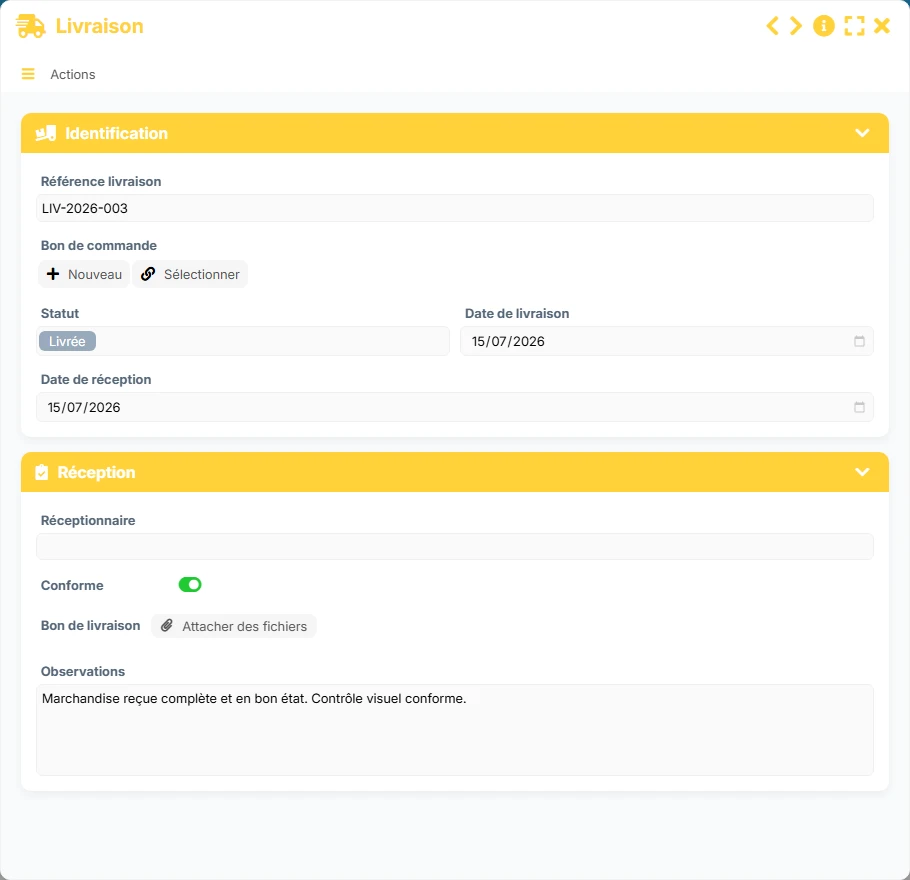
Recording of receipts related to an order, with status, compliance, delivery date, receipt date, and observations.
Keep the contact details, statuses, purchasing conditions, and useful documents of each supplier in a structured sheet, with associated orders and invoices.
Manage your items and services separately with their references, descriptions, units, VAT, unit prices, and technical or reference documents.
Create orders with subject, priority, buyer, key dates, discounts, and amounts, then track their status in a validation and execution logic.
Break down each purchase order into product or service lines to track quantities, prices, amounts, and remaining to receive.
Link deliveries to purchase orders, record dates, compliance, recipient, and observations to ensure reliable reception.
Link each invoice to its purchase order, track due dates, amounts excluding tax, VAT, and total amounts, as well as payment status for better control of commitments.
The model's operation follows a very concrete purchasing logic: we prepare the reference system, we order, we receive, and then we control the invoicing. The links between forms allow for maintaining the complete history of a purchase and quickly finding what has been ordered, delivered, and invoiced.
We start by creating suppliers, then the product and service catalog. These references lay the foundation of the process and avoid repeated entries when ordering.
The purchase order groups a supplier, an object, a priority, a buyer, dates, and financial conditions. It becomes the central document for managing the purchase commitment.
Each purchase order is broken down into lines linked to the parent document. This structure allows distinguishing products and services, tracking amounts, and precisely measuring what remains to be received.
Deliveries are linked to the purchase order to control dates, compliance, and any reservations. The purchasing or receiving team can thus secure the transition from order to reception.
Each invoice is linked to its purchase order. We check supplier references, due dates, and amounts before payment, which facilitates reconciliation and reduces disputes.
All forms offered in the app templates are editable and adjustable to your business.
Structure your purchases without complex tools and maintain clear traceability between suppliers, orders, deliveries, and invoices.
Standardize purchase management across multiple teams, sites, or spending categories with shared tracking views.
Organize orders, reception, and invoice control with formalized steps and usable history.
Secure field purchases and budget tracking with a simple reference system, visible validations, and better expense control.
Yes. It covers supplier referencing, products and services, purchase orders, lines, deliveries, and invoices, with links between each step.
Yes. The intended relationship allows linking multiple invoices to a purchase order, which facilitates tracking of deposits, credits, or partial billings.
The purchase order lines have receipt tracking and a dedicated view of what remains to be received, which helps control the actual progress of orders.
Yes. Invoices include due dates, amounts, and payment status, with views and a dashboard to identify invoices to be processed.
Yes. Deliveries include a status, a compliance indication, a recipient, and observations to trace accepted or to-be-corrected receptions.
Yes. The template clearly distinguishes products and services, allowing for tailored entry, pricing, and tracking according to the nature of the purchase.
Deploy this template to centralize your suppliers, orders, deliveries, and invoices in one space. You can then adapt it to your validation rules, management indicators, and business needs without starting from scratch.