1 click
To install the template

Call Tracking
Centralize incoming calls, link them to contacts, create follow-up tickets, and orchestrate associated tasks in a single clear application. Your team gains responsiveness, traceability, and visibility on requests to be processed.
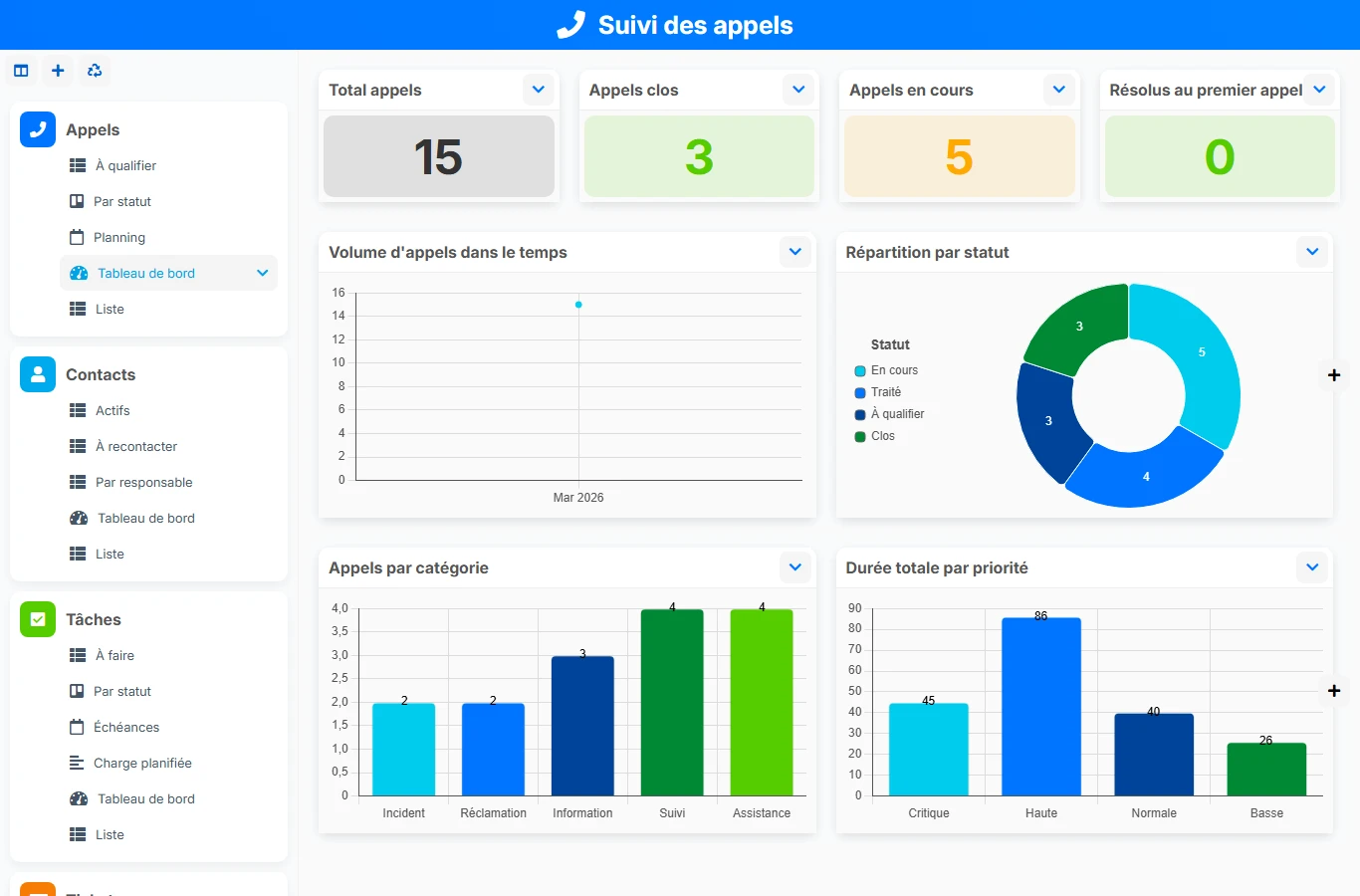
This AirProcess template avoids scattered notes, forgotten follow-ups, and isolated tickets. By linking each call to a contact, tickets, and tasks, it creates a true thread of handling to manage support on a daily basis.
1 click
To install the template
4
ready-to-use forms
100%
Customizable without development
France
Technology and hosting
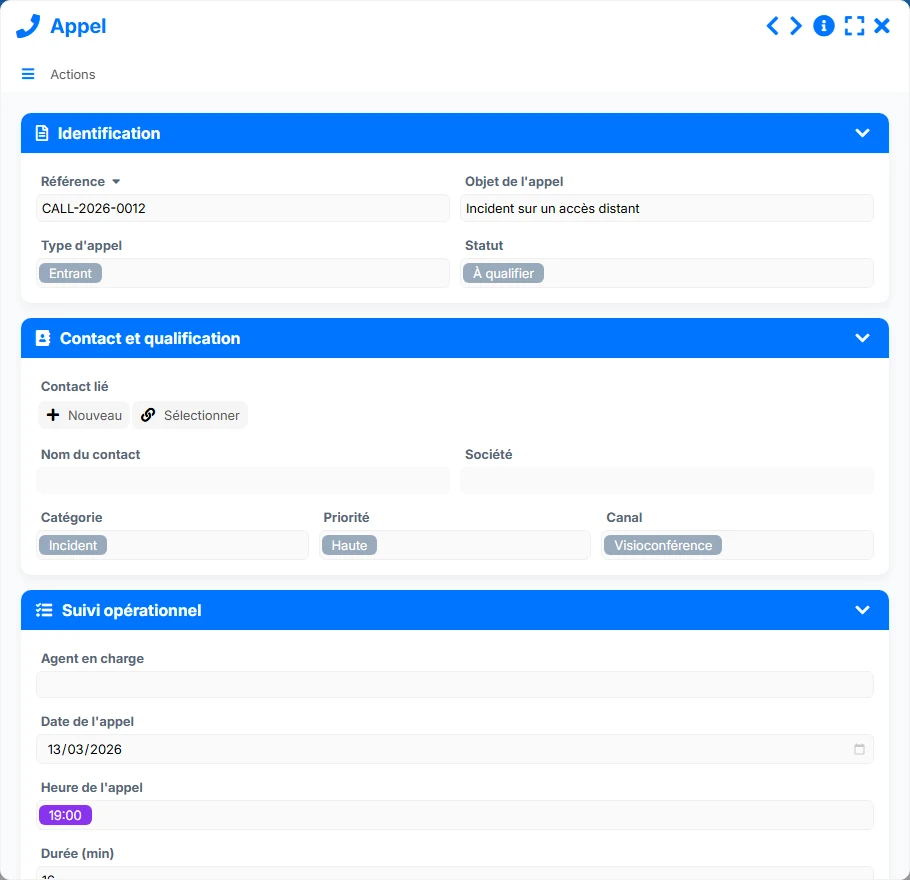
Entry point for support to record each interaction, its priority, and its context.
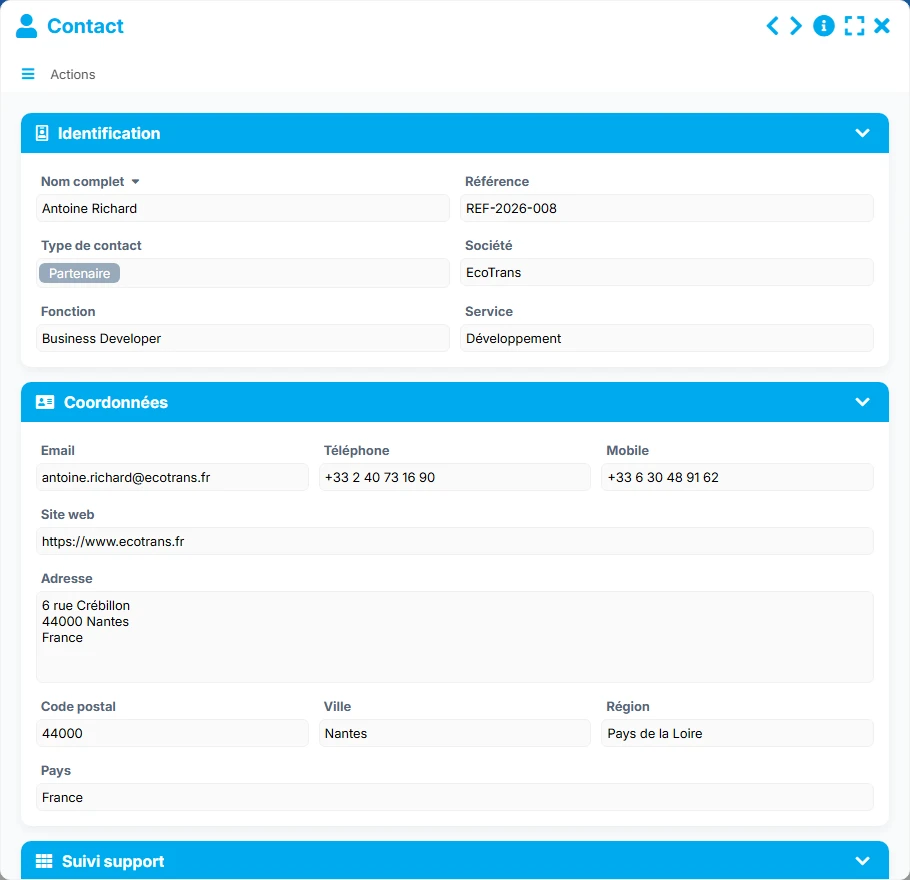
Contact sheet to centralize contact details, the company, and the history of exchanges.
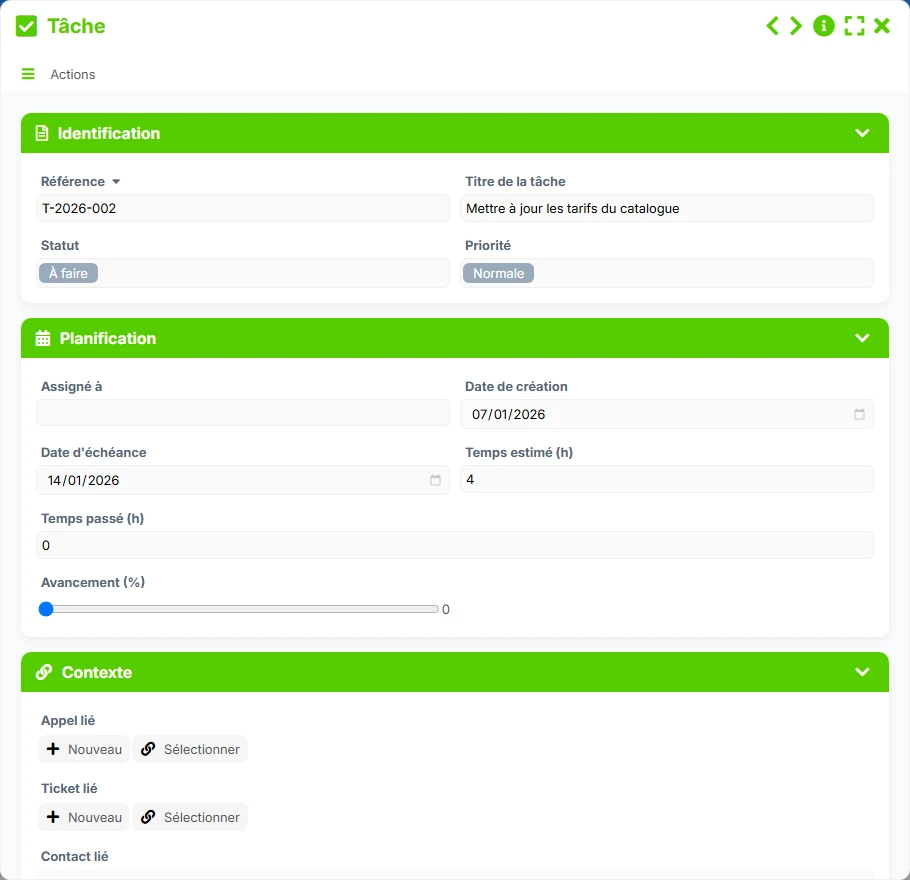
Follow-up action linked to a ticket to plan, assign, and control execution.
Processing file to track requests, their status, their owner, and their resolution.
Record each call with its reference, subject, type, priority, channel, and status to maintain a clear view of the support flow.
Centralize information for each contact, including the company, role, contact details, and related history, to quickly find the right person.
Transform a call into a follow-up ticket, then manage its processing by status, priority, category, source, and owner until resolution.
Create tasks linked to tickets to distribute actions, track deadlines, measure progress, and secure commitments made to clients.
Track call volume, critical tickets, pending tasks, and contacts to re-contact through summary and tracking views.
The template follows a simple and operational logic: the call is recorded, linked to a contact, then transformed if necessary into a ticket and processing tasks. The views are then used to qualify, prioritize, and track files until their closure.
Each call is recorded with its subject, category, priority, channel, and status. The agent thus retains a common base to qualify the request without losing information.
The 'Linked Contact' field connects the call to an existing contact. This relationship allows retrieving the history, contact details, and previous requests from the same person.
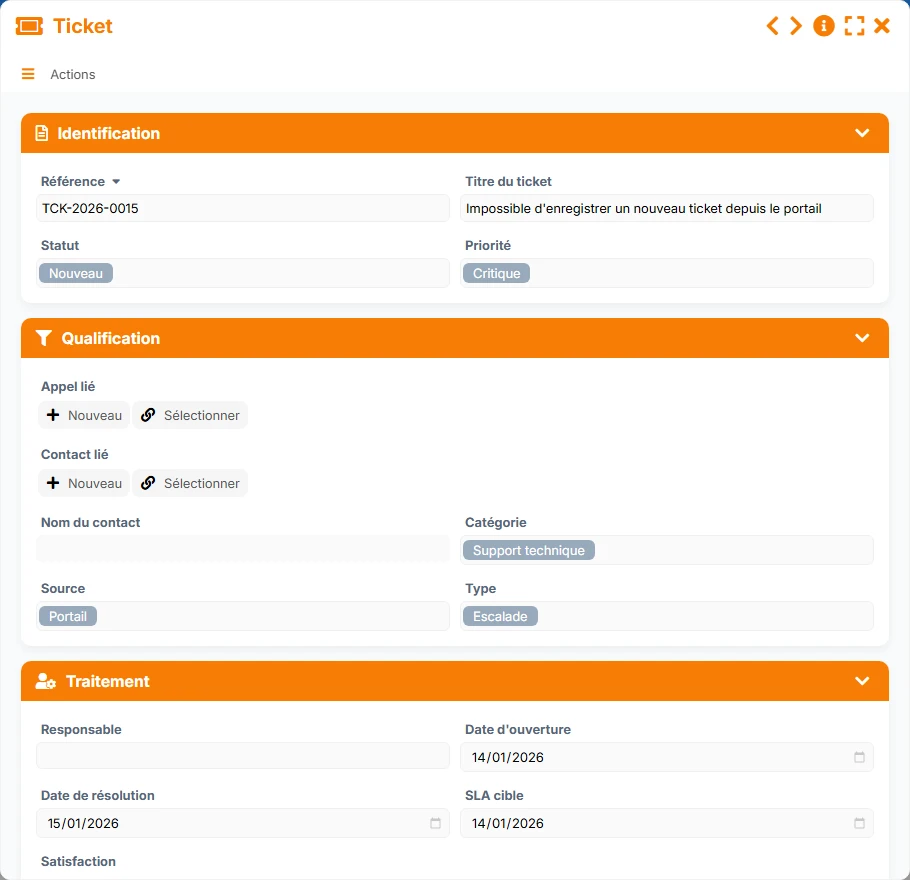
A call can reference multiple tickets, allowing the creation of one or more files depending on the nature of the request. The ticket centralizes the title, priority, source, type, and processing status.
Each ticket can group multiple tasks. The team can thus distribute actions, assign an owner, set deadlines, and measure the time spent on each file.
The 'To Qualify', 'New', 'To Re-contact', 'To Do', kanbans by status, and deadline calendars provide an immediate reading of priorities and delays.
All forms offered in the app templates are editable and adjustable to your business.
Structure customer support without implementing a complex tool: each call, ticket, and task remains easy to track for a small team.
Manage high volumes of calls and tickets with statuses, owners, and management views suited for multi-actor teams.
Organize incoming requests with clear processing circuits, traceability of exchanges, and deadline tracking.
Yes. The Call form has a 'Linked Contact' field, which allows associating each exchange with a unique contact record and easily retrieving the history.
Yes. The relationship between Call and Ticket allows attaching multiple tickets to a call, useful when a single exchange generates several follow-up topics.
Yes. Each task is linked to a ticket, which facilitates the distribution of actions, tracking deadlines, and controlling the progress of processing.
The 'To Qualify', 'New', 'To Re-contact', 'To Do', kanbans by status, and deadline calendars help quickly identify urgent requests and pending files.
Yes. The dashboards highlight call, contact, task, and ticket volumes, as well as ongoing, pending, or critical items.
Yes. It provides a structured basis to centralize requests, distribute processing, and evolve tracking without starting from scratch.
Start with a clear application to record calls, create tickets, assign tasks, and track follow-ups. Then customize the fields, views, and processing rules according to your organization.