1 click
To install the template

Order Tracking
Centralize the tracking of purchase orders, lines to receive, contacts, and product catalog to gain visibility, secure receipts, and streamline both purchases and sales.
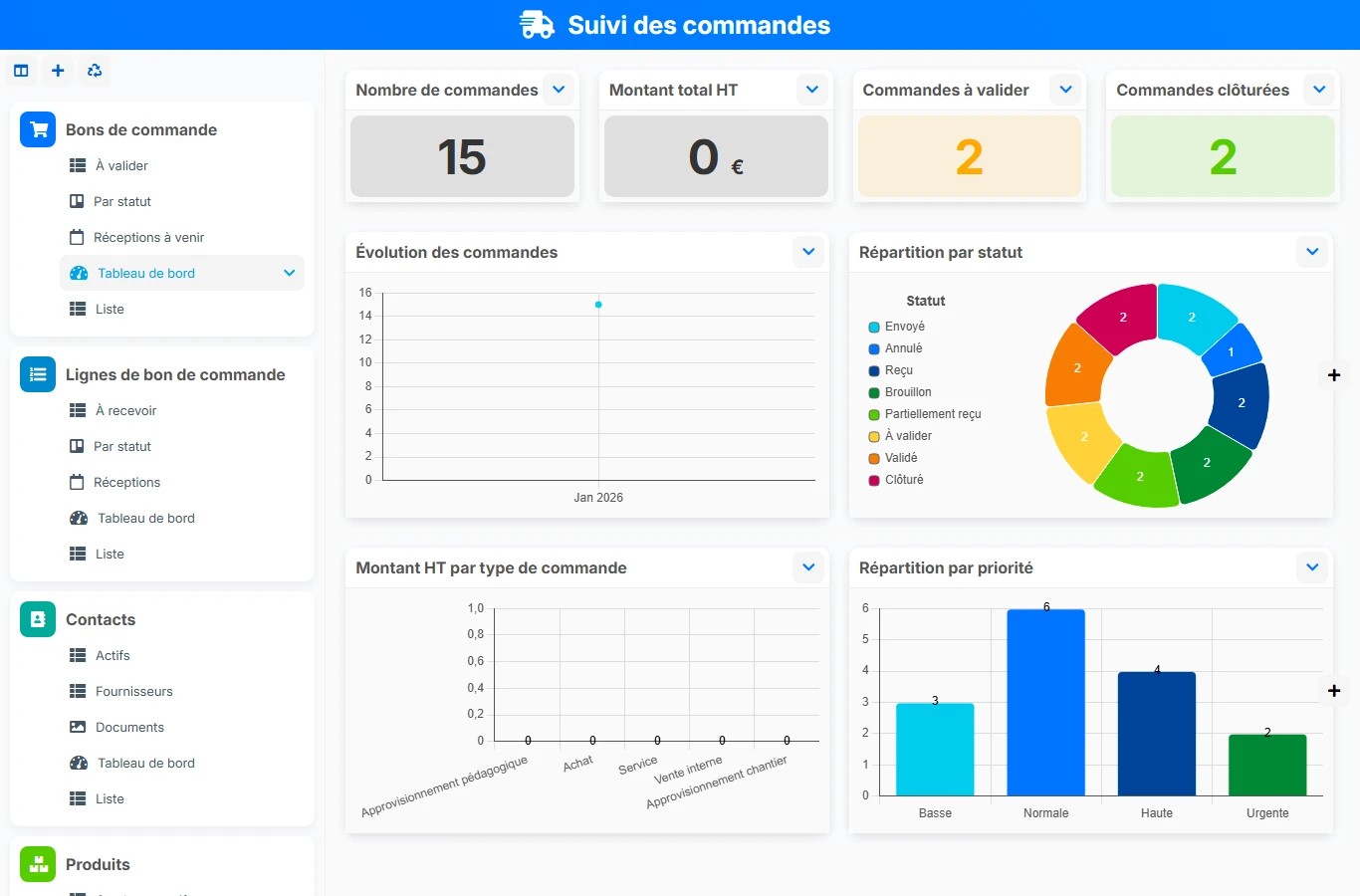
This AirProcess template structures the entire order cycle in a single application: validation, assignment, line preparation, receipt tracking, amount control, and third-party management. You limit oversights, reduce data entry errors, and maintain a reliable view of upcoming orders and overdue receipts.
1 click
To install the template
4
ready-to-use forms
100%
Customizable without development
France
Technology and hosting
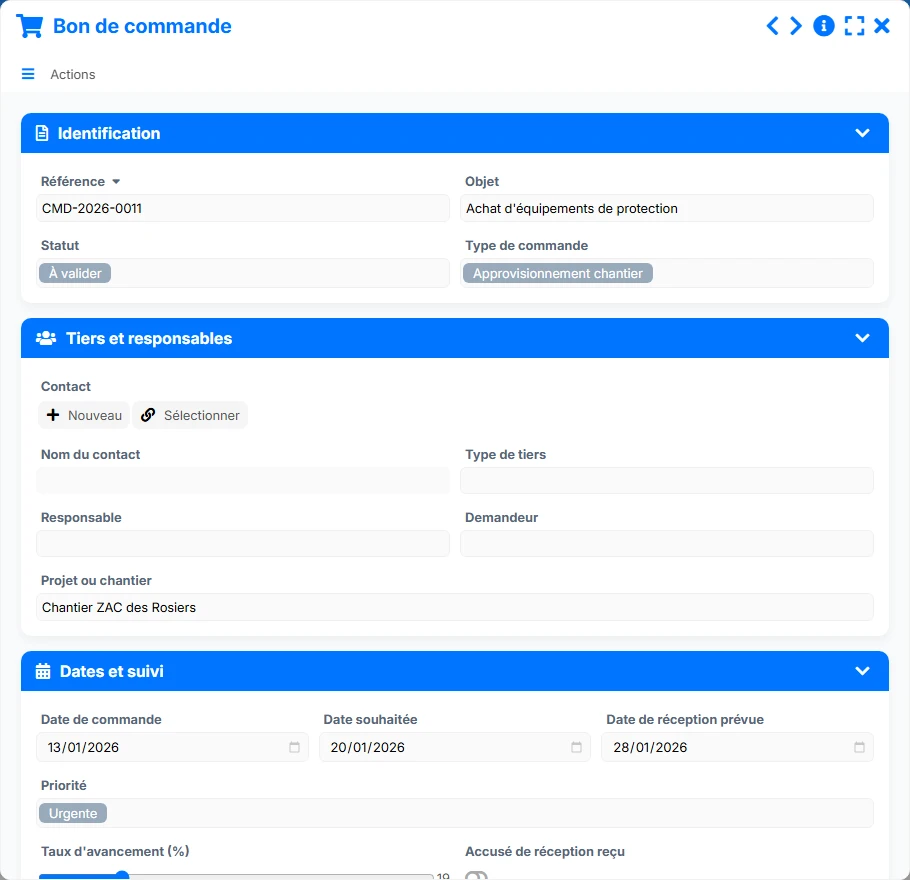
Main form to record the order, its responsible parties, dates, amounts, and its link to a contact.
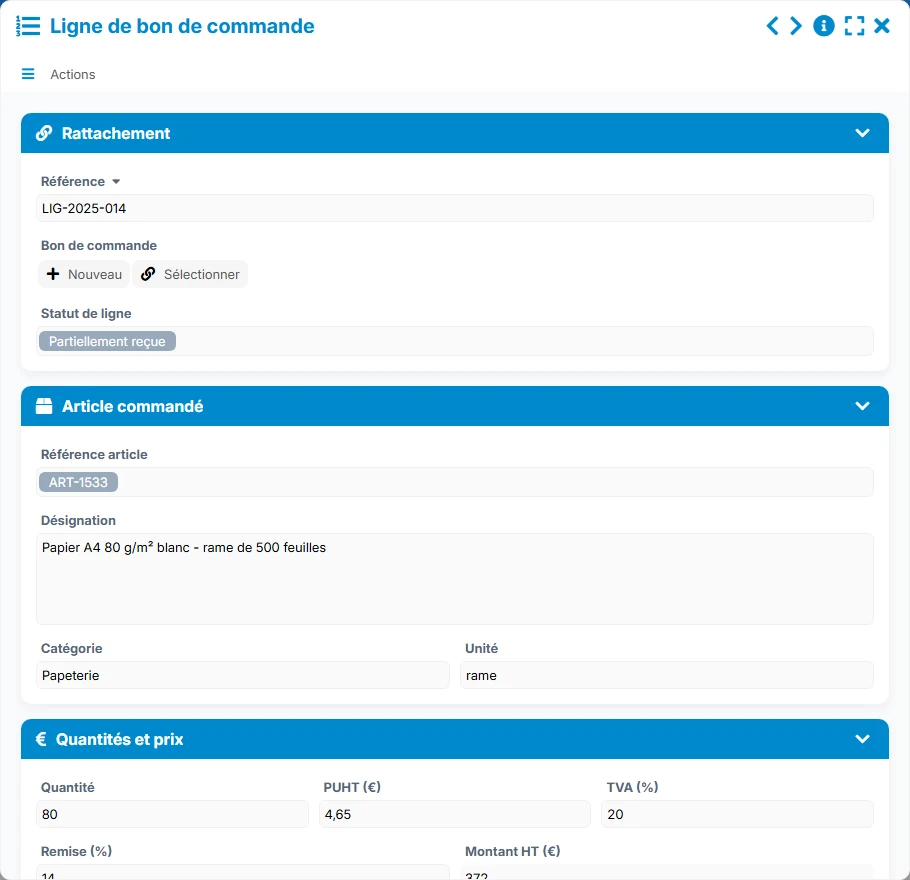
Operational detail of a purchase order with ordered items, quantities, prices, and receipt tracking.
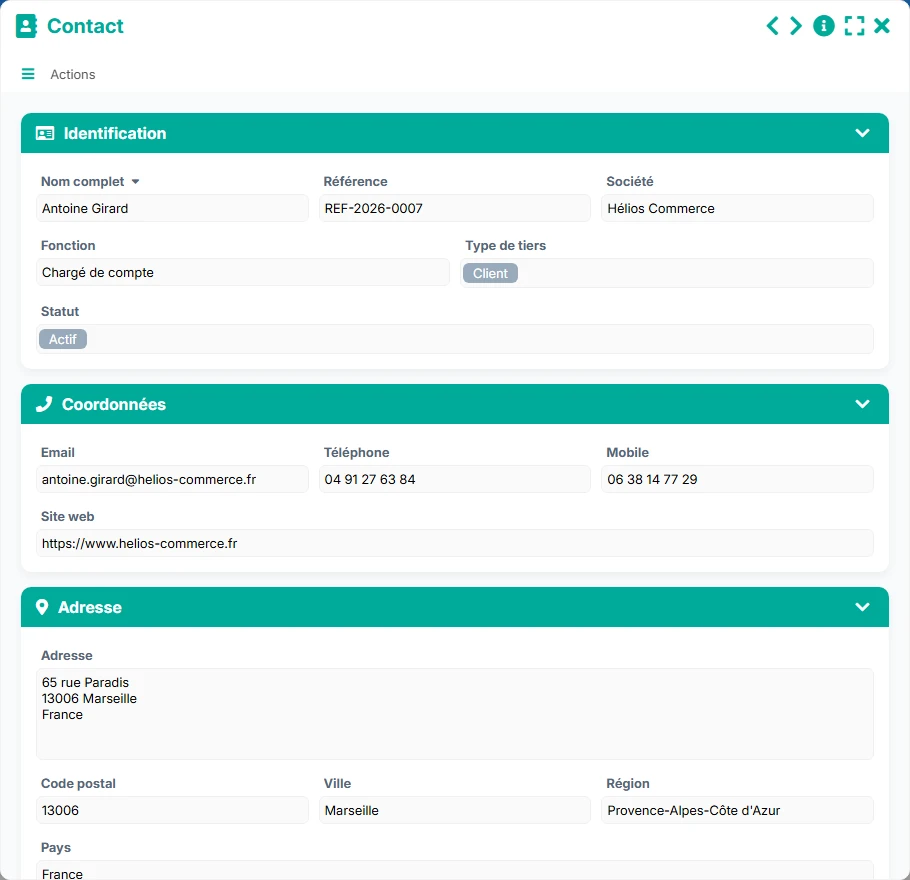
Reference for third parties to attach orders to, with their contact details, status, and documents.
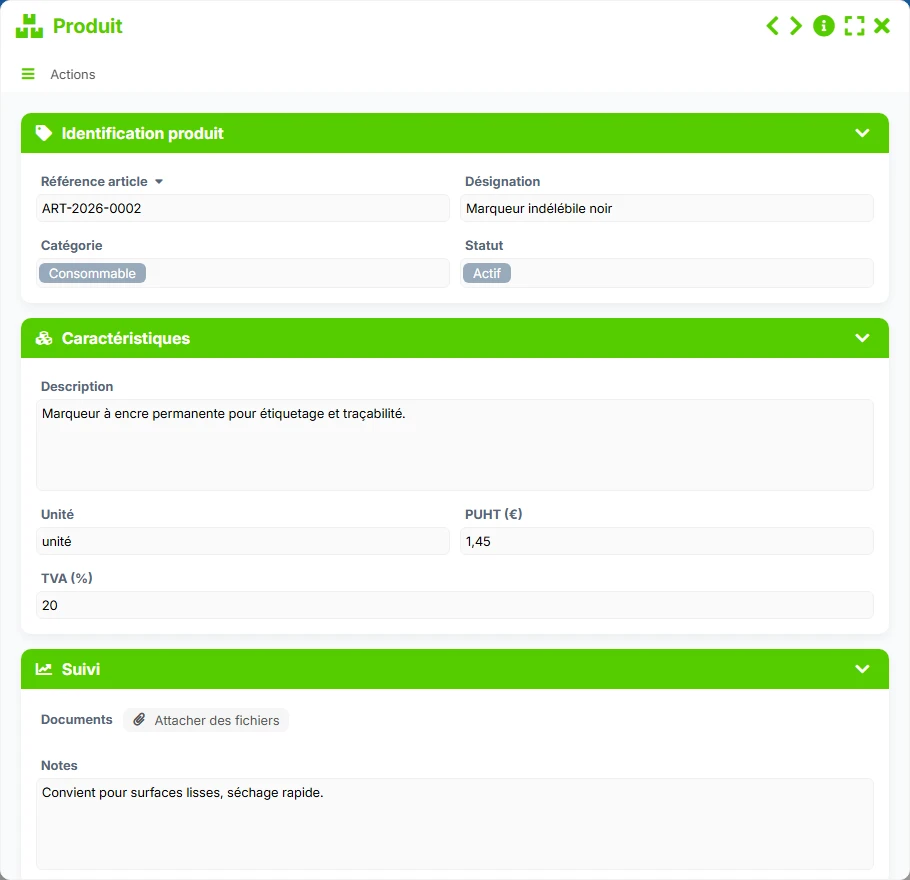
Reference catalog to secure ordered items, their characteristics, and their prices.
Record each order with its reference, subject, status, type, involved responsible parties, key dates, and the associated project or site.
Break down each purchase order into independent lines with item, designation, quantity, unit price, VAT, net amount, and receipt tracking.
Attach each order to a contact and organize your third parties with their contact details, company, role, status, and documents.
Maintain a product reference database with item reference, category, unit, net unit price, VAT, description, and documents to ensure reliable orders.
Track net and gross amounts, received quantities, unreceived lines, and expected receipts to better meet deadlines.
The template is based on a simple and robust logic: identify the third party, create the purchase order, detail the lines, then track the progress of receipts and any discrepancies. The views then allow you to control orders to be validated, upcoming receipts, and lines still to be received.
The contact serves as an anchor point for all orders. You will find the company, role, type of third party, contact details, and useful information for tracking.
The purchase order gathers the reference, subject, status, type of order, responsible party, requester, desired date, and expected receipt date.
Each purchase order references several lines, allowing you to track item by item the quantities, prices, VAT, and receipt status.
Lines to receive, quantities received, and receipt schedules provide immediate visibility into discrepancies between order and delivery.
The dashboard aggregates the number of orders, total net amount, orders to be validated, closures, and distribution by status or type of order.
All forms offered in the app templates are editable and adjustable to your business.
Structure your purchases and orders without relying on a complex tool, with clear tracking of receipts and amounts.
Standardize order management across multiple teams, sites, or responsible parties through control views and a shared reference.
Manage orders, third-party tracking, and receipts with a clear framework for purchasing and operational services.
Secure purchases, deliveries, and supplier tracking in an easy-to-update application.
It allows you to centralize purchase orders, ordered lines, contacts, and products to track receipts and amounts in a single application.
A purchase order is linked to a contact, and it can contain several purchase order lines. This structure allows transitioning from a global order to line-by-line tracking.
Yes. The views dedicated to lines to receive, receipts, and the schedule provide a clear view of quantities received, unreceived lines, and upcoming deadlines.
It is very useful for ensuring references, units, prices, and VAT. It helps standardize orders and limit data entry errors.
The dashboard highlights the number of orders, total net amount, orders to be validated, closed orders, distribution by status, and order evolution.
Yes. You can adjust statuses, fields, views, and work rules to align the application with your validation circuits and procurement practices.
Start with a ready-to-use structure to track your orders, receipts, contacts, and product catalog, then customize the fields and views according to your organization.