1 click
To install the template

Quote Tracking
Centralize your contacts, deals, quotes, products, services, and estimate lines in a clear application to produce more reliable proposals, follow up at the right time, and manage your business activity with a shared vision.
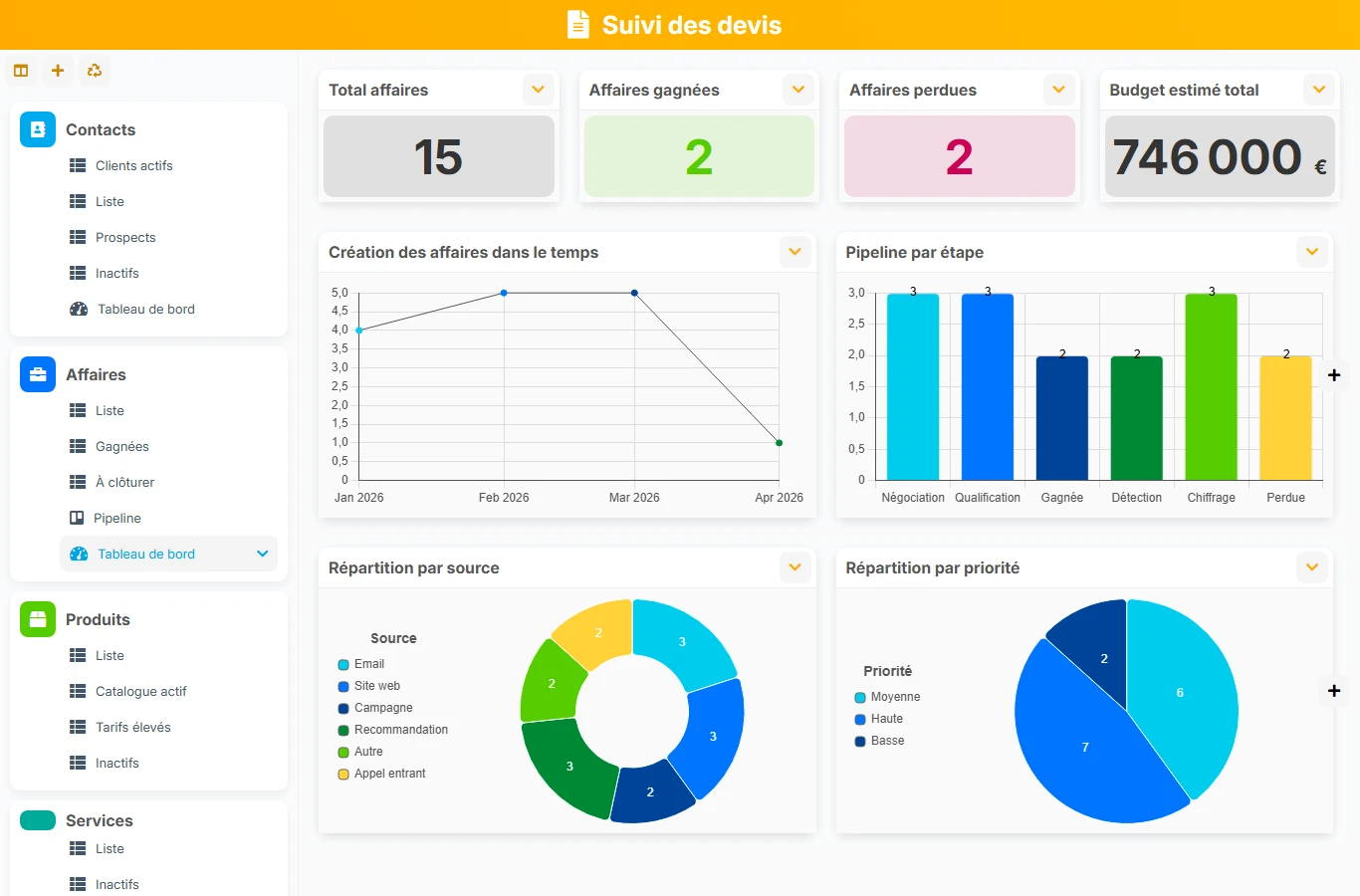
This template brings together client information, the context of the deal, item catalogs, and the details of quote lines in one space. You save time on preparation, reduce estimation oversights, and make commercial tracking much clearer for teams.
1 click
To install the template
6
ready-to-use forms
100%
Customizable without development
France
Technology and hosting
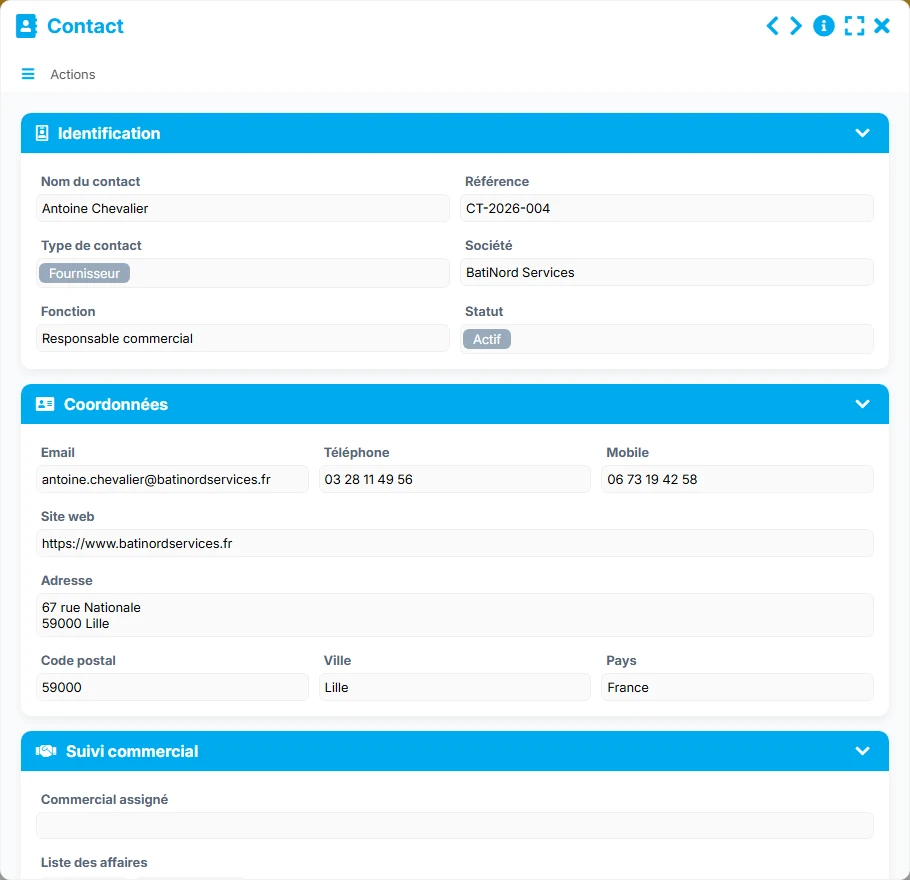
Commercial identity sheet of the client or prospect, with their contact details, status, and links to deals and quotes.
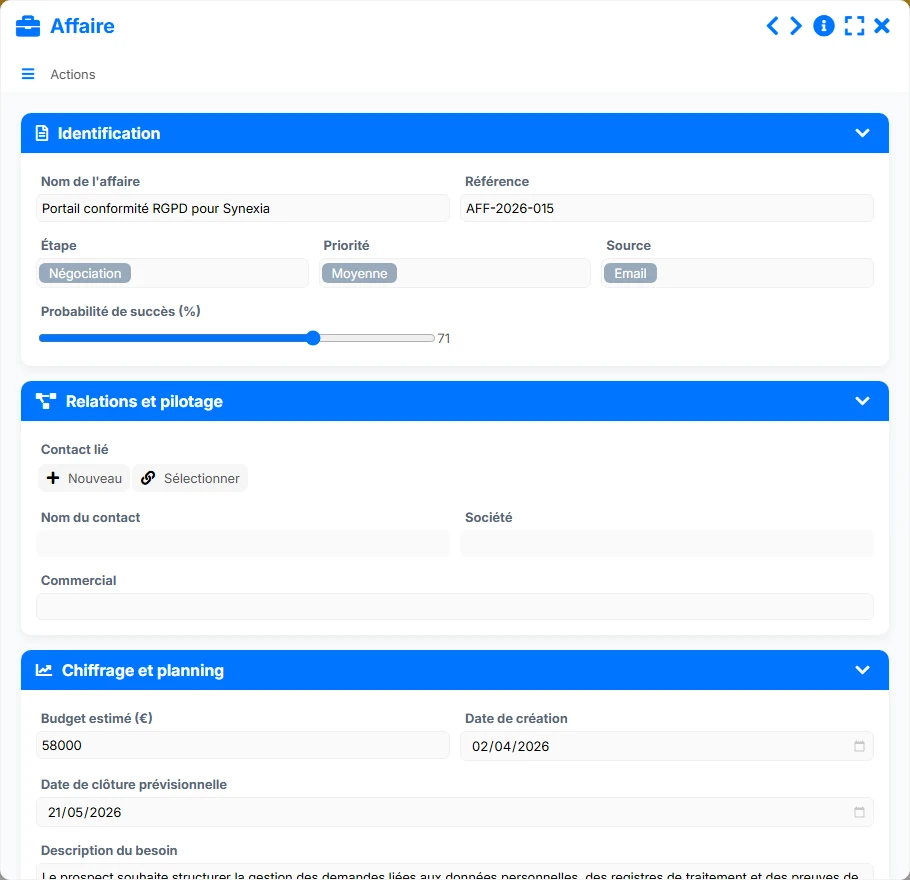
Commercial follow-up file with stage, priority, source, probability, salesperson, and associated quotes.
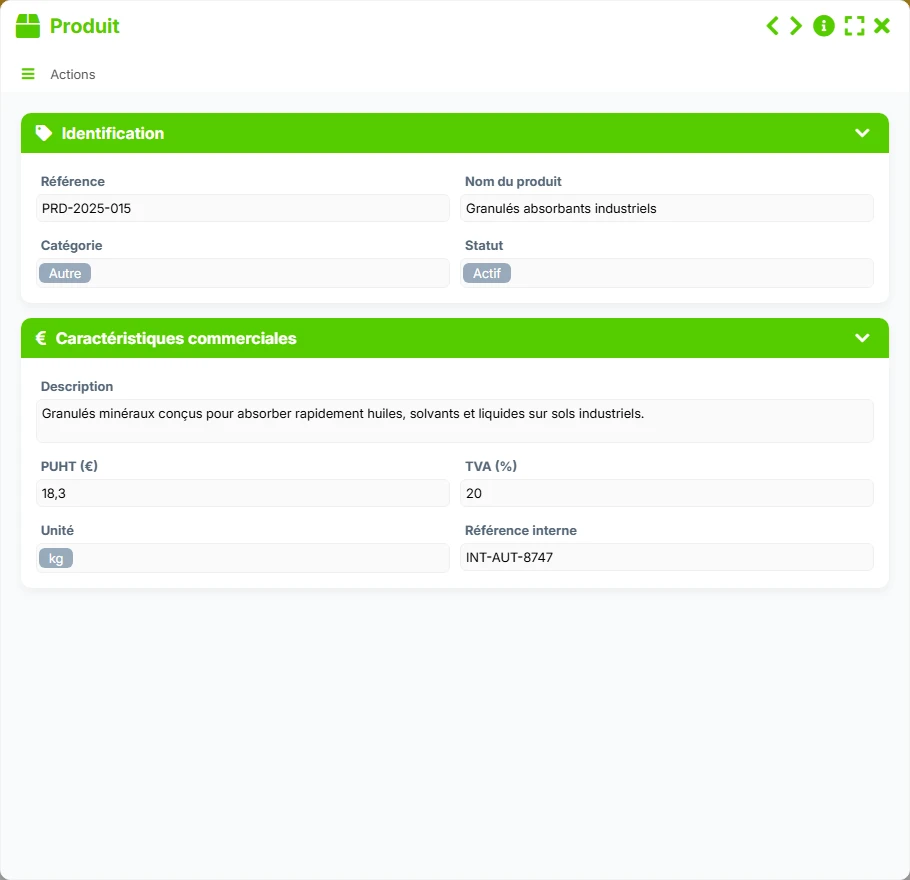
Catalog of marketable products with references, description, price, VAT, unit, and status.
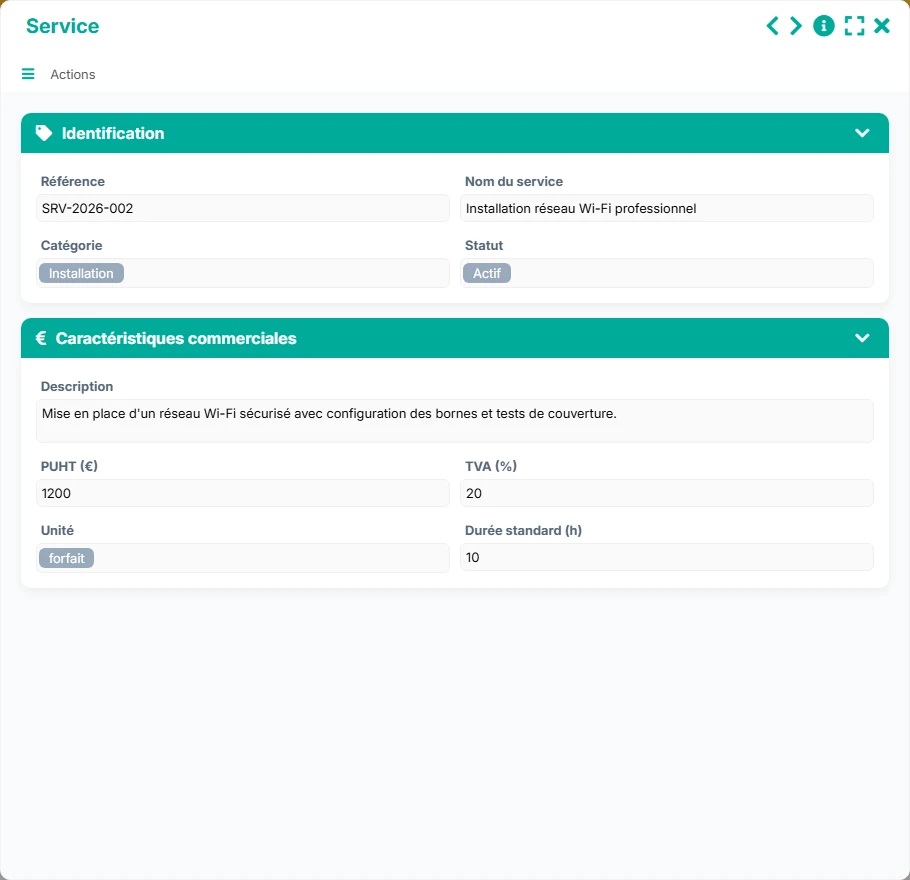
Catalog of services with references, standard duration, price, VAT, unit, and status.
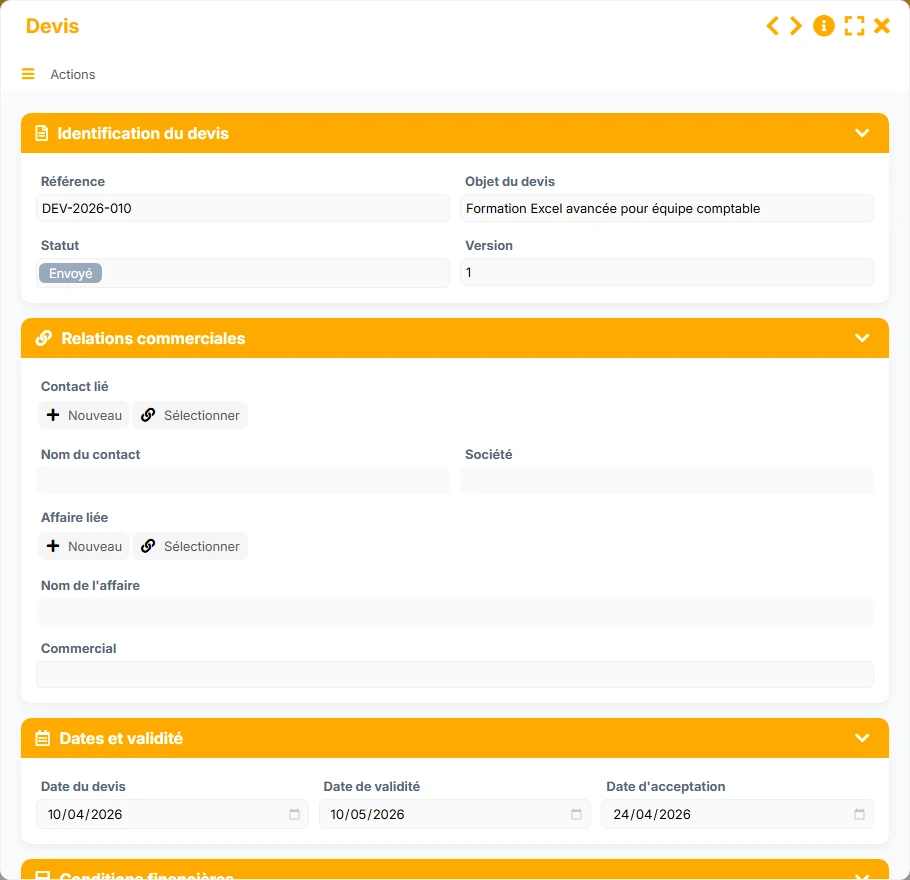
Proposal document linked to the contact and the deal, with status, version, dates, conditions, and associated documents.
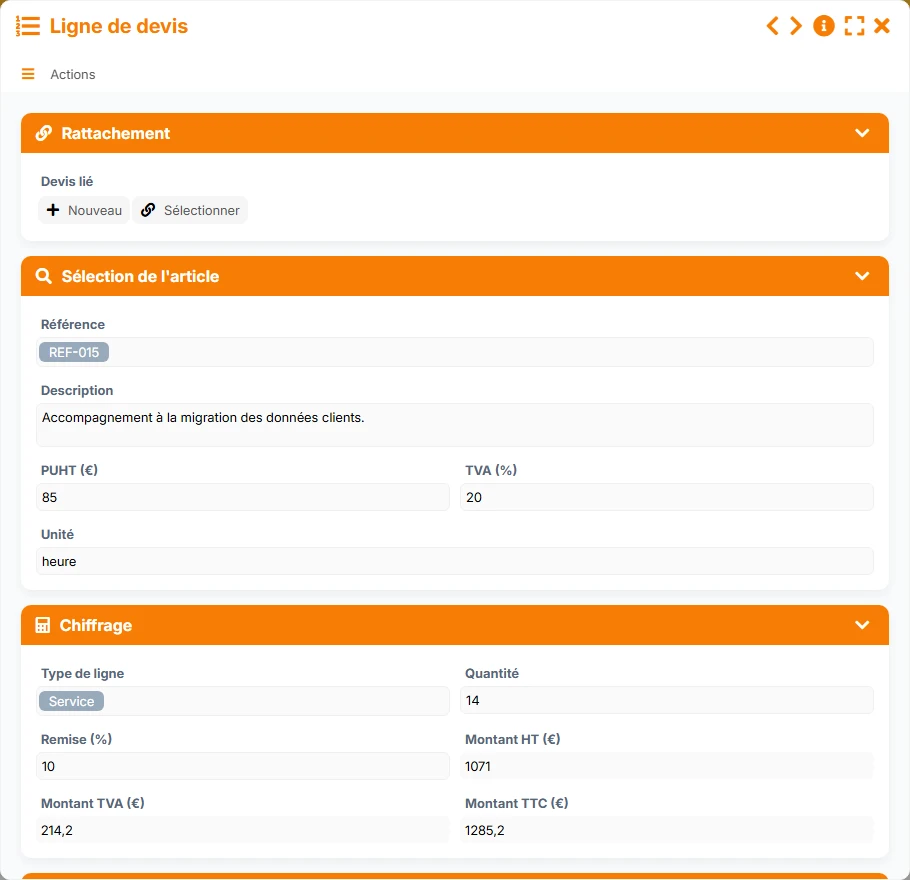
Detail of the estimate attached to a quote, to break down each product or service offered with its amounts.
Keep key information about your contacts, their commercial status, their contact details, and their link to deals and quotes to maintain a usable history.
Track opportunities with their stage, priority, source, probability of success, estimated budget, and responsible salesperson.
Create quotes linked to a contact and a deal, with their status, version, dates, and conditions to frame the sales cycle.
Support your quotes with structured items with reference, category, unit price, VAT, unit, and active or inactive status.
Build each proposal line by line with quantity, discount, net amount, and clear presentation of the estimate.
Leverage lists, kanbans, calendars, and dashboards to identify quotes to follow up on, deals to close, and committed amounts.
The template follows a simple and effective commercial logic: a contact feeds into a deal, which then leads to one or more quotes, themselves detailed in product or service lines. The relationships between forms allow for quick retrieval of context, resuming an existing quote, and managing follow-ups without losing track.
You start by creating or updating the contact with their details, company, status, and follow-up information. This foundation is then used to link deals and quotes.
Each contact can be linked to one or more deals. In the deal, you track the stage, priority, source, probability, and salesperson to frame the processing.
The quote is created from the linked contact and deal. You capitalize on the data already entered to avoid re-entering and secure the identification of the client and the file.
Each quote can contain several quote lines. You add the products or services, quantity, unit price, VAT, discount, and amounts to obtain a readable and precise estimate.
The Follow-up, Accepted, and Deadlines views help teams prioritize actions, track validations, and measure commercial progress without losing ongoing opportunities.
All forms offered in the app templates are editable and adjustable to your business.
Quickly organize your quotes, follow-ups, and item catalog without setting up a complex ERP.
Provide sales teams with a common framework to manage deals, standardize proposals, and track quote versions.
Structure requests, proposals, and document follow-up with clear relationships between files, quotes, and lines.
Yes. The quote is linked to a contact and a deal, allowing immediate retrieval of the commercial context, history, and associated file.
Yes. A deal can reference multiple quotes, which is useful for comparing versions, proposing multiple scenarios, or tracking iterations of estimates.
They allow you to structure your commercial catalog more clearly, with fields adapted to goods and services, while facilitating reuse in quote lines.
The quote contains several quote lines. Each line includes the description, line type, quantity, unit price, discount, VAT, and calculated amounts.
The Pipeline, Follow-up, Accepted, and Deadlines views are particularly useful for visualizing ongoing quotes, prioritizing actions, and tracking key dates.
Yes. The relationships between contacts, deals, quotes, and lines allow for reusing already entered information and limiting duplicates in commercial tracking.
Install this template to centralize your commercial proposal cycle, then adapt your fields, views, and tracking rules to your selling style.