1 click
To install the template

Volunteer Tracking
This association template centralizes volunteers, projects, and missions to better allocate availability, track the progress of actions, and maintain a clear view of engagement in the field.
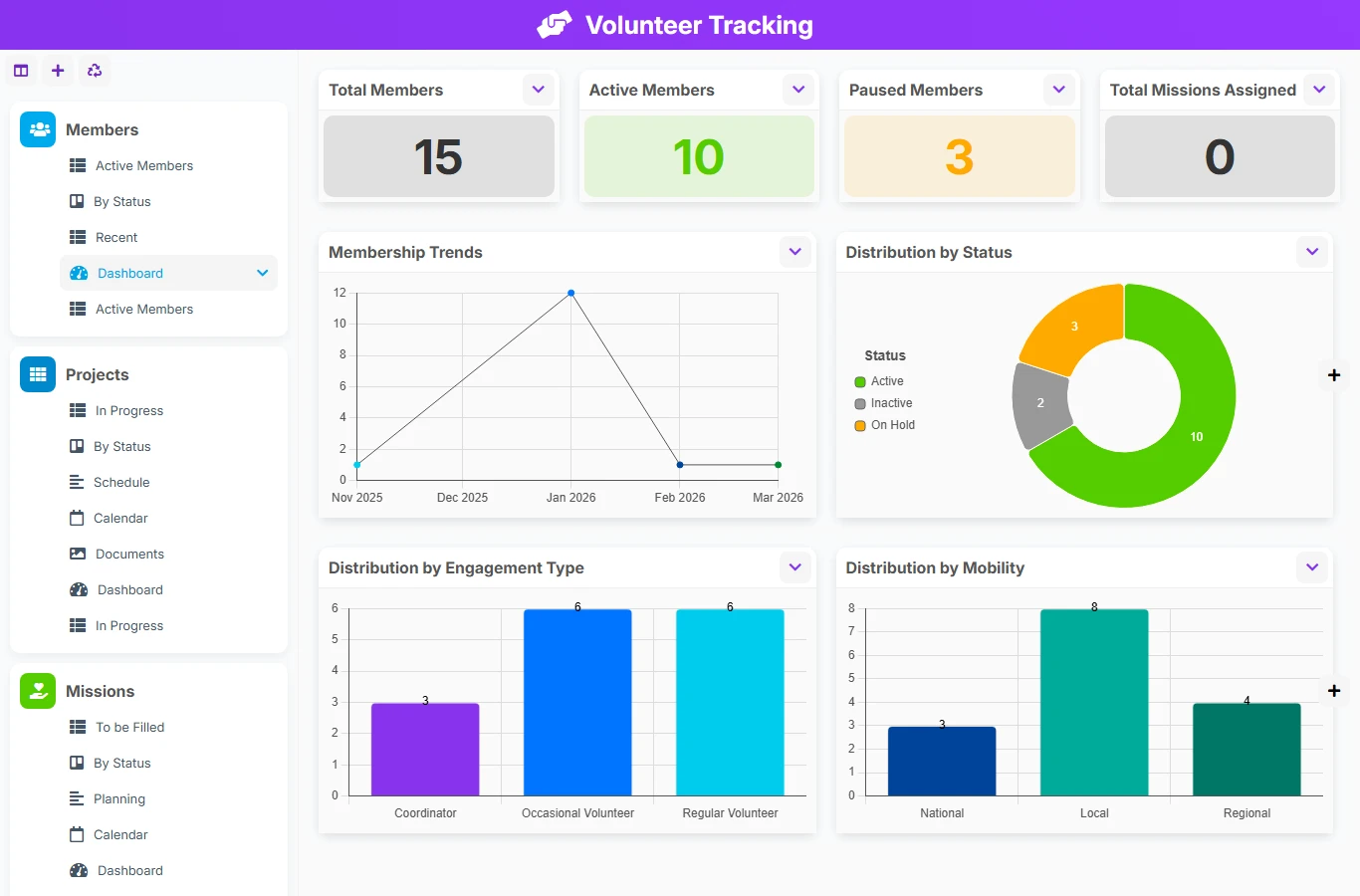
When volunteers, projects, and missions are tracked in separate files, it becomes difficult to know who is available, which missions are still to be filled, and the status of each project. This AirProcess template brings everything together in a single application, with clear links between people, projects, and missions to facilitate daily coordination.
1 click
To install the template
3
ready-to-use forms
100%
Customizable without development
France
Technology and hosting
Manage the information of volunteers, their status, their commitment, and their mission history.
Structure the actions of the association, their planning, their progress, and their budget.
Track operational interventions, their period, their status, and their links with members and projects.
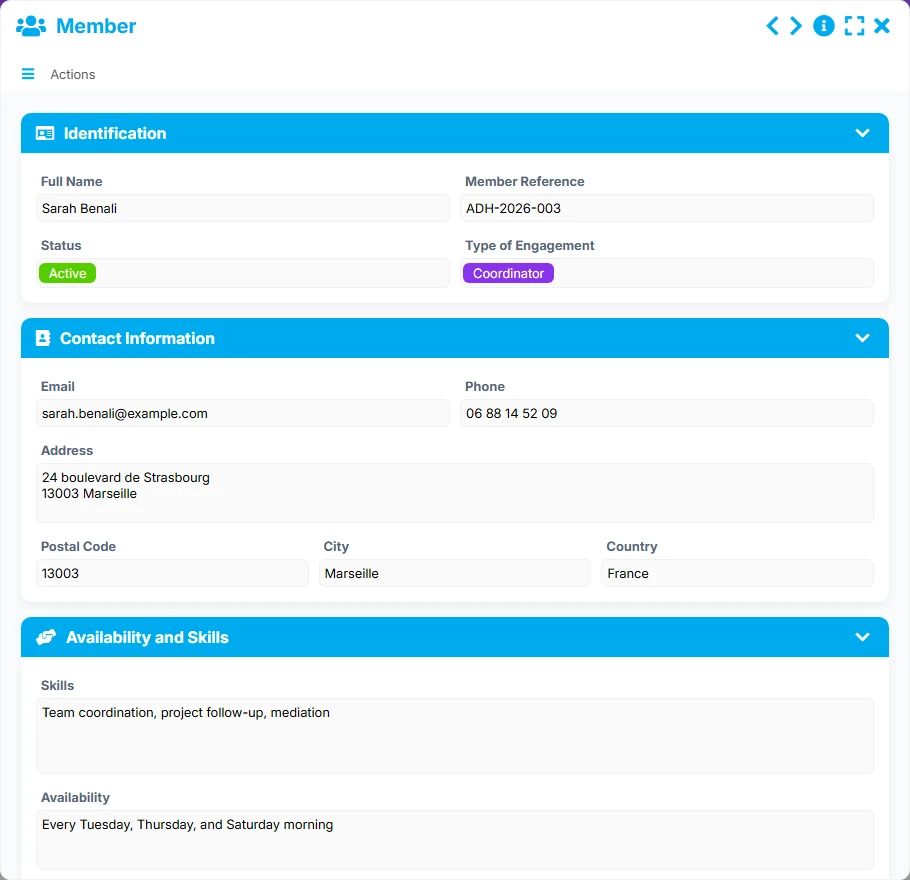
Keep a precise view of each volunteer with their identity, contact details, status, type of commitment, availability, and participation history.
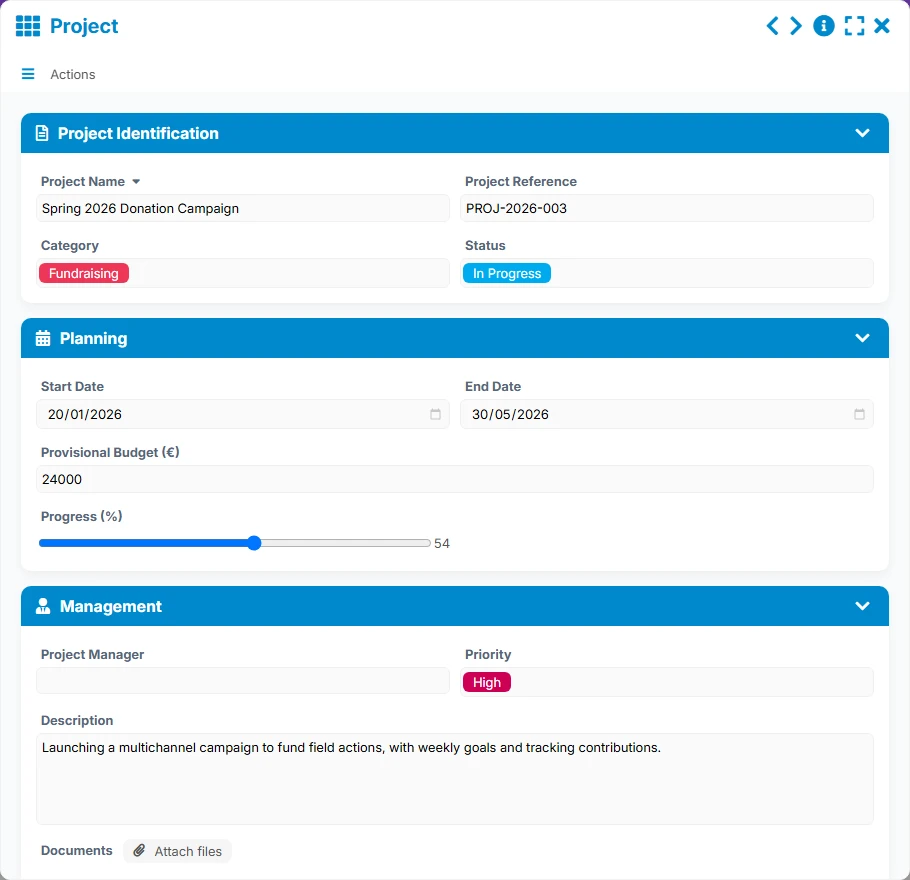
Track the association's projects with their category, priority, estimated budget, key dates, and level of progress.
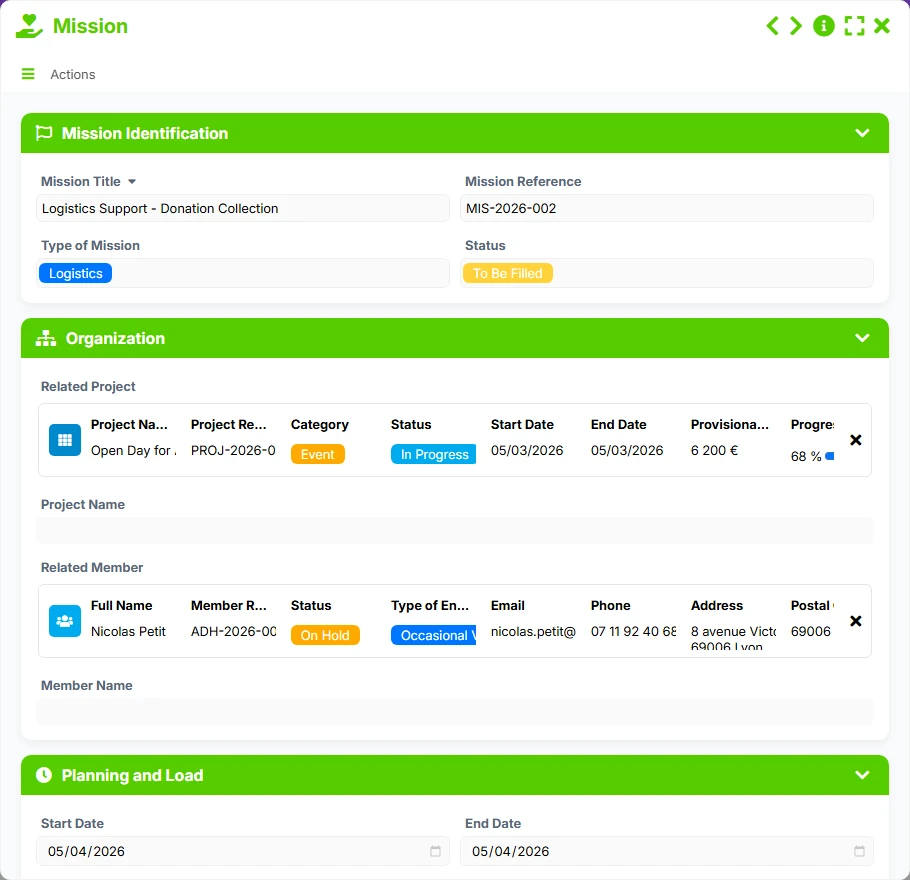
Create and manage missions with their status, period, on-site manager, and their connection to the right project and member.
Each member and each project can reference multiple missions, making it easy to connect organization, execution, and field monitoring.
Quickly access lists, kanban views, timelines, calendars, and dashboards to track activity without wasting time.
The model follows a simple logic: we register volunteers, structure projects, and then assign missions based on needs and availability. The links between forms ensure smooth tracking, from planning to execution, while giving managers a consolidated view of commitments and priorities.
We start by entering members with their contact details, status, type of commitment, and useful information for tracking. The List or Recent view helps to create an immediately usable pool.
Each project is described with its dates, priority, estimated budget, progress, and project manager. The In Progress, Planning, and Calendar views allow visualization of upcoming actions and busy periods.
Missions are created by linking them to a project and, if necessary, to a member. The fields related to the project and the volunteer ensure a clear understanding of responsibilities and facilitate the tracking of each intervention.
The By Status view on missions and members helps to identify elements to follow up on, missions to fill, and already active participations. This is the basis for simple and responsive management.
Dashboards summarize volumes, statuses, and developments: total members, missions to fill, completed projects, overall budget, or distribution by type of commitment. The association can thus make decisions faster and better allocate the workload.
All forms offered in the app templates are editable and adjustable to your business, as well as the colors and layouts.
Centralize the management of volunteers, projects, and missions in a shared tool, adapted to the realities of the field.
Track collective actions, mobilized teams, and local missions with a clear and traceable structure.
Organize internal interventions, team projects, or occasional missions without multiplying files.
Yes. The member file includes useful information for engagement, availability, and tracking participations, which helps to better allocate missions.
Yes. The Mission form is linked to the project and the member, allowing for a connection between association management and field execution.
They are used to quickly identify missions to fill, ongoing projects, active members, and activity trends to manage the organization.
Yes. The Planning and Calendar views help visualize start and end dates, priorities, and workload over a given period.
Yes. It is particularly suited for organizations that want a simple base to start centralizing volunteers, projects, and missions without unnecessary complexity.
Yes. You can adapt the fields, sections, statuses, and views to reflect your way of working and your coordination rules.
Start with a ready-to-use structure to organize your volunteers, projects, and missions. Then adapt the fields, views, and priorities to your associative functioning.
Here is what our clients say
Companies of all sizes and sectors that have optimized their operations with Airprocess



























