1 click
To install the template

Audit Tracking
Centralize the preparation, execution, and tracking of audits in a structured application to trace missions, reports, procedures, documents, and involved contacts.
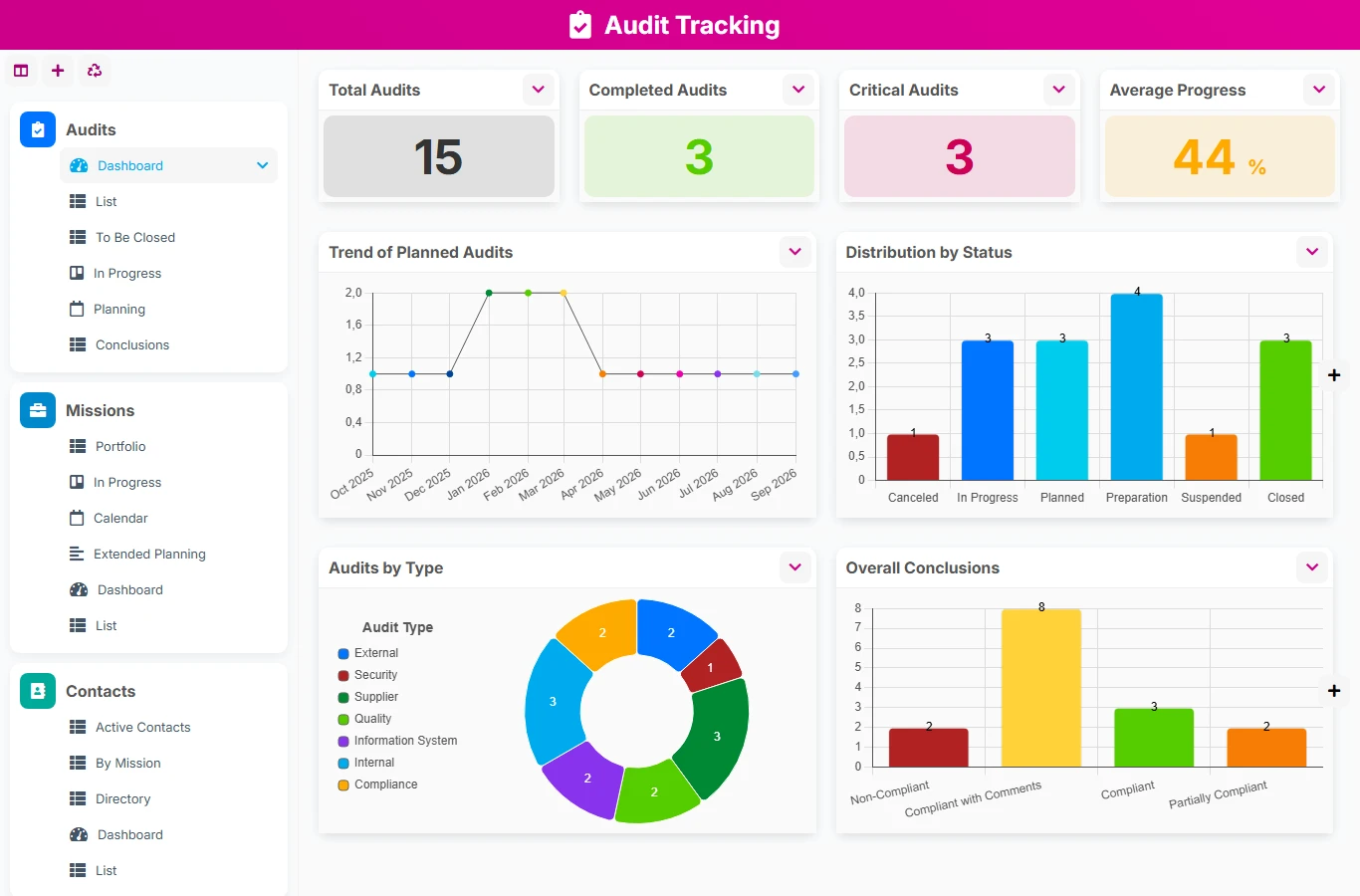
This template avoids scattered exchanges, lost attachments, and forgotten reminders. You gain a clear view of audit missions, conclusions, deliverables, and follow-ups, with a reference usable by quality, compliance, finance, IT, or legal teams.
1 click
To install the template
6
ready-to-use forms
100%
Customizable without development
France
Technology and hosting
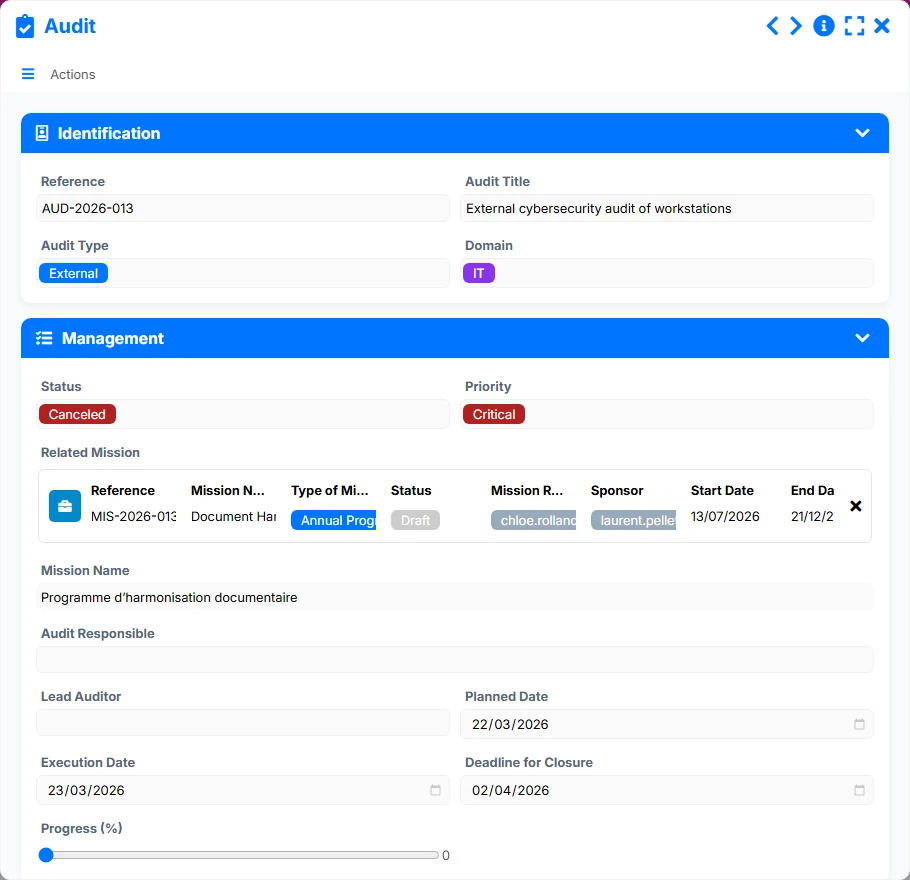
Central document to manage an audit, its progress, priorities, results, and its relationships with the mission, reports, documents, procedures, and contacts.
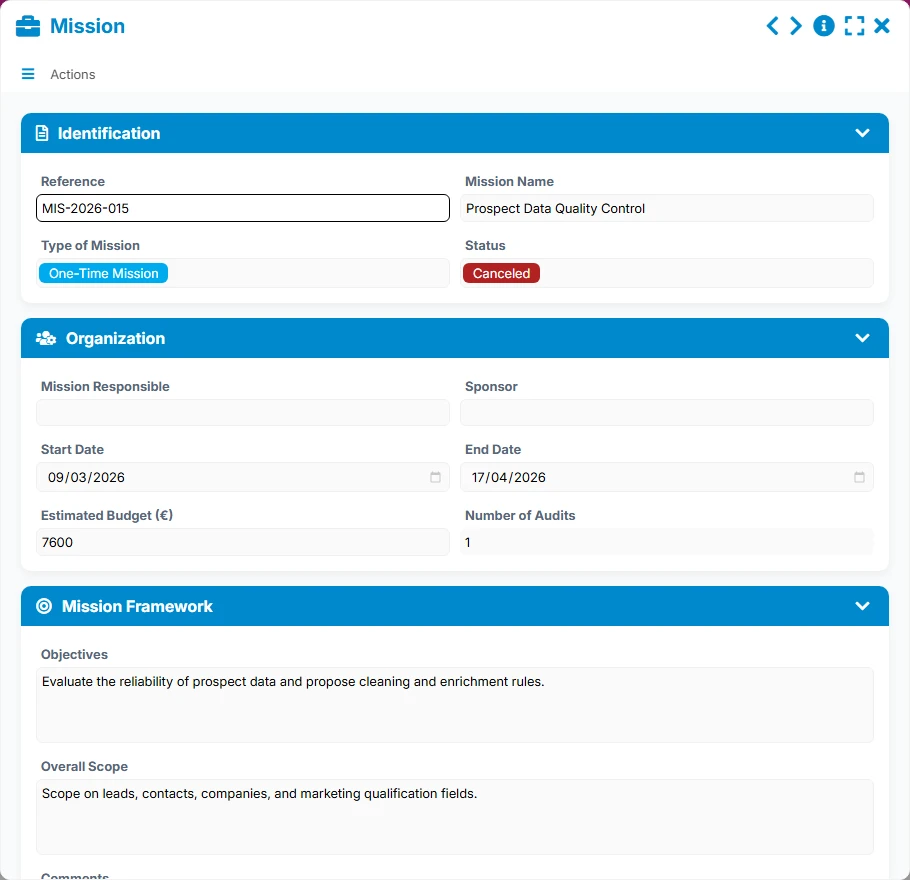
Framework for managing multiple audits, with responsible parties, sponsors, budget, and reference dates.
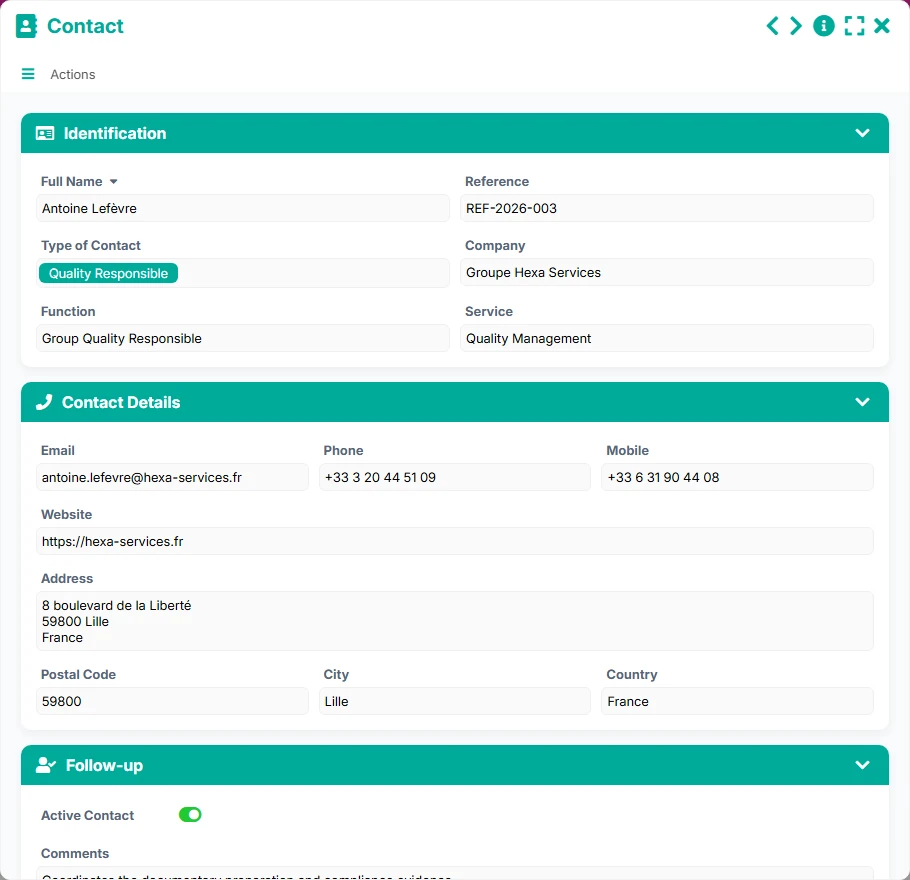
Directory of people involved in audits and missions, with contact details and roles.
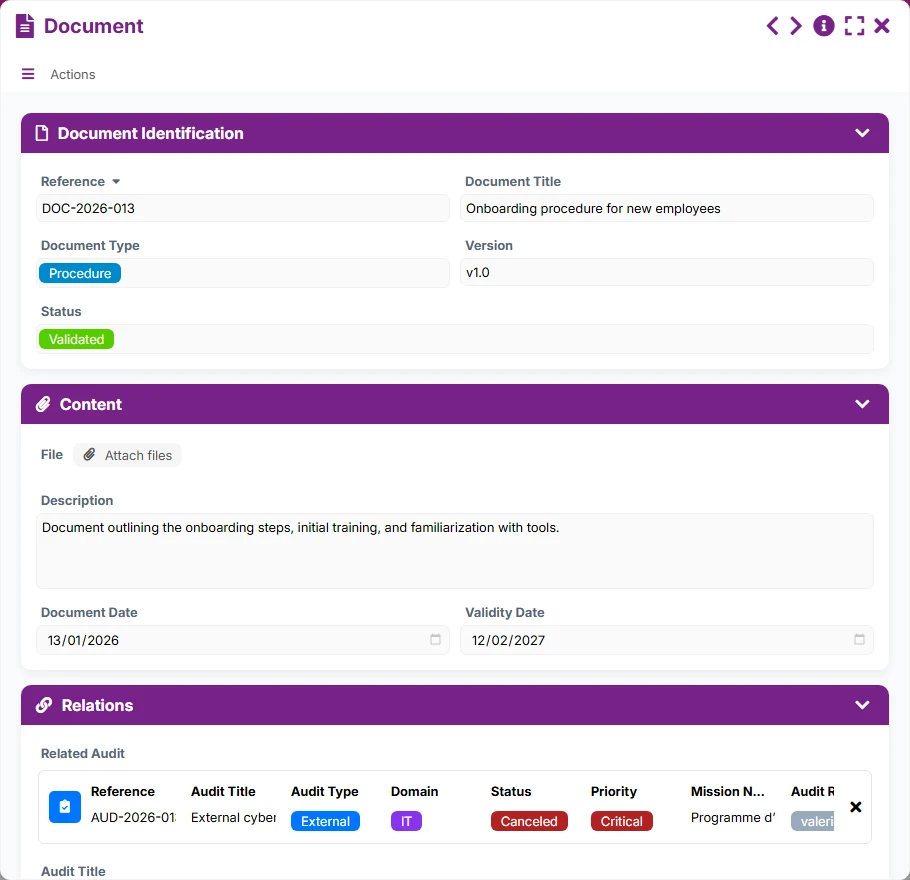
Library of documents and evidence associated with audits or missions, with status, version, and validity.
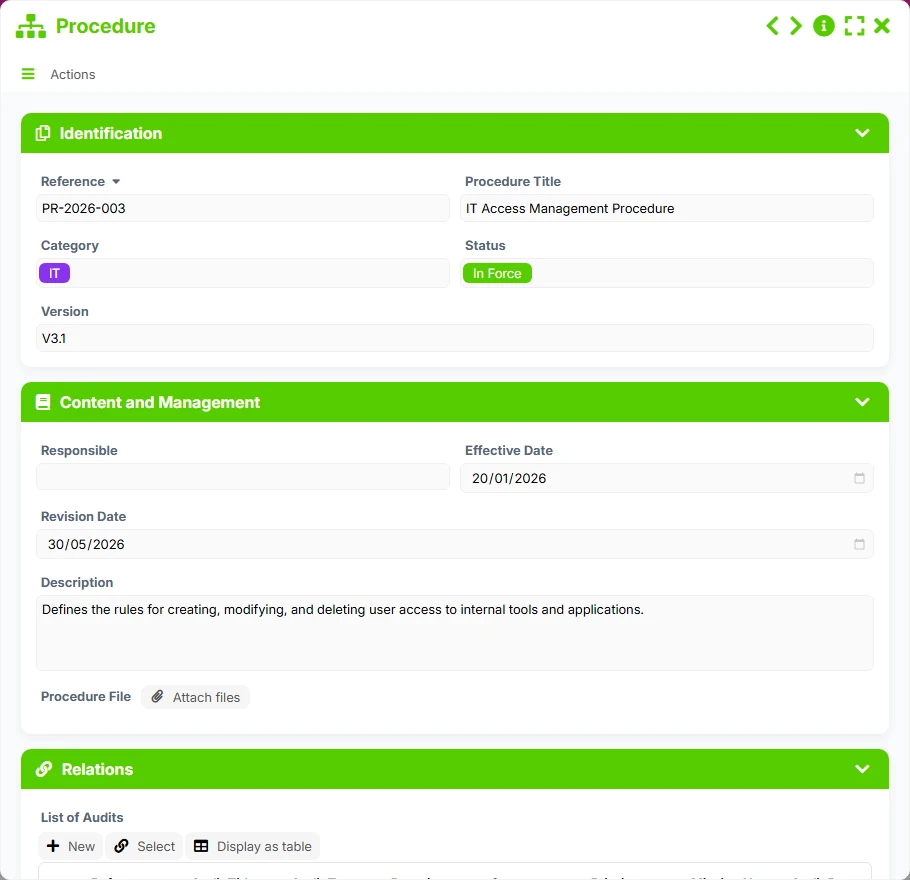
Reference of procedures to be controlled, maintained, or revised according to audit results.
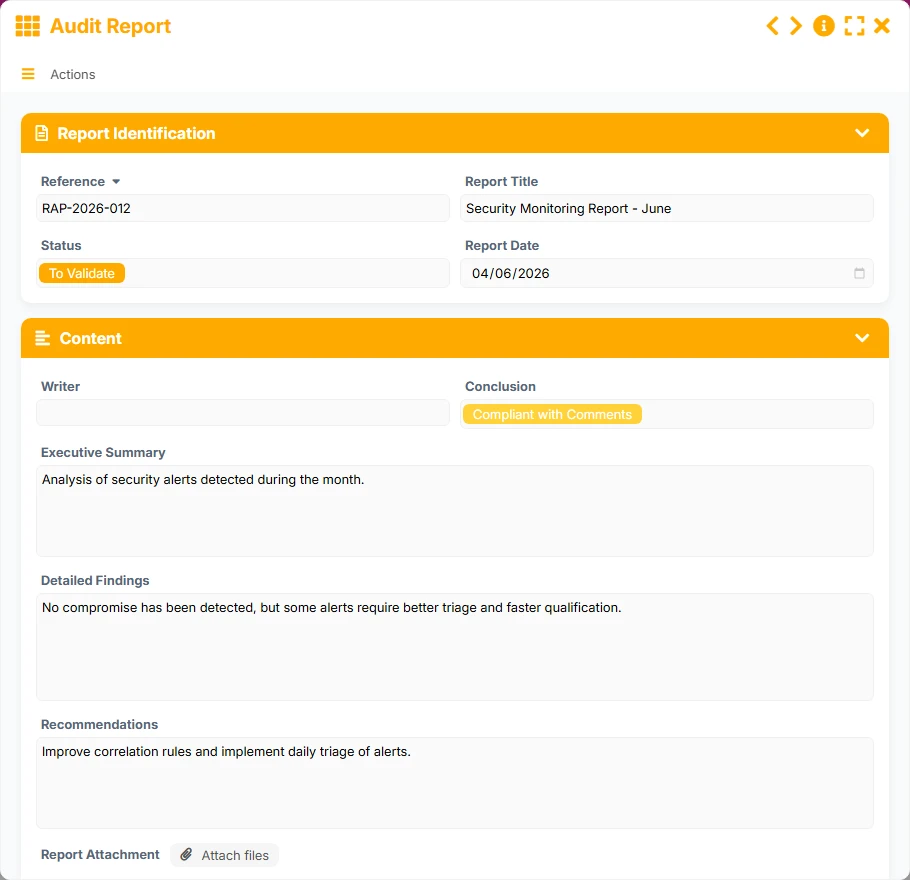
Deliverable summary to formalize findings, conclusions, and recommendations of an audit.
Create and track each audit with its reference, status, priority, domain, responsible person, and key dates to maintain clear execution.
Structure the framework of audits around missions with type, sponsor, estimated budget, start and end dates, then link the relevant audits.
Formalize findings, conclusions, and recommendations in versioned reports linked to the original audit to facilitate validation and dissemination.
Link audits to applicable procedures to verify current references, track revisions, and identify documentation gaps.
Centralize supporting documents, mission documents, and the directory of participants to maintain complete traceability of exchanges and evidence.
The template follows a natural operational logic: prepare the mission, create the linked audits, collect contacts and documents, then write reports and track validation or revision actions. The relationships between forms allow navigation from one object to another without losing business context.
The mission serves as a parent file: you define the type of mission, the responsible person, the sponsor, the estimated budget, and the schedule. It provides the framework within which multiple audits can be grouped.
Each audit is created with its title, type, domain, priority, status, and tracking dates. The link to the mission allows consolidating the portfolio and managing the number of audits per mission.
Audits can be linked to multiple contacts, procedures, and documents. This allows identifying interlocutors, verifying applicable references, and centralizing useful documents for control.
The audit report records the executive summary, detailed findings, conclusion, and recommendations. It is linked to the relevant audit to secure traceability and organize validations.
Alert views and statuses help track audits to be closed, documents to be renewed, reports to be validated, and procedures to be revised to maintain reliable management over time.
All forms offered in the app templates are editable and adjustable to your business, as well as the colors and layouts.
Structure recurring audits without multiplying scattered files or manual tracking tables.
Unify the management of multi-team, multi-site, or multi-domain missions with a common reference and clear tracking views.
Organize controls, reports, and procedures with useful traceability for management, compliance, and archiving.
Manage internal or external audits, document evidence, and track recommendations in a straightforward shareable logic.
Yes. The template provides for multiple-to-multiple relationships with procedures and multiple links to documents, facilitating the attachment of evidence and applicable references.
Yes. The mission constitutes the grouping level and can contain multiple audits, allowing for coherent portfolio management by scope or program.
Each audit can reference multiple audit reports. Dedicated views like 'To Validate', 'Distributed', or 'By Conclusion' help track the progress of deliverables and their dissemination.
Yes. Procedures are integrated into the system with views like 'In Force' or 'To Revise', allowing the documentary reference to remain aligned with audit findings.
Yes. Dashboards and calendar or planning views provide a synthetic view of missions, ongoing audits, critical audits, and upcoming deadlines.
Start with a ready-to-use base to prepare your missions, link your audits, produce your reports, and track follow-ups with more rigor. Then customize the fields, views, and statuses according to your practices.
Here is what our clients say
Companies of all sizes and sectors that have optimized their operations with Airprocess



























