1 click
To install the model

Collection Tracking
Centralize the collection of your receivables with a clear model to track files, link contacts, associate contracts and invoices, manage credit notes, and handle incidents without dispersion.
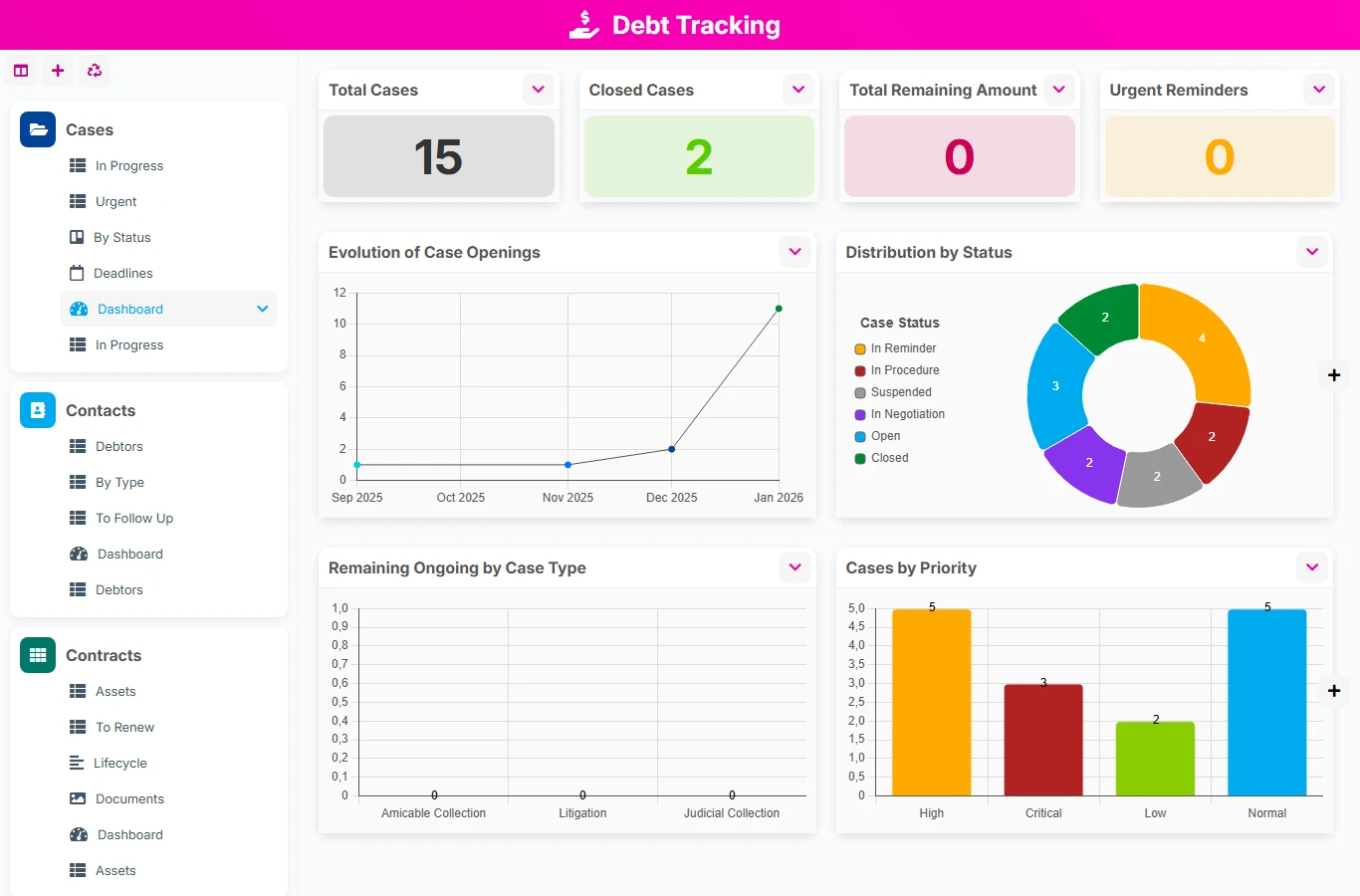
With this no-code model, your teams have a unique framework to document each file, manage deadlines, keep tracking documents, and secure reminders. You gain visibility on unpaid invoices, traceability on actions taken, and responsiveness to sensitive situations.
1 click
To install the model
6
ready-to-use forms
100%
Customizable without development
France
Technology and hosting
Central collection file to track the status of the case, priorities, payment dates, reminders, and associated documents.
Directory of debtor contacts and contacts associated with contracts and invoices.
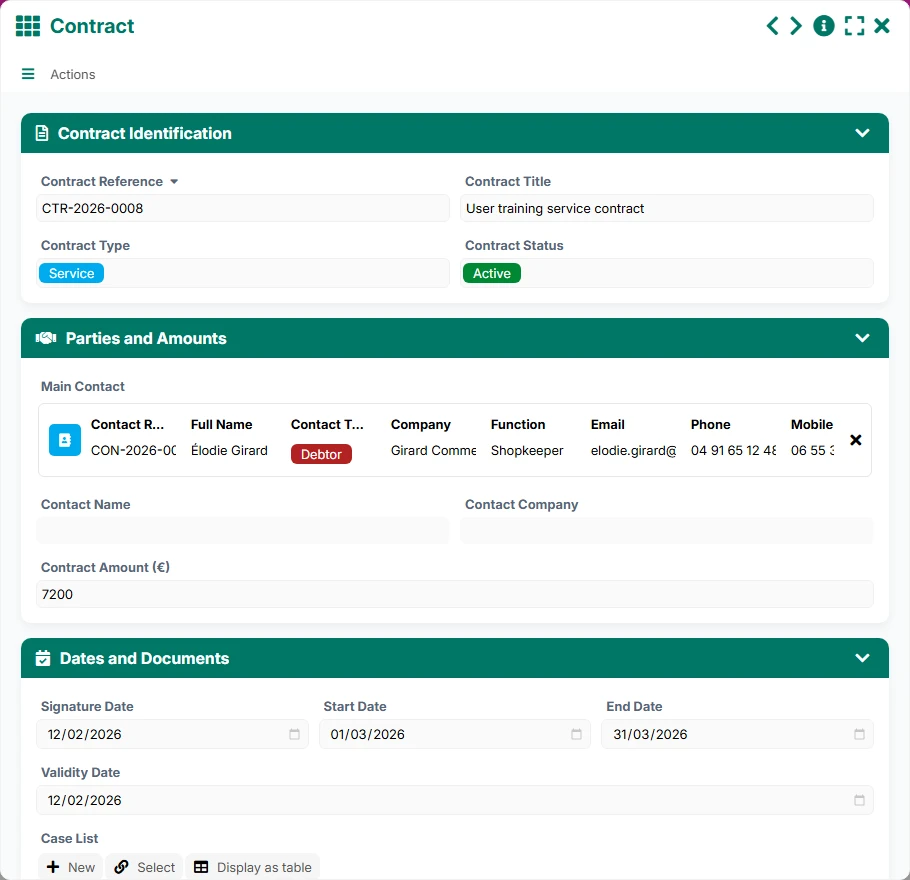
Contract reference to link the original commitment to the collection file.
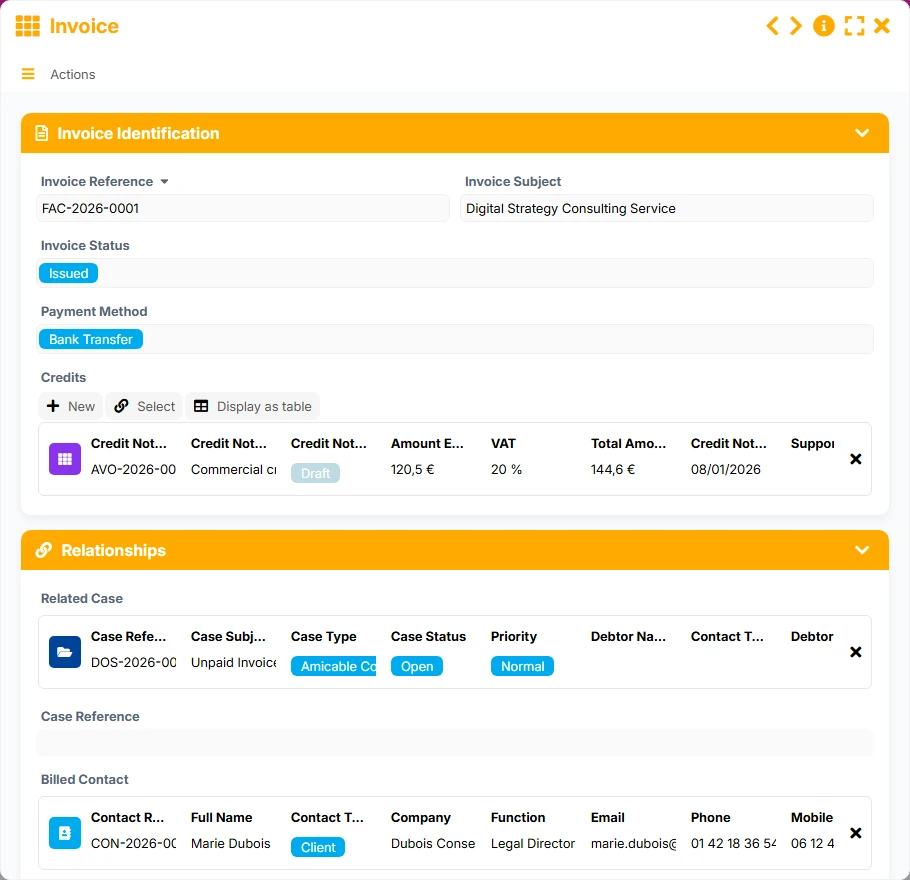
Tracking invoices, their status, their amount, and their link to the file and the billed contact.
Management of corrections and financial adjustments related to an original invoice and the file.
Tracking blockages, disputes, and sensitive situations to be addressed in the context of collection.
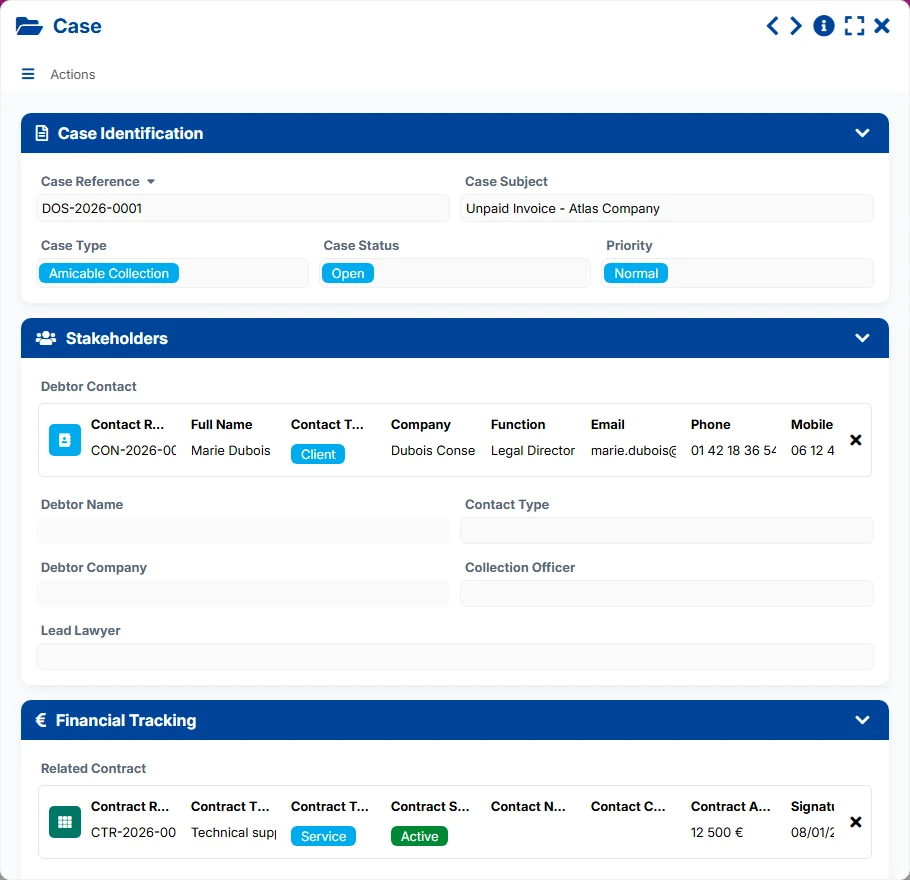
Record each file with its reference, status, priority, collection officer, key dates, and tracking elements to maintain an immediate operational view.
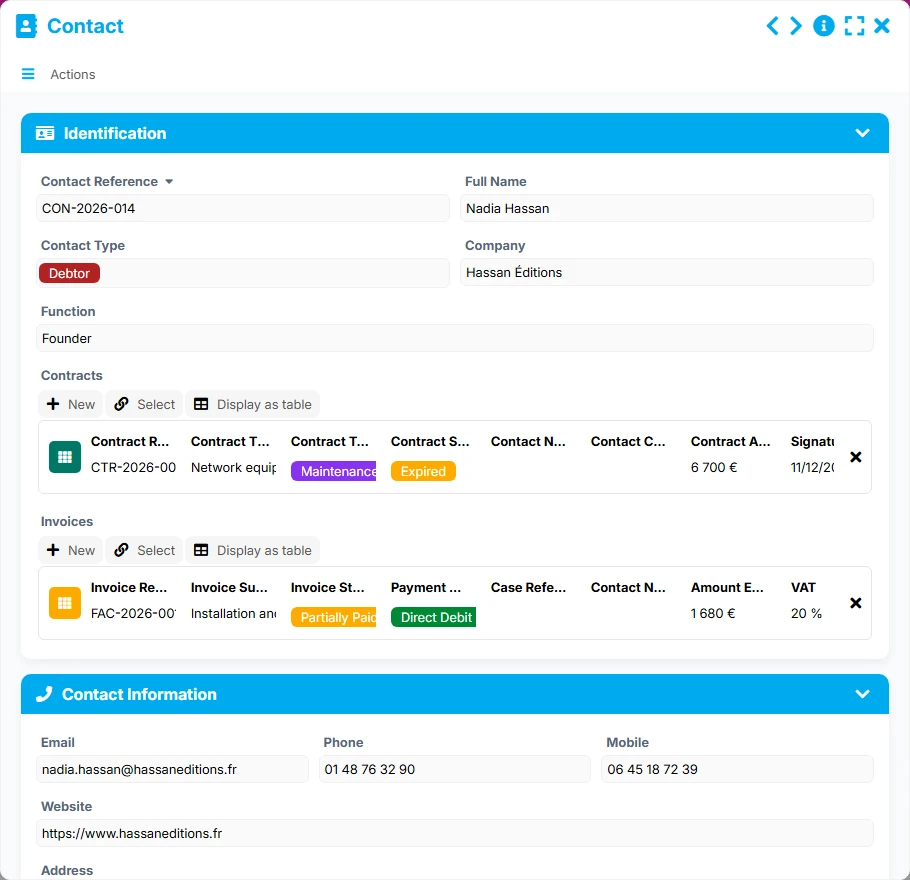
Keep useful information about contacts, their companies, their contact details, and their links to files, contracts, and invoices to speed up reminders.
Link files to the relevant contracts and unpaid invoices to understand the origin of the debt and manage the remaining amount to be collected.
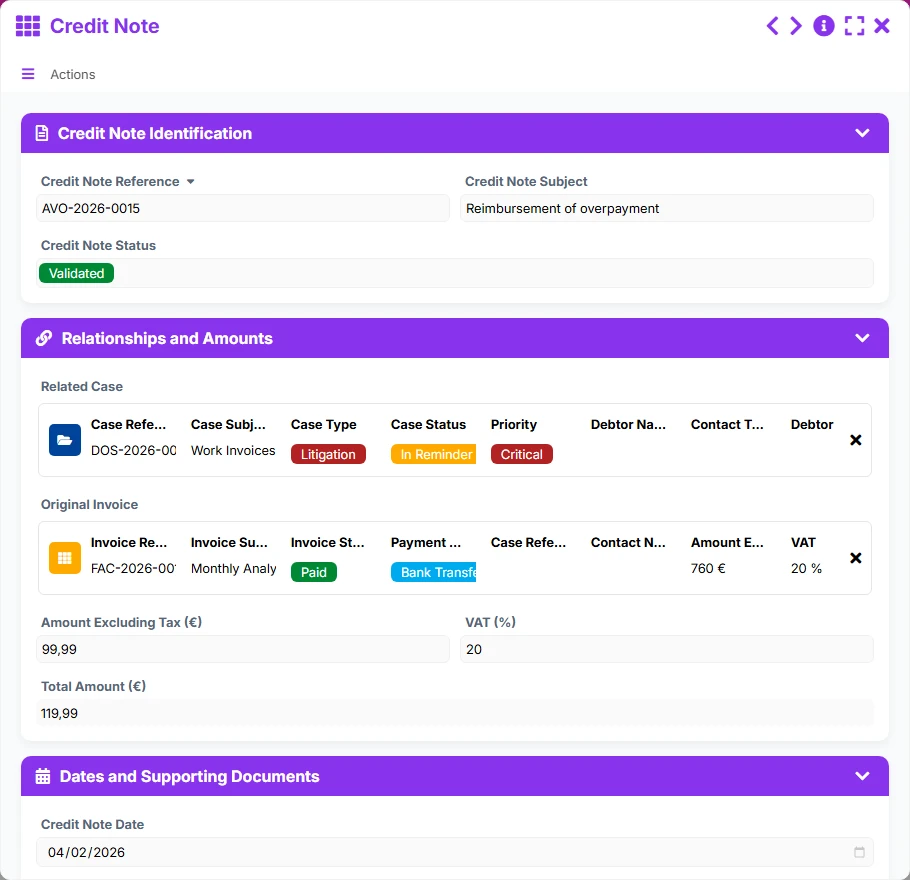
Associate credit notes with an original invoice and the related file to document corrections, adjustments, and financial impacts in the same space.
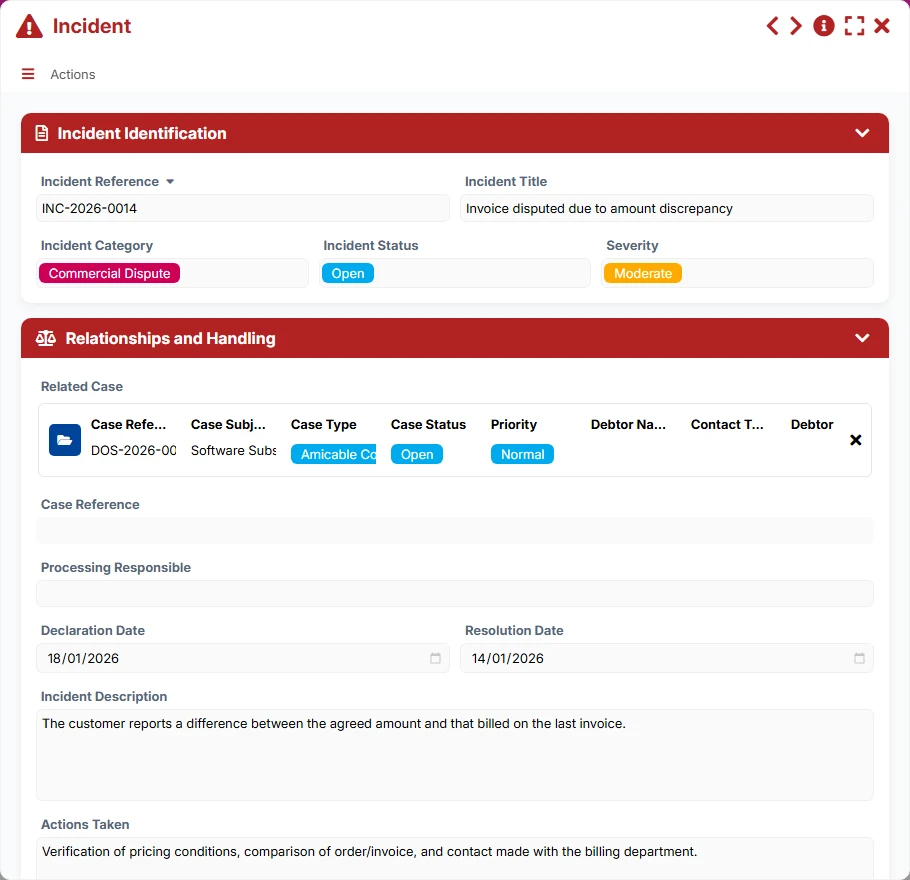
Track incidents with their severity, responsible person, and resolution dates to secure at-risk files or contentious situations.
Utilize list, kanban, calendar, gallery, and dashboard views to prioritize urgent matters, track deadlines, and measure the progress of collections.
The model organizes work around the collection file, which serves as the business entry point. Links with contacts, contracts, invoices, credit notes, and incidents help reconstruct the financial and legal context, then track actions until closure.
The team creates a file with its reference, subject, type, priority, and status, then assigns it to a collection officer. This file becomes the control center for the entire case.
The file is linked to the debtor contact, allowing retrieval of the company, contact details, and history of other files, contracts, or invoices related to this same contact.
The file is linked to the relevant contract and one or more invoices. This structure helps verify the origin of the debt, the remaining amount, and the associated supporting documents.
When a credit note is issued, it is linked to the original invoice and the file. The team thus keeps a clear record of financial corrections and their impact on collection.
Incidents are attached to the file to track blockages, disputes, or critical points. Their status, severity, and responsible person help guide reminder priorities.
The In Progress, Urgent, By Status, and Deadlines views help plan reminders, monitor deadlines, and close files once the situation is resolved.
All forms offered in the app templates are editable and adjustable to your business, as well as the colors and layouts.
Structure your reminders and avoid oversights with a simple, readable, and shared tracking system among administration, accounting, and management.
Coordinate multiple teams or sites around a common reference to manage larger volumes of files, invoices, and incidents.
Organize the tracking of documents, deadlines, and contacts within a clear framework, useful for control and traceability processes.
Yes. A file can reference multiple invoices, allowing grouping of receivables related to the same debtor or the same collection case.
Yes. The File form is linked to the Contract form, which helps retrieve the legal and commercial context behind the unpaid invoice.
Credit notes are linked to the original invoice and the file. You can thus document financial adjustments without losing the history.
They are entered in a dedicated form and then linked to the relevant file. This separation facilitates tracking of blockages, disputes, and critical cases.
The In Progress, Urgent, By Status, and Deadlines views allow quick identification of files to prioritize and plan reminders.
Yes. The dashboards by file, contact, contract, invoice, credit note, and incident provide a consolidated view to track volumes, amounts, and at-risk situations.
Start with a ready-to-use base to centralize your files, reminders, financial documents, and incidents, then adapt the views and fields to your organization.
Here is what our clients say
Companies of all sizes and sectors that have optimized their operations with Airprocess



























