1 click
To install the template

Contract tracking
Centralize your contracts, their key dates, and associated activities in a clear application to track signing, execution, and expiration without losing critical information.
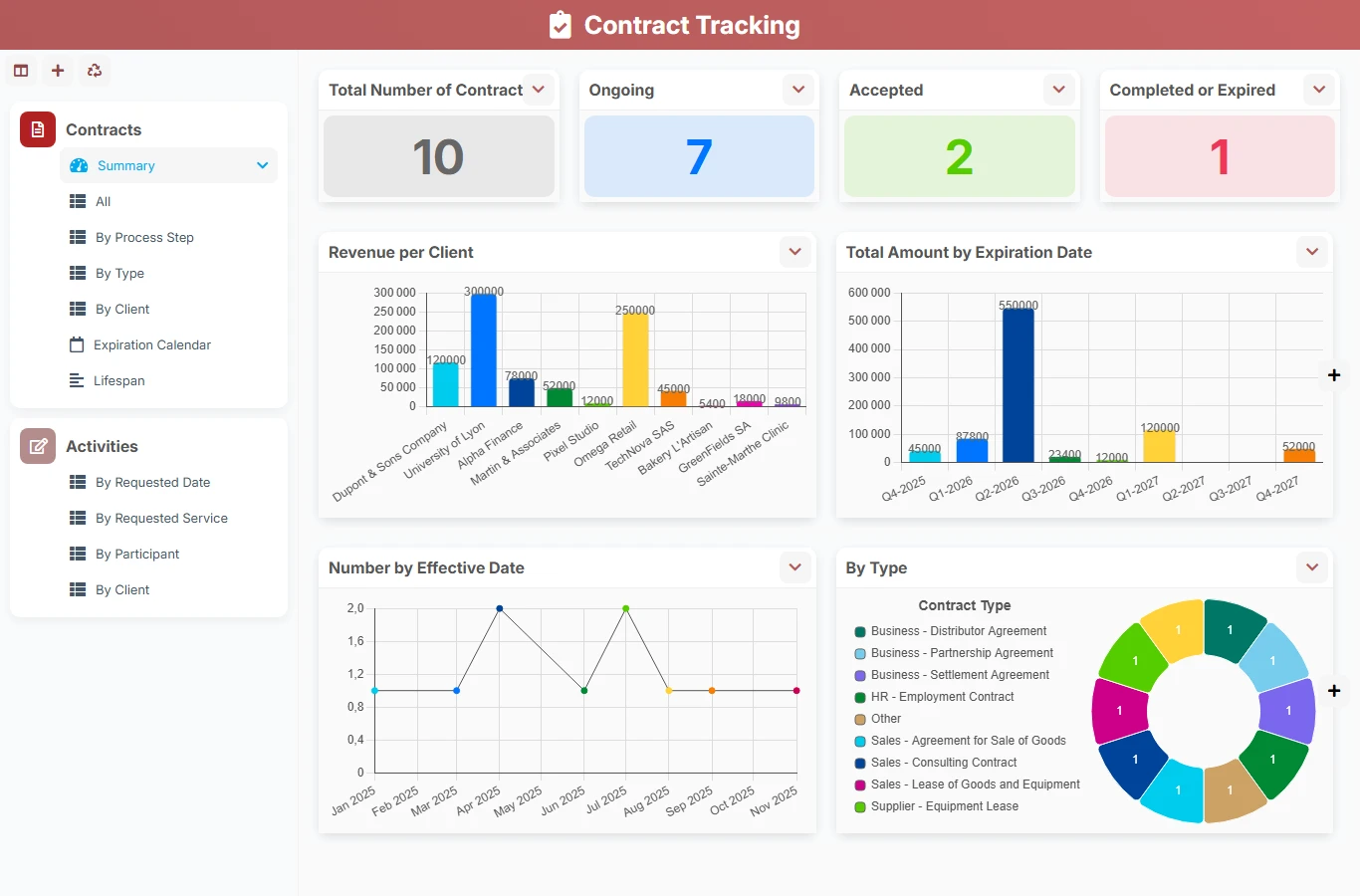
With this template, you replace isolated spreadsheets, reminder emails, and shared files with structured tracking of contracts and related requests. Teams have a common view of amounts, clients, effective dates, expirations, and actions to be processed.
1 click
To install the template
2
ready-to-use forms
100%
Customizable without development
France
Technology and hosting
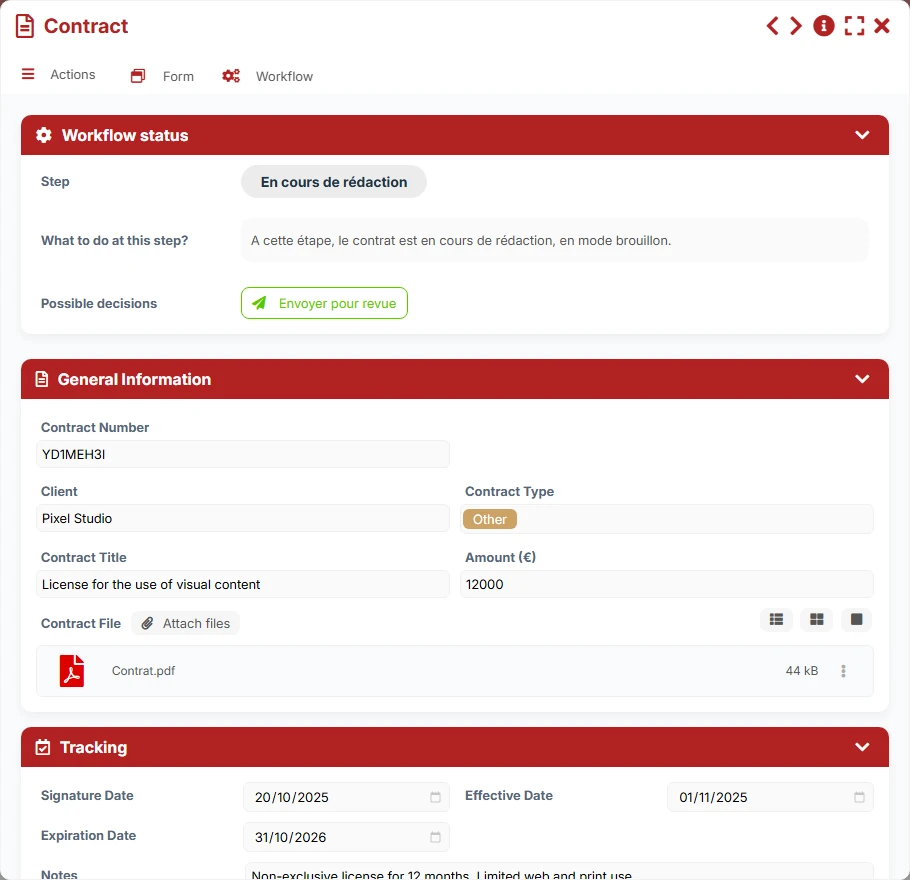
Central file of the contractual dossier with general information, dates, amount, file, and tracking of associated activities.
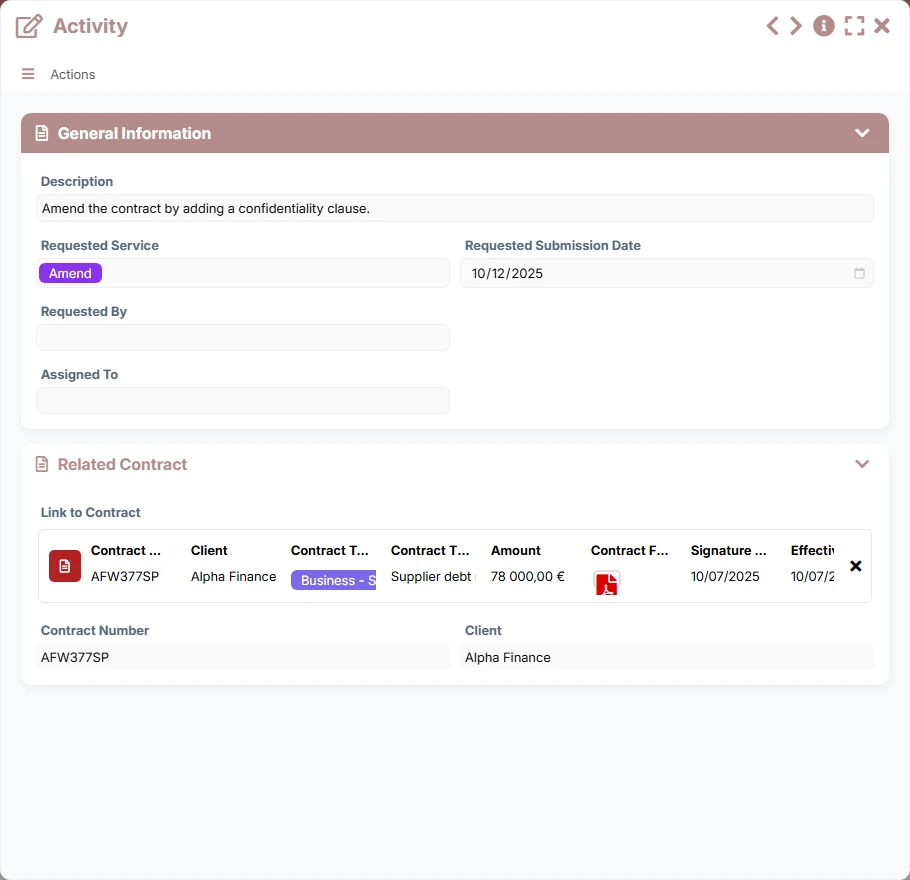
Request or action related to a contract, useful for tracking tasks, requested services, and stakeholders.
Record the number, client, type of contract, title, amount, signed file, signature dates, effective date, and expiration date, as well as follow-up notes.
Each contract can group several activities, with the request, the concerned service, the desired delivery date, the person who initiated the request, and the assigned stakeholder.
Dedicated views facilitate analysis by client, by type of contract, or by workflow stage to quickly identify sensitive files.
The expiration calendar and the lifespan view provide a visual management of upcoming, ongoing, or expired contracts.
Track the total number of contracts, ongoing, accepted, or completed contracts, as well as revenue by client and amounts related to expiration dates.
The template relies on a simple and concrete relationship: a central contract can carry multiple activities, while each activity remains linked to a single contract. This structure allows you to first create the contract, then organize around it the operational requests and associated reminders.
Enter the general information of the contract: client, type, amount, title, key dates, and contractual file. This file becomes the reference point for all tracking.
For each need or action to be processed, create an activity with its description, the requested service, the desired delivery date, the requester, and the assignee. The link to the contract ensures traceability.
Use the expiration calendar view and lists by process step to identify contracts to renew, validate, or close.
Views by client, by type of contract, and by requested service help identify volumes, amounts, and processing priorities.
The dashboard highlights ongoing, accepted, or completed contracts, as well as amounts and revenue by client for clear management.
All forms offered in the app templates are editable and adjustable to your business, as well as the colors and layouts.
Structure the tracking of client and supplier contracts without relying on a heavy tool, with a clear view of dates and actions.
Secure a large volume of contracts, activities, and deadlines with management by client, type, and status.
Centralize contracts, effective and expiration dates, as well as operational follow-ups in a framework easy to share.
Maintain reliable traceability of contractual commitments, associated requests, and deadlines to be met.
It is used to centralize contracts and the activities that arise from them, in order to track important dates, amounts, signed files, and actions to be taken without dispersion.
Each contract can contain multiple activities via the dedicated link, and each activity references only one contract. This ensures precise tracking and better traceability.
Yes. The template includes an expiration calendar view and list views by step or by client to quickly identify contracts to monitor.
Yes. The contract type field and views by type allow segmenting the portfolio according to your internal categories and reporting needs.
Yes. Dedicated views on contracts and activities allow filtering by client, by requested service, by stakeholder, or by desired delivery date.
Yes. You can adapt the fields, views, and tracking rules to fit your organization, your processes, and your contractual obligations.
Start with this ready-to-use template, then adapt it to your clients, deadlines, and management rules to track each contract from its creation to its archiving.
Here is what our clients say
Companies of all sizes and sectors that have optimized their operations with Airprocess



























