1 click
To install the template

CRM
Centralize your contacts, opportunities, deals, products, services, and services in a CRM application designed to track each business relationship, accelerate follow-ups, and secure the transition from sale to execution.
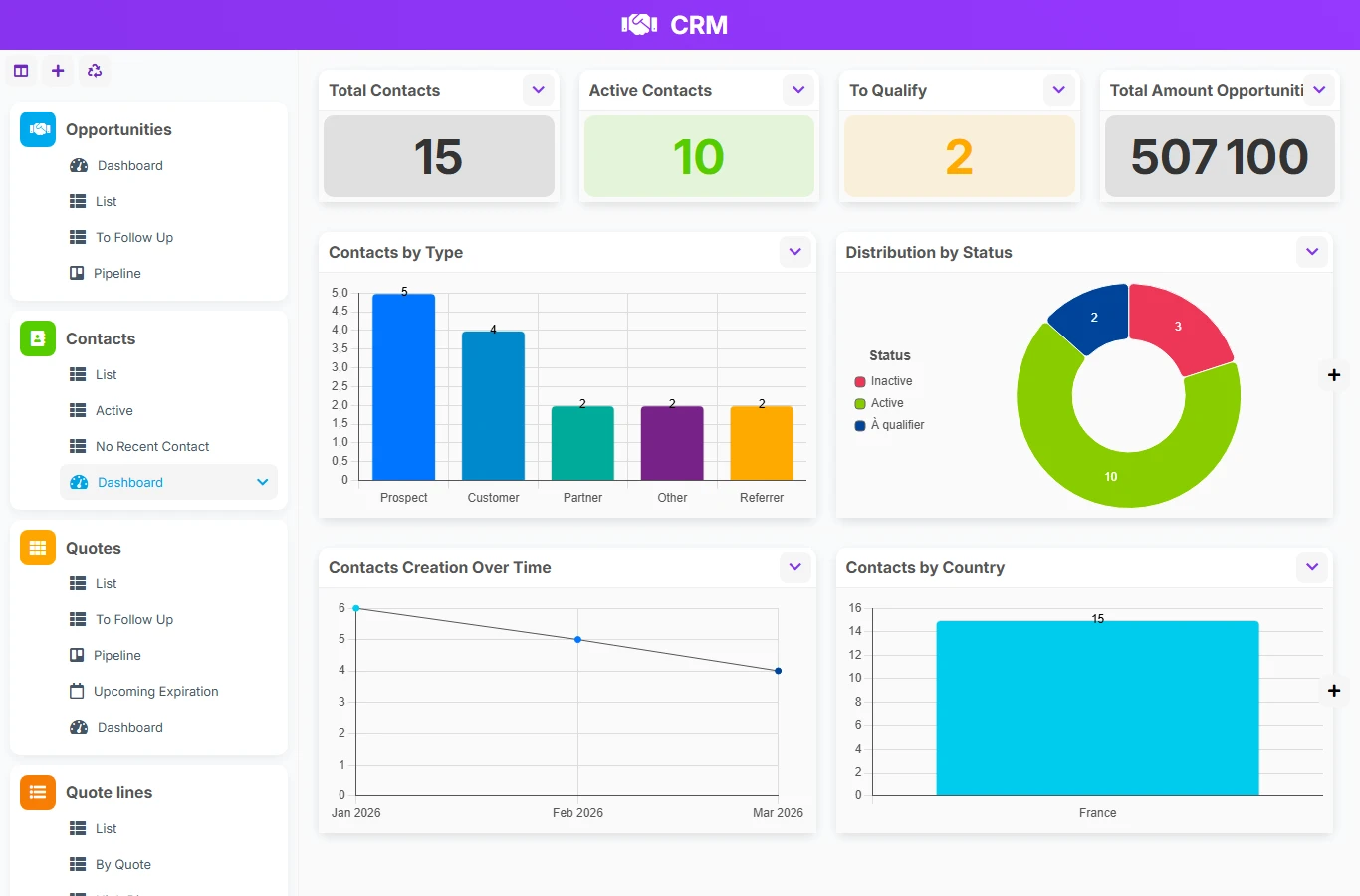
This CRM template avoids lost information between emails, spreadsheets, and isolated notes. You get a common base to qualify contacts, track opportunities, convert deals, and organize linked services, with a clear view of the pipeline and deadlines.
1 click
To install the template
6
ready-to-use forms
100%
Customizable without development
France
Technology and hosting
Reference sheet to identify stakeholders, track their status, and link their opportunities and deals.
Tracking sales leads with stage, estimated amount, probability of winning, and closing deadline.
Sales and management file related to the contact, the company, and the services to be performed.
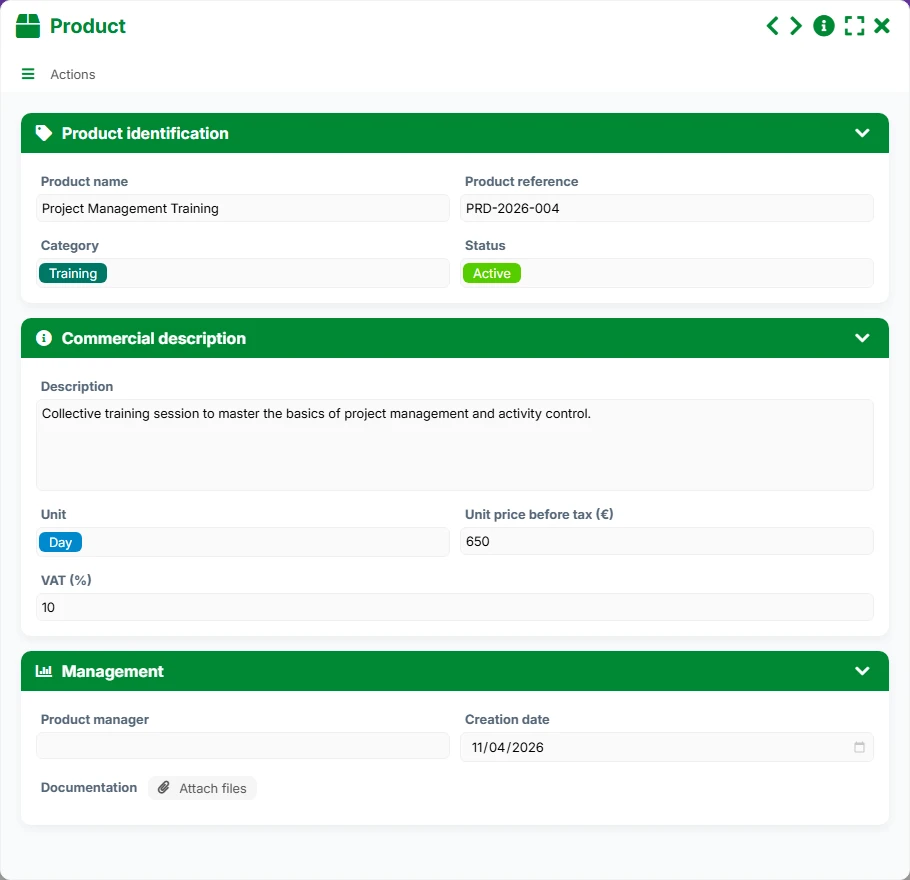
Product reference with pricing, status, and technical sheet to structure the offer.
Service reference with pricing, documentation, and tracking of the active catalog.
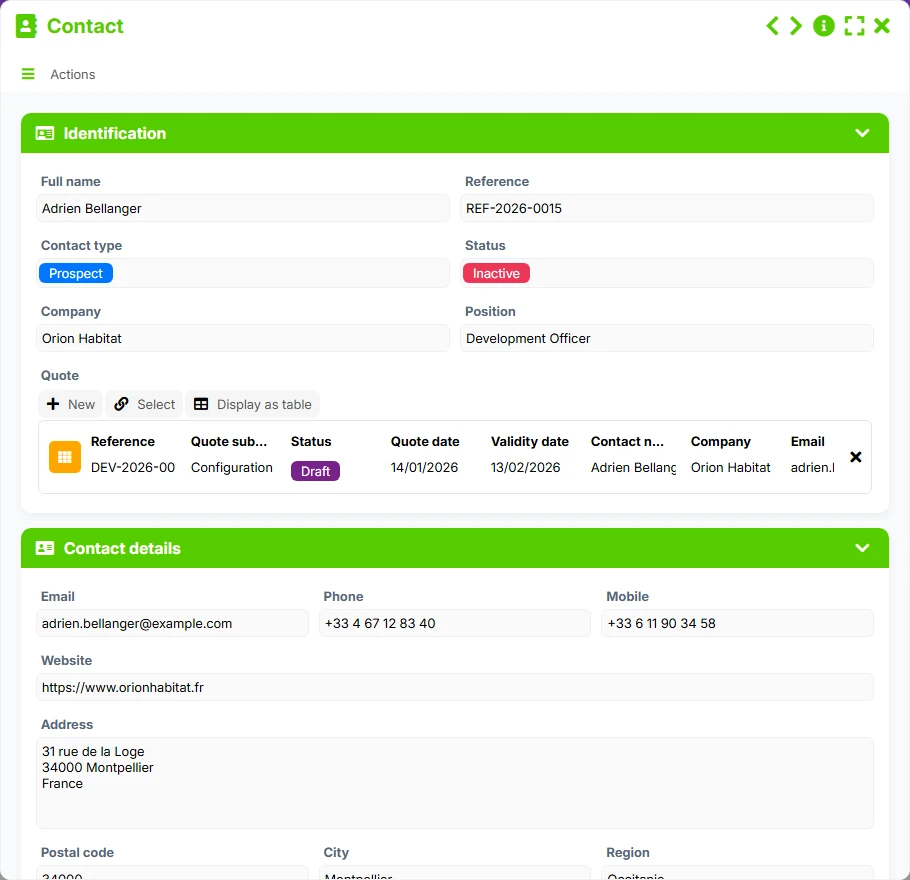
Keep for each contact their identity, contact details, company, role, status, and commercial tracking elements in a single file.
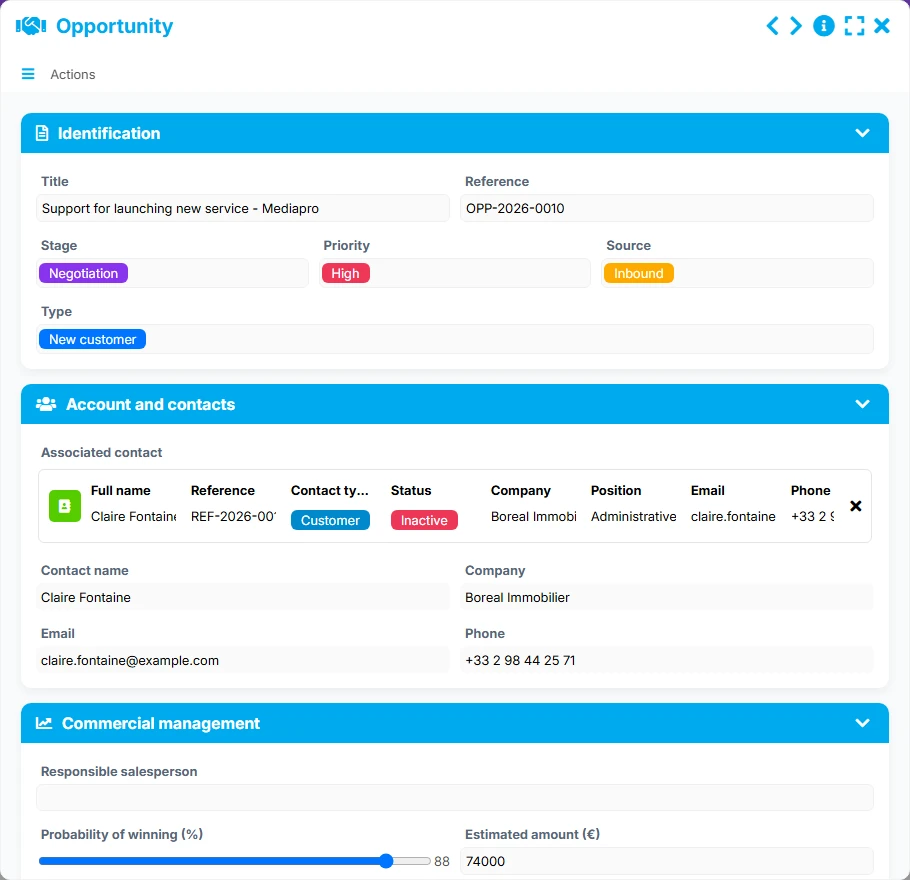
Track opportunities with their estimated amount, probability of winning, stage, priority, source, and expected closing date.
Move from opportunities to signed deals while maintaining the link with the contact, the company, the sales manager, and key dates for management.
Structure your catalog with priced products and services, categorized with net price, VAT, unit, and documentation or technical sheet.
Organize operational execution from deals by creating linked services, scheduled, assigned to an operator, and tracked until the report.
The template follows a realistic commercial and operational logic: first, create the contact, link it to an opportunity, then to a deal, before planning the linked services. The tracking views then allow you to manage follow-ups, closures, signatures, and execution over time.
The Contact form gathers identification, contact details, and tracking elements to create a usable prospecting base. From the list, the active or follow-up contacts, the sales team maintains an immediate view of priorities.
The Opportunity form allows you to specify the stage, priority, source, estimated amount, and probability of winning. The reverse link with the contact connects each opportunity to its reference stakeholder.
As the deal progresses, the deal takes back useful information for commercial and financial tracking. It remains linked to the contact, the company, and the sales history to ensure a clear continuity between pre-sales and execution.
The deal can point to several services via the List of Services relationship. Each service is linked to a deal, a contact, a company, and an operator, allowing you to organize interventions or deliveries without losing the commercial context.
The pipeline, to follow up, to close, in progress, planning, or calendar views provide an immediate reading of priority actions. Dashboards consolidate volumes, amounts, and distributions to assist in daily management.
All forms offered in the app templates are editable and adjustable to your business, as well as the colors and layouts.
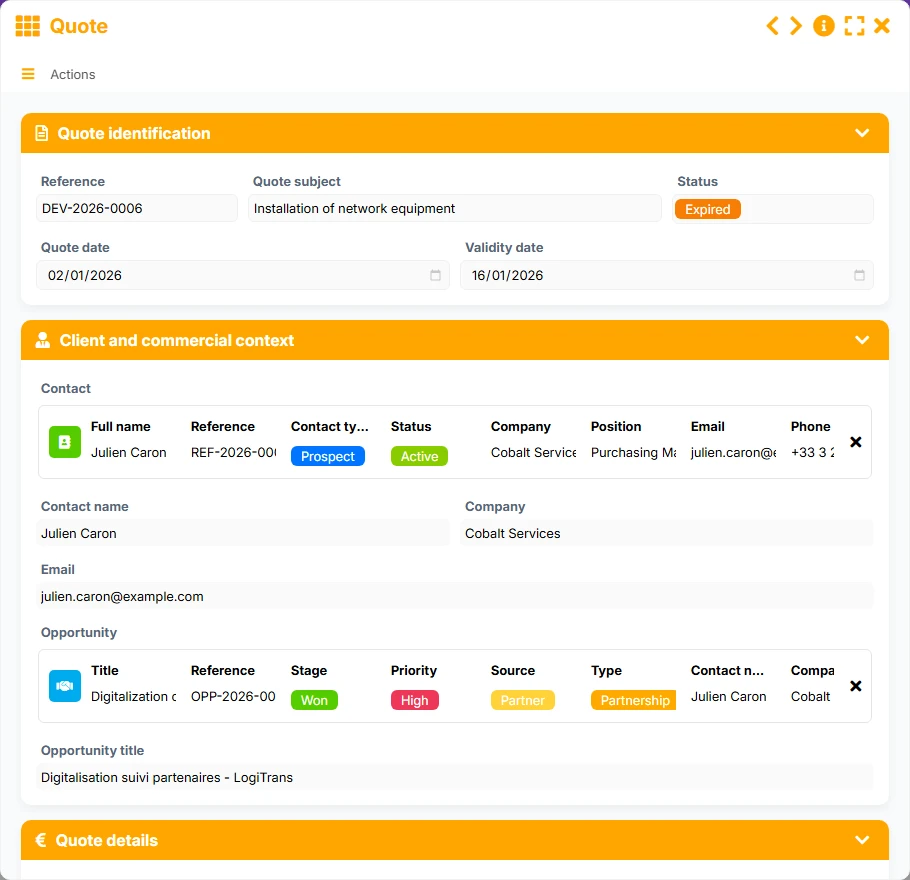
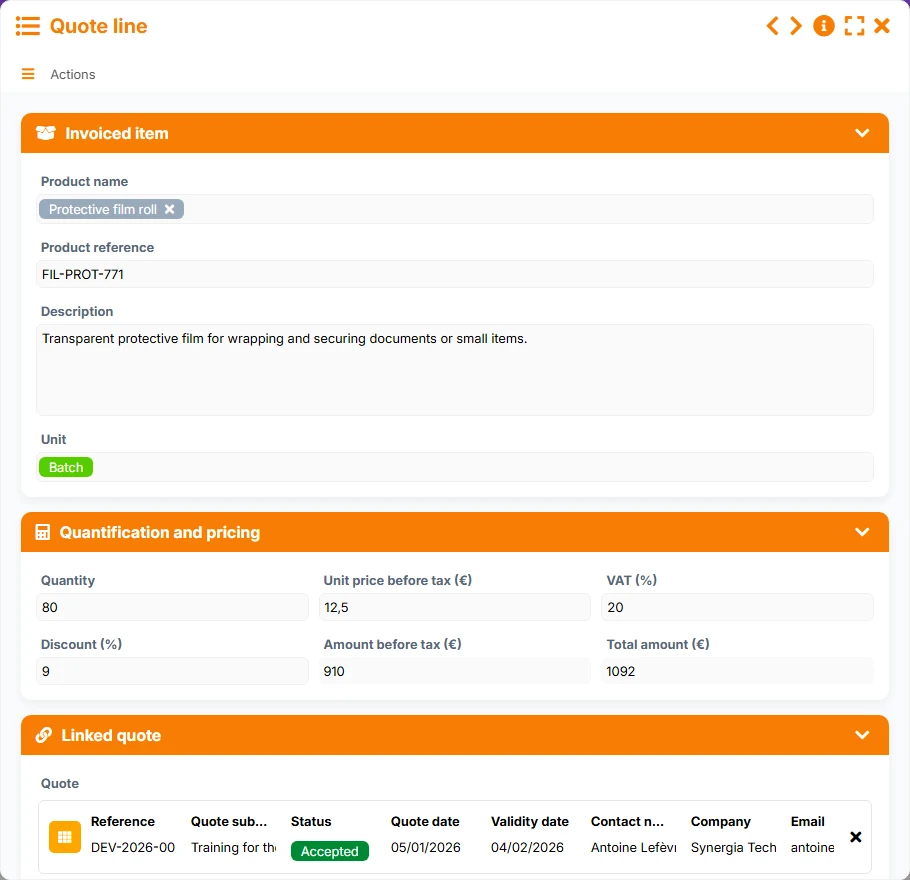
Structure a simple yet rigorous sales cycle without relying on multiple scattered files.
Coordinate broader commercial tracking with shared responsibilities, higher amounts, and better-controlled stages.
Track stakeholders, opportunities, and deals with a clear framework for consultation and validation processes.
Organize contacts, actions, and field services in a single, clear, and easily shareable database.
No. It also covers opportunities, deals, products, services, and services, allowing you to track both the business relationship and operational execution.
A contact can be linked to multiple opportunities and multiple deals. A deal can then group multiple services. This structure avoids duplicate entries and keeps a clear record of history.
Yes. The Active, To Follow Up, Pipeline, and Follow-ups views help focus effort on contacts and opportunities to be prioritized.
Yes. Opportunities track the estimated amount and probability of winning, while deals highlight signed amounts, statuses, and expected end deadlines.
Yes. Services linked to deals allow planning interventions, assigning an operator, and tracking execution through planned views, execution, interventions, and completion.
templateCrmGeneratedFaqItems06Answer
Install this template and then adapt its fields, views, and tracking rules to your sales method. You get a solid base to better follow up, close better, and execute better.
Here is what our clients say
Companies of all sizes and sectors that have optimized their operations with Airprocess



























