1 click
To install the template

Donation Tracking
Track each donation from its recording to its redistribution in a simple, structured, and ready-to-use application. With views by date, by category, and the summary dashboard, you maintain a reliable overview of amounts, attachments, and the progress of each donation.
This template helps associations and solidarity organizations document each donation in a centralized space. You avoid duplicates, keep the donation history, and easily track what has already been redistributed, with associated supporting documents and a clear reading by period or category.
1 click
To install the template
1
ready-to-use forms
100%
Customizable without development
France
Technology and hosting
A single form to record each donation, add its supporting documents, categorize it, and track its redistribution status.
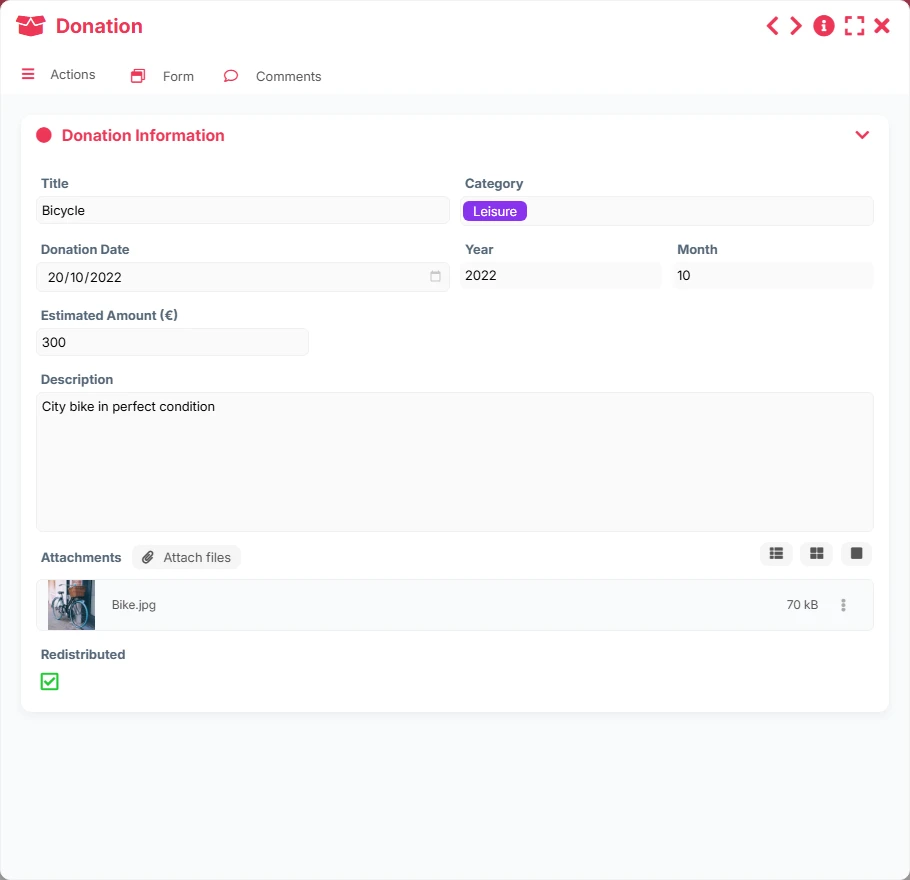
Each donation is entered in a single form with key information: title, category, date, year, month, estimated amount, description, attached files, and redistribution status.
The associated files allow you to keep the supporting documents, collection papers, or tracking elements directly in the donation record.
The Redistributed field allows for quick identification of donations that have already been allocated or processed, ensuring operational tracking.
The template offers lists by date, by category, and by year/month, as well as a gallery to browse donations in a more visual way.
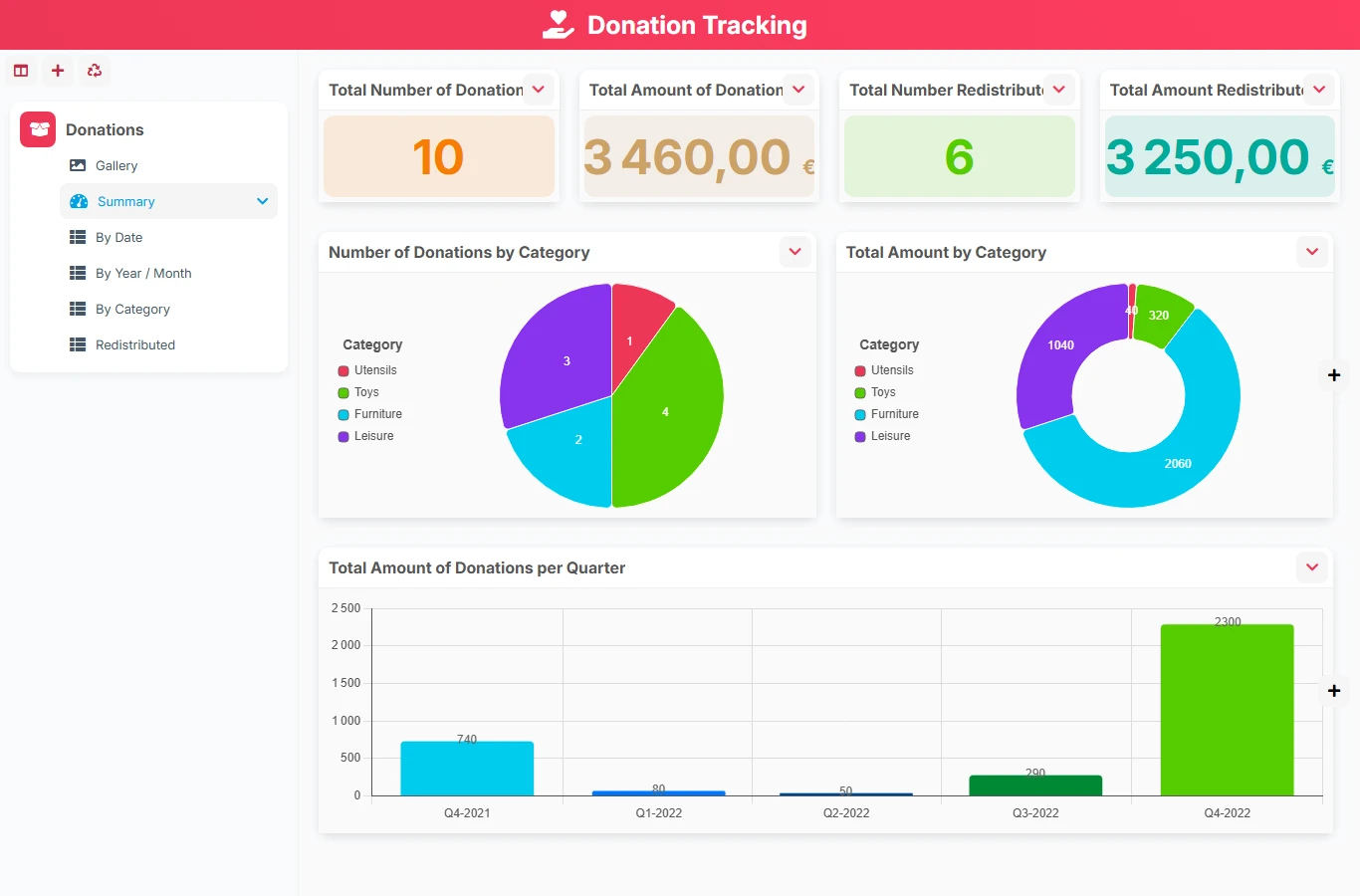
The summary highlights the total number of donations, cumulative amounts, redistributed volume, and amounts by category or quarter.
The operation relies on a simple flow: create a donation, complete it with its contextual elements, and then track its processing over time using views and the dashboard. Since there is only one form, the template serves as a centralized tracking base, without complex dependencies between objects.
Fill in the title, category, date, description, estimated amount, and attach useful files to document the donation.
The year and month facilitate data grouping, while the category helps distinguish types of donations or collected resources.
The Redistributed status serves to distinguish donations that have already been processed from those still pending, to maintain a reliable operational view.
The views By year/month, By date, and By category provide a quick reading of volumes, amounts, and the distribution of donations.
The Summary dashboard gathers totals, redistributed amounts, and quarterly distributions to assist in management and reporting.
All forms offered in the app templates are editable and adjustable to your business, as well as the colors and layouts.
Track received donations, keep supporting documents, and measure what has already been redistributed.
Structure a transparent tracking of donations or endowments with a reading by period, category, and overall indicator.
Yes. The By year/month and By date views facilitate grouping donations over a given period, to analyze entries accurately.
Yes. The Donation form provides an attachment field to store useful documents for tracking.
The Redistributed field allows marking processed donations, then finding them in the dedicated view and in the summary.
Yes. The Summary view highlights total donations, cumulative amounts, redistributed amounts, and distributions by category or quarter.
Yes. It is intentionally simple: a single form, effective reading views, and immediately usable indicators without heavy setup.
Start with a ready-to-use base to centralize your donations, track their redistribution, and manage your amounts without relying on isolated files.
Here is what our clients say
Companies of all sizes and sectors that have optimized their operations with Airprocess



























