1 click
To install the template

Expense Tracking
The Expense Tracking template simplifies the entry, control, and reimbursement of expenses. You link each expense report to a collaborator, a project, or a case to track amounts, speed up validations, and better manage budgets.
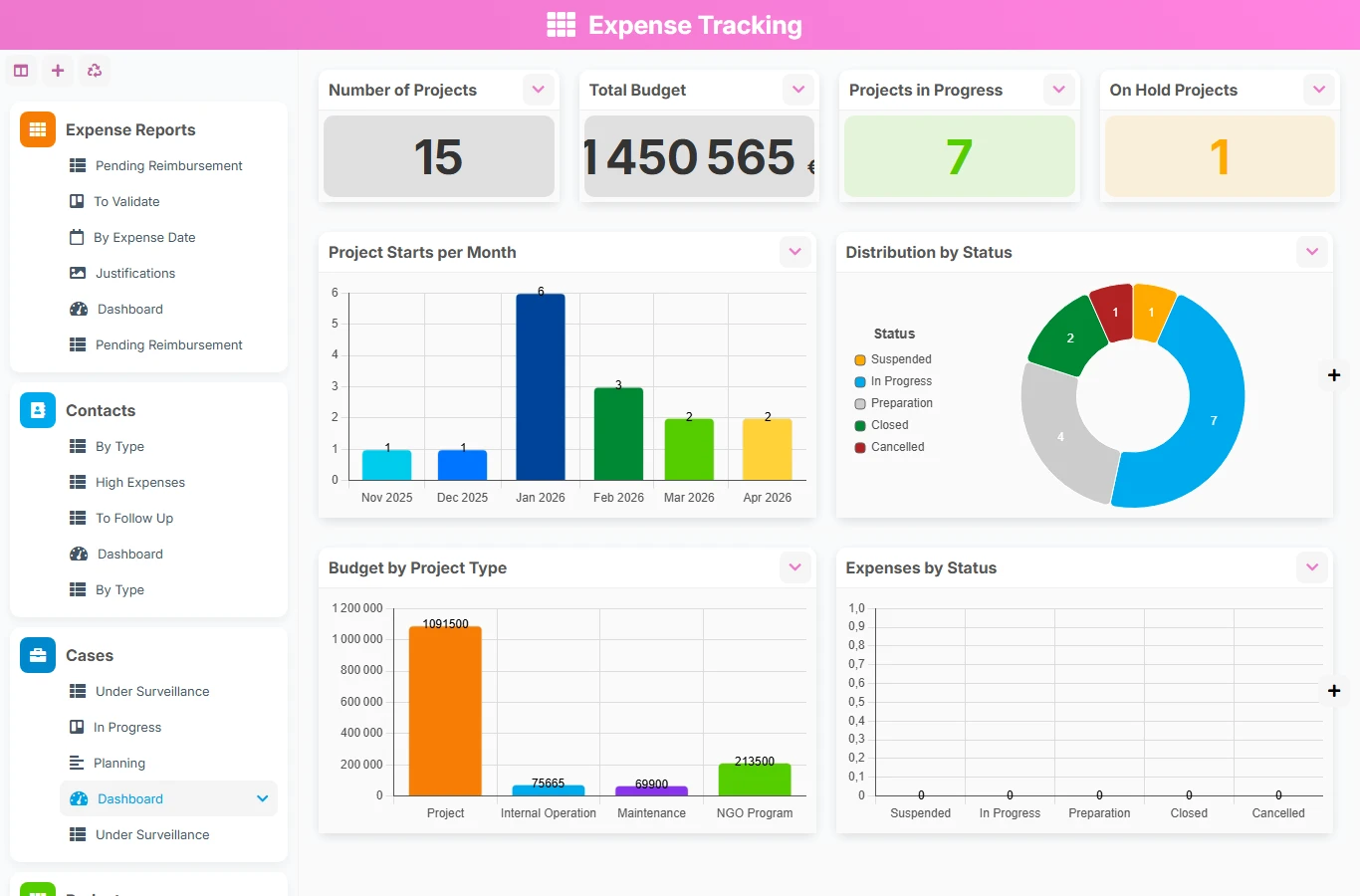
When expense reports circulate via email, spreadsheets, or isolated scans, validations are delayed and supporting documents are lost. This AirProcess template gathers entry, status tracking, expense history, and business links in a unique structure, easier to control on a daily basis.
1 click
To install the template
4
ready-to-use forms
100%
Customizable without development
France
Technology and hosting
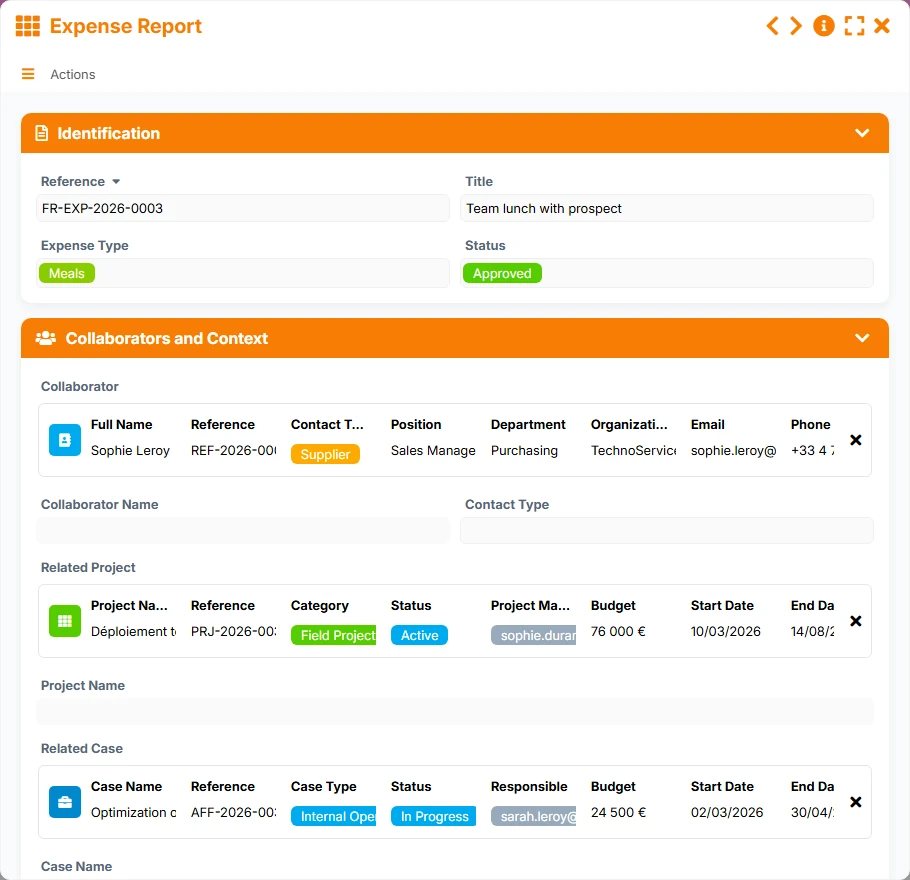
Central form to enter the expense, provide the collaborator's details, link a project or a case, add supporting documents, and track the validation.
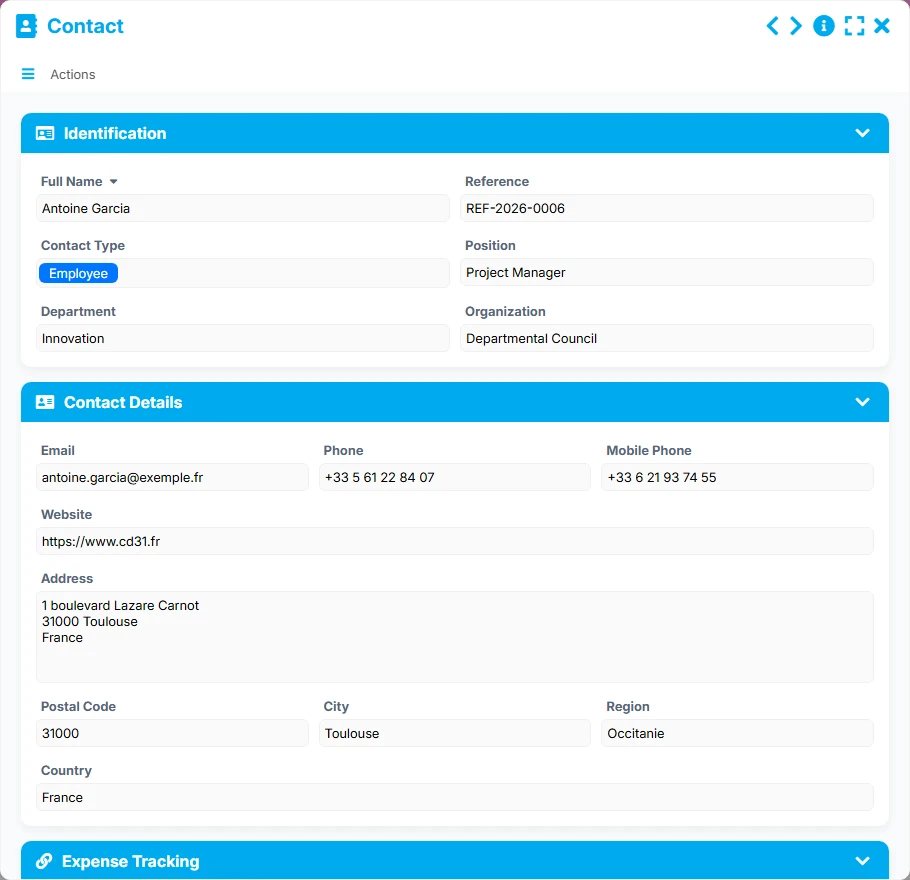
Record of the concerned collaborator or contact, with their contact details and the consolidated history of associated expenses.
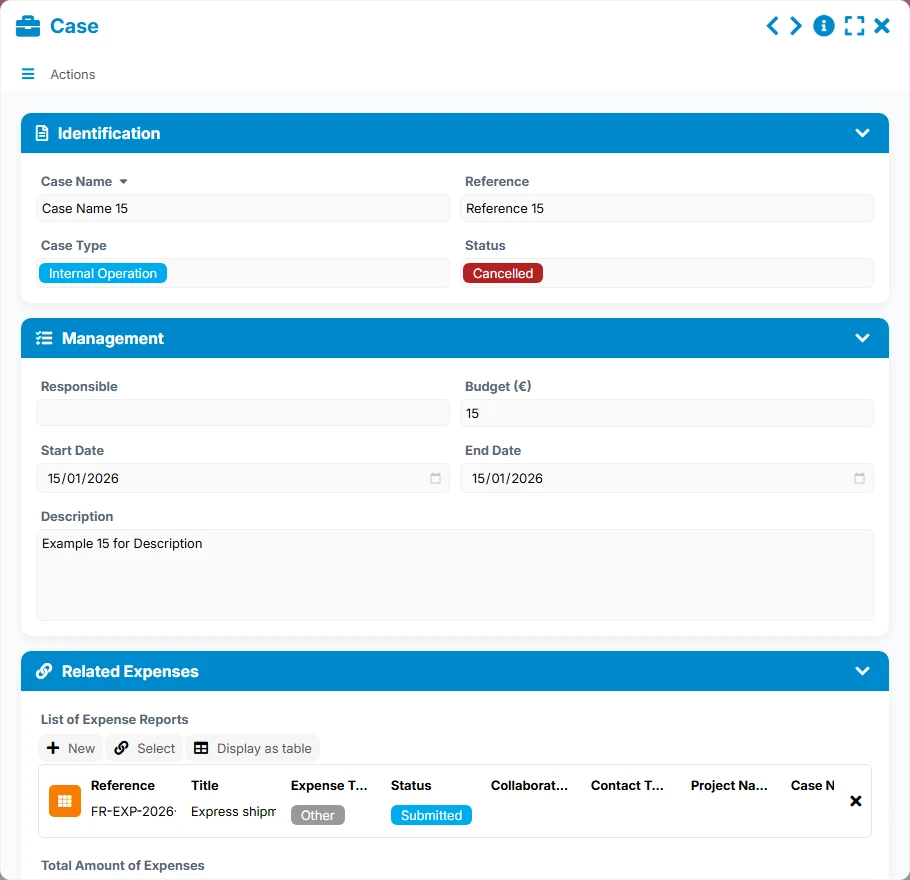
Business file that groups together the expense reports related to a case, with the budget, key dates, and management status.
Project reference to attach expenses to a mission, track the budget, and visualize expenses related to progress.
Each expense has a reference, a title, a type of expense, a status, and amounts useful for reimbursement. The identification, context, supporting documents, and validation sections structure the entry.
An expense report can be linked to a collaborator, a project, or a case. These relationships allow for quick retrieval of who spent what, in what context, and for which tracking center.
The Contact record centralizes the identity, contact details, role, department, and organization of each person, with dedicated views to analyze expenses by contact type and identify profiles to follow up.
The Project and Case forms group expenses associated with a mission, a budget, or a file. This provides a consolidated view of expenses related to the actual activity of the organization.
The list, kanban, calendar, gallery of supporting documents, and dashboards facilitate expense control, detection of pending files, and tracking of reimbursements.
The template organizes work around an expense report linked to a contact, then possibly to a project or a case. The views then allow for controlling validations, analyzing supporting documents, and monitoring budgets or at-risk expenses.
The user records the reference, title, type of expense, date, reimbursable amount, and status. They also complete the collaborator's information and add the necessary supporting documents.
Through many-to-one links, each expense report points to a single Contact, a single Project, or a single Case, while each of these objects can group multiple expenses. Tracking remains consistent by person, mission, or file.
The kanban view 'To Validate' highlights notes awaiting processing with the title, collaborator's name, reimbursable amount, and priority. Managers can thus decide faster and reduce delays.
The 'Pending Reimbursement' view helps track what remains to be paid, while the classic list provides a simple reading by reference, expense date, and submission date.
Dashboards show the number of notes, total amount, expenses by status, monthly evolution, and distribution by type of expense. On the Contacts, Projects, and Cases side, summary views allow for spotting high costs, monitored files, and strained budgets.
All forms offered in the app templates are editable and adjustable to your business, as well as the colors and layouts.
Structure a simple expense report circuit without multiplying spreadsheets, manual follow-ups, and scattered documents.
Harmonize expense management across multiple teams, projects, or entities with control views and consolidated budgets.
Track expenses by file, project, or mission with a clear validation framework and better traceability.
Link expenses to projects and funding to maintain a reliable view of field expenses and supporting documents.
It is used to enter, control, and validate expense reports in a single space, while linking them to a collaborator, a project, or a case to facilitate management.
Yes. The template provides a dedicated view for supporting documents, which helps control the pieces associated with expenses and secure validations.
Each expense report can be linked to a single contact, a single project, or a single case. In return, these records can group multiple expense reports to maintain a consolidated view.
The views To Validate, Pending Reimbursement, By Expense Date, and Supporting Documents offer an operational reading of expenses to process, deadlines, and pieces to verify.
Yes. The Project and Case forms include budget and status information, allowing for monitoring costs associated with missions or files.
Yes. Like other AirProcess templates, it can be adapted with new fields, additional views, validation rules, or automations according to your organization.
Start with a ready-to-use base to manage expense reports, then adapt the forms, views, and validations to your internal rules. You gain control, visibility, and comfort in your work.
Here is what our clients say
Companies of all sizes and sectors that have optimized their operations with Airprocess



























