1 click
To install the template

File tracking
Centralize all your files in a structured application to track contacts, concerned services, tasks, documents, and associated events. You gain visibility, rigor, and speed of execution on each tracked matter.
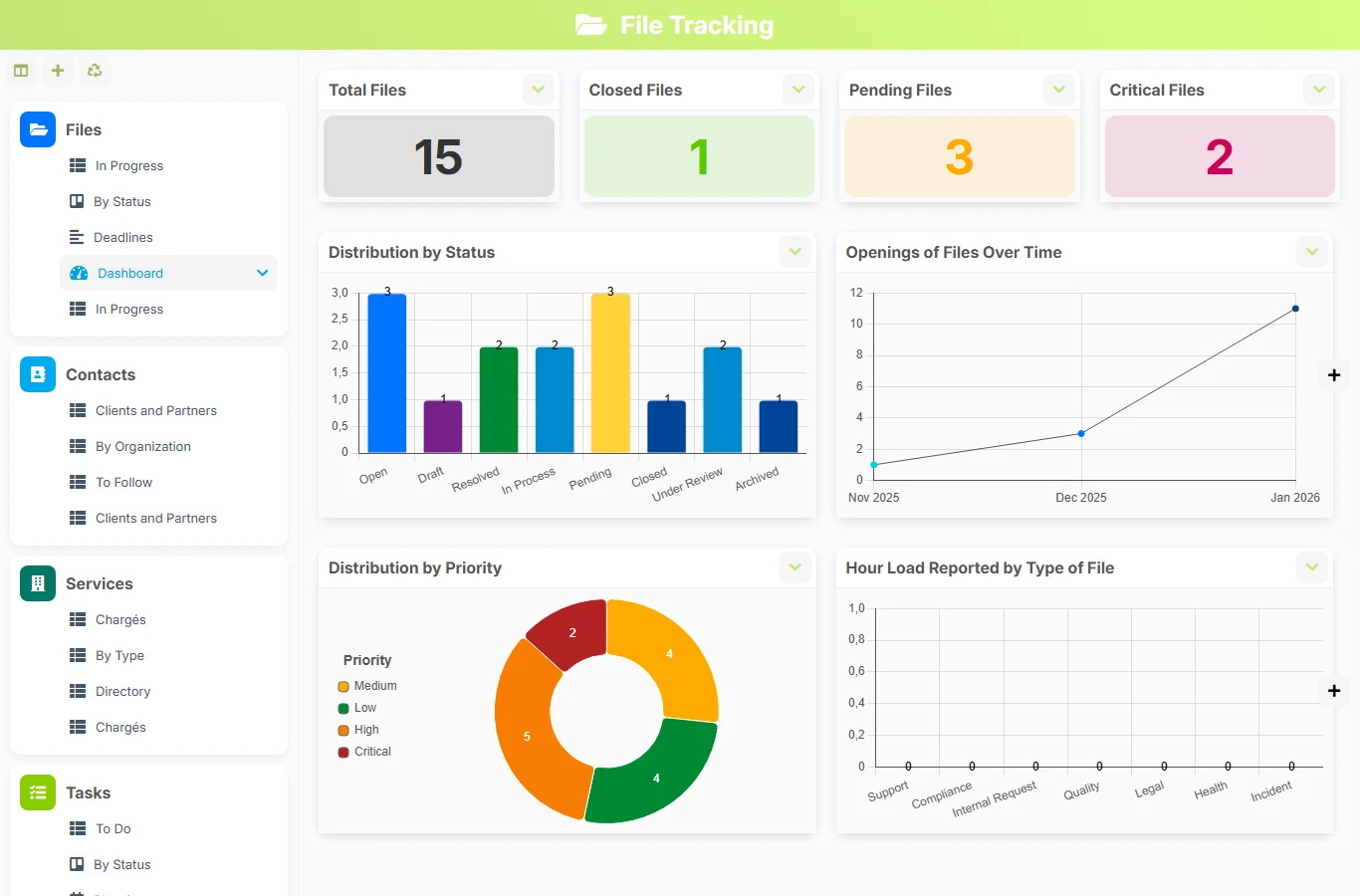
When information is spread across emails, shared files, and Excel spreadsheets, it becomes difficult to know who is doing what, which documents are up to date, and which deadlines are approaching. This template brings together in one space the file sheet, stakeholders, tasks, documents, and events to ensure reliable operational management.
1 click
To install the template
6
ready-to-use forms
100%
Customizable without development
France
Technology and hosting
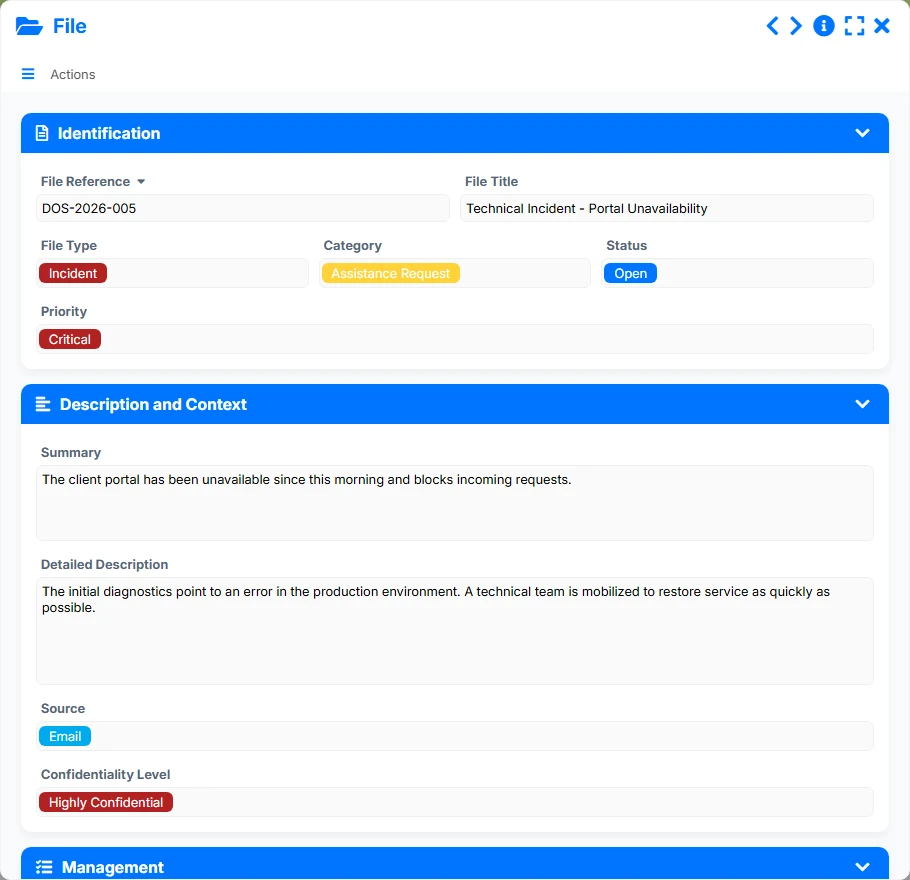
Central form to describe, prioritize, and manage each file from start to finish.
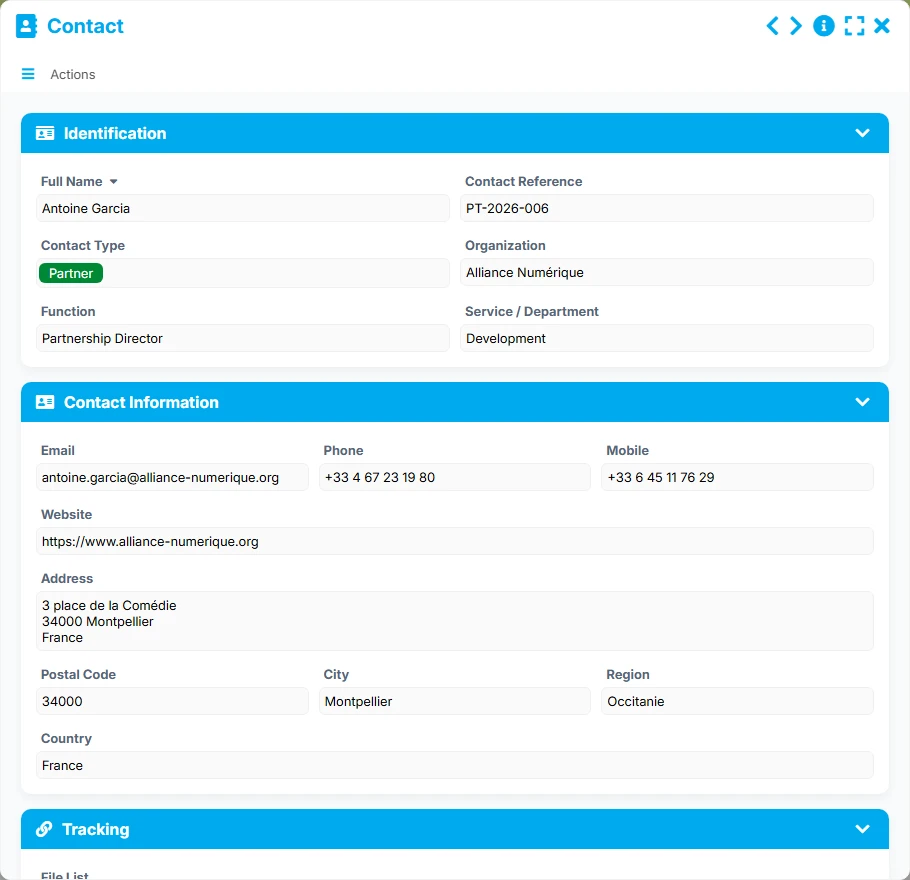
Contact sheet to track the people related to the files and their organization.
Directory of concerned services, with their manager and the volume of files tracked.
Actions to be executed around a file, with deadlines, priorities, and responsible parties.
Management of documents and versions attached to each file to secure the document tracking.
Tracking of meetings, appointments, and key moments associated with a file.
Record the reference, title, type, category, status, priority, summary, detailed description, source, and confidentiality level to frame each file from its opening.
Attach each file to a concerned service and a main contact to maintain a clear view of the stakeholders, responsibilities, and processing scope.
Create and track tasks related to the file with their status, priority, assignment, and key dates to advance actions without interruption.
Centralize the pieces, versions, and statuses of documents related to the file to have a coherent and easily consultable document base.
Plan exchanges, meetings, and events related to the file to keep a history of interactions and prepare the next steps.
Track ongoing files, deadlines, tasks to do, validated documents, or upcoming events with views tailored to the daily needs of teams.
The template relies on a simple logic: a central file serves as an anchor point, then tasks, documents, and events attach around it. The links between forms allow for working in the correct order, maintaining consistent data, and tracking progress without loss of information.
A file is opened with its reference, type, category, status, priority level, and context. This sheet becomes the common base for all upcoming actions.
The file is linked to a concerned service and a main contact. This link allows immediate knowledge of which team is following the matter and who needs to be kept informed.
Tasks related to the file are created with a status, priority, due date, and responsible party. Each action remains visible from the file and can be tracked in planning or to-do views.
Documents associated with the file are deposited with their type, version, author, and status. Events can also generate a report to keep a usable history.
Views by status, deadlines, validated documents, or upcoming events help teams prioritize, follow up, and close files with visibility.
All forms offered in the app templates are editable and adjustable to your business, as well as the colors and layouts.
Structure a simple and effective tracking to avoid oversights, better distribute actions, and centralize documents.
Standardize the management of multi-stakeholder files with shared views, clear responsibilities, and visible deadlines.
Organize administrative files, exchanges, supporting documents, and processing dates in a readable framework.
Maintain rigorous tracking of partner, beneficiary, project, or request files with a complete history.
Yes. The File form includes a file type, category, status, and priority, allowing the model to be adapted to different business contexts without changing the underlying logic.
Each task is linked to a file via the Linked file field. The file centralizes the list of tasks, making operational tracking and overall reading easier.
Yes. The Document form provides a reference, document type, version, status, author, and file, which helps maintain a clear and usable document base.
The views Ongoing files, By status, and Deadlines are particularly useful for tracking progress, prioritizing actions, and anticipating delays. The To-do, Planning, and Library views provide the same level of readability on tasks, events, and documents.
Yes. The links to the concerned service and main contact, combined with tasks, documents, and events, provide a shared vision suitable for teams collaborating on the same file.
Yes. Dedicated dashboards display the total number of files, closed files, critical files, distribution by status, and openings over time, which helps manage activity.
Start with a ready-to-use structure to centralize your files, contacts, tasks, documents, and events. Then customize the fields, views, and tracking routines to fit exactly with your organization.
Here is what our clients say
Companies of all sizes and sectors that have optimized their operations with Airprocess



























