1 click
To install the template

Intervention Tracking
Centralize requests, plan interventions, link each file to the right contact, and track recorded times in a single AirProcess application, ready to use and easy to adapt to your operations.
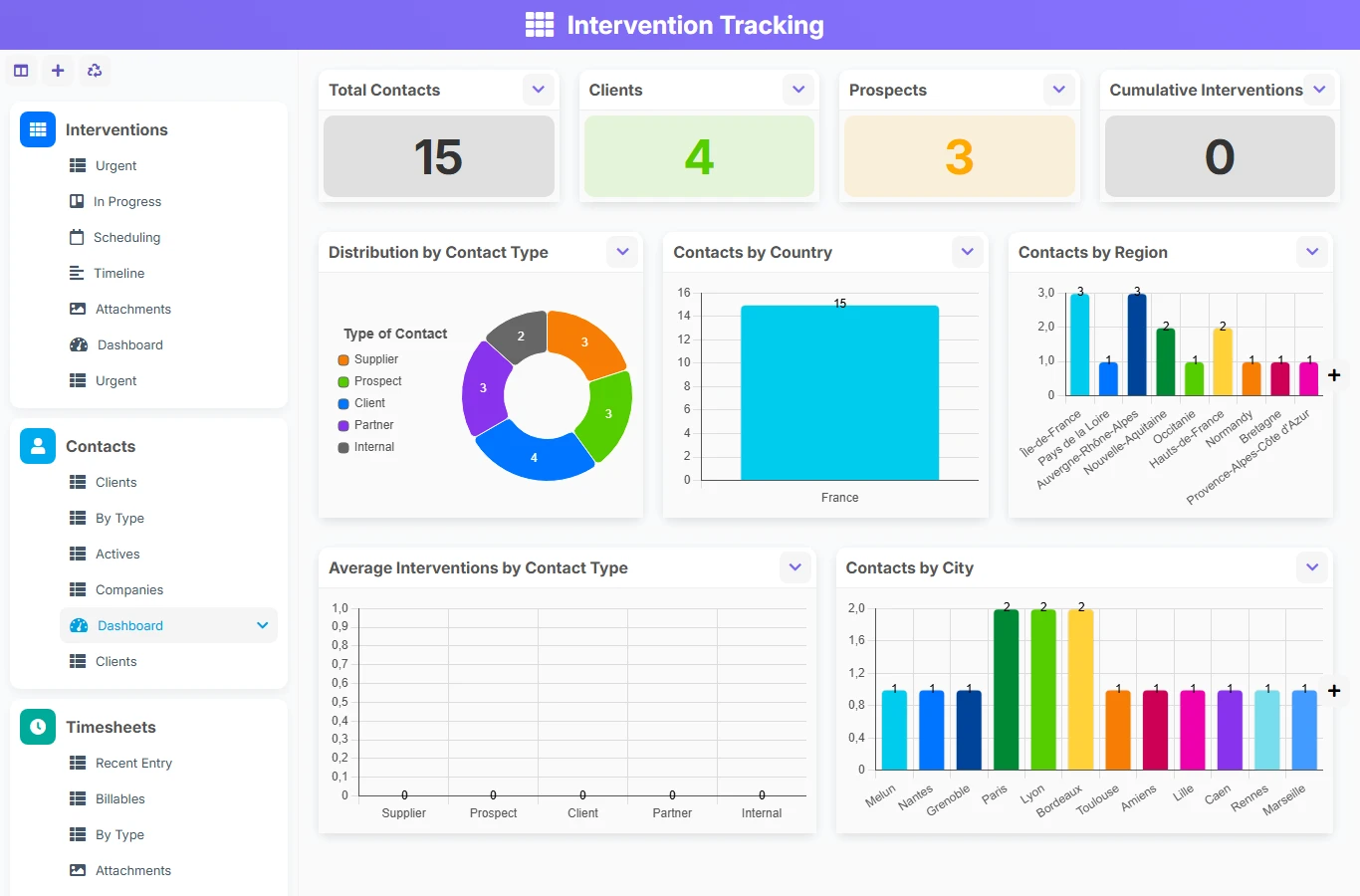
When interventions are tracked in separate tables, information is quickly lost: status, priority, deadline, assigned technician, attachments, and time spent. This template gathers everything in one space to better coordinate teams, improve field responsiveness, and secure file tracking.
1 click
To install the template
3
ready-to-use forms
100%
Customizable without development
France
Technology and hosting
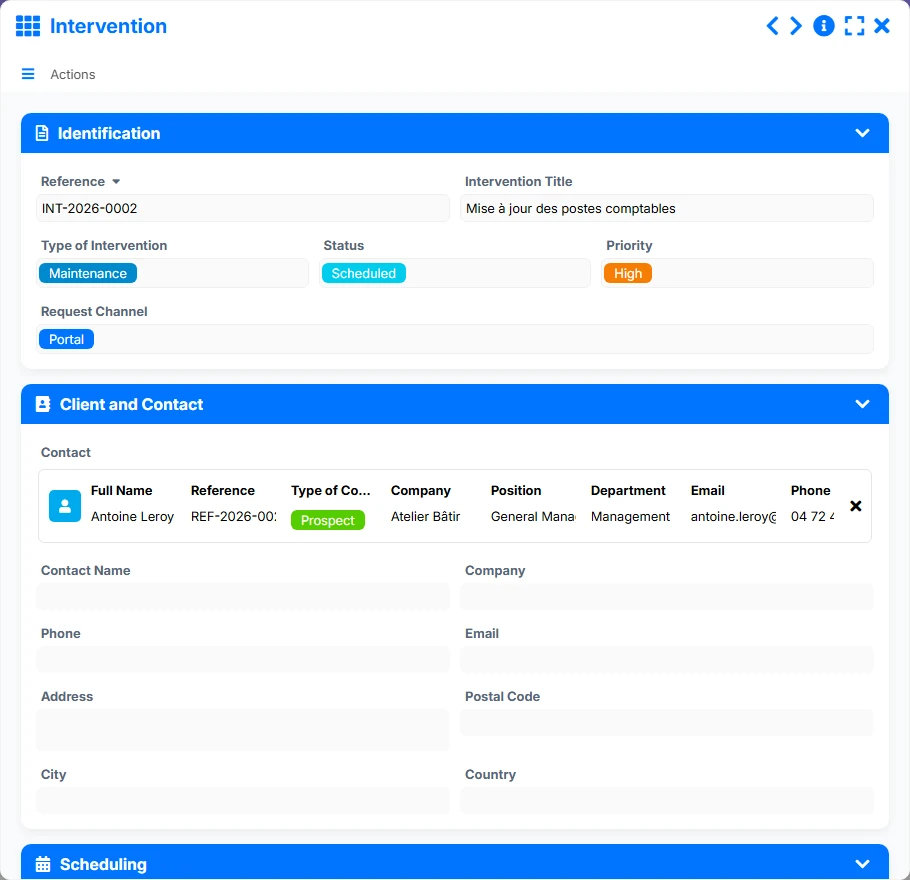
Central form of the file: identification, client and contact, planning, execution, time and tracking, attachments and closure.
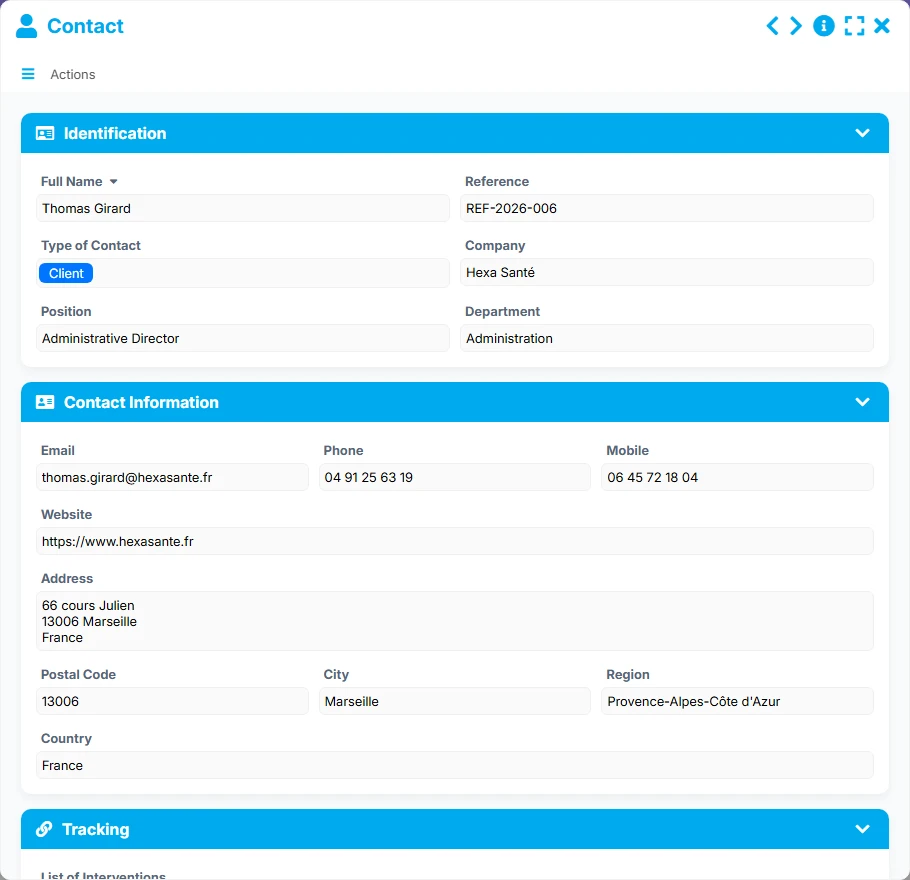
Reference of people and companies related to interventions, with contact details and tracking data.
Detailed entry of hours spent on an intervention, with technician, duration, billing, and description of the work done.
Each intervention groups together the reference, title, type, status, priority, request channel, key dates, assigned technician, and useful attachments for execution.
Interventions are linked to a unique contact, with contact details, company, position, and tracking information to quickly find the relevant interlocutor.
Time tracking is done at the timesheet level, with duration, date, technician, type of time, billable nature, and details of the work done.
The list, kanban, planning, timeline, and urgent views allow tracking of files according to progress, workload, and priority level.
Dashboards provide a synthetic view of the volume of interventions, completed files, recorded hours, billable hours, and distribution by type or technician.
The template follows a simple and operational logic: first, create or find the contact, then open the intervention, plan it, execute it, and record the time spent to maintain complete traceability.
Each intervention is linked to a contact. This relationship allows centralizing contact details, company, position, and history to avoid duplicates and easily find the right entry point.
The intervention file gathers the reference, title, type, status, priority, request channel, and planning elements. Teams thus have a clear framework from the creation.
The Planning view helps distribute interventions over time, while the In Progress and Urgent views facilitate prioritization and tracking of files requiring immediate action.
The timeline and attachment gallery provide a concrete reading of the file during the intervention. Teams can document evidence, notes, and elements necessary for processing.
Each intervention can reference multiple timesheets. The duration, technician, date, type of time, billable nature, and description of the work done are then recorded.
Dashboards consolidating interventions and timesheets allow tracking of volumes, recorded hours, billable hours, and distribution of activity by type or technician.
All forms offered in the app templates are editable and adjustable to your business, as well as the colors and layouts.
Structure requests, interventions, and time spent without multiplying files or losing visibility on workload.
Coordinate multiple technicians, multiple interlocutors, and multiple request flows with shared management views.
Track interventions, contacts, and time spent with a readable framework for teams and operational services.
Organize field actions, keep a history of contacts, and measure the time actually spent on each intervention.
It is used to centralize intervention files, associated contacts, and recorded times to improve coordination, traceability, and operational management.
Each intervention is linked to a contact. A contact can group several interventions, allowing for the preservation of the history of requests and treatments.
Yes. An intervention can be associated with multiple timesheets to record the duration, technician, date, type of time, and billable nature.
The list, In Progress kanban, planning, urgent views, timeline, and attachment views help track progress and prioritize actions.
Yes. It is suitable for field teams, technicians, support services, and all organizations that need to plan, execute, and trace interventions.
Yes. Dashboards highlight the volumes of interventions, progress status, recorded hours, billable hours, and distribution of activity.
Install this AirProcess base to structure your files, contacts, and recorded times. You can then customize fields, views, and work rules according to your teams and organization.
Here is what our clients say
Companies of all sizes and sectors that have optimized their operations with Airprocess



























