1 click
To install the template

Knowledge base
This AirProcess template helps you structure operational knowledge, link documents to procedures and tickets, and track incidents until resolution with ready-to-use management views.
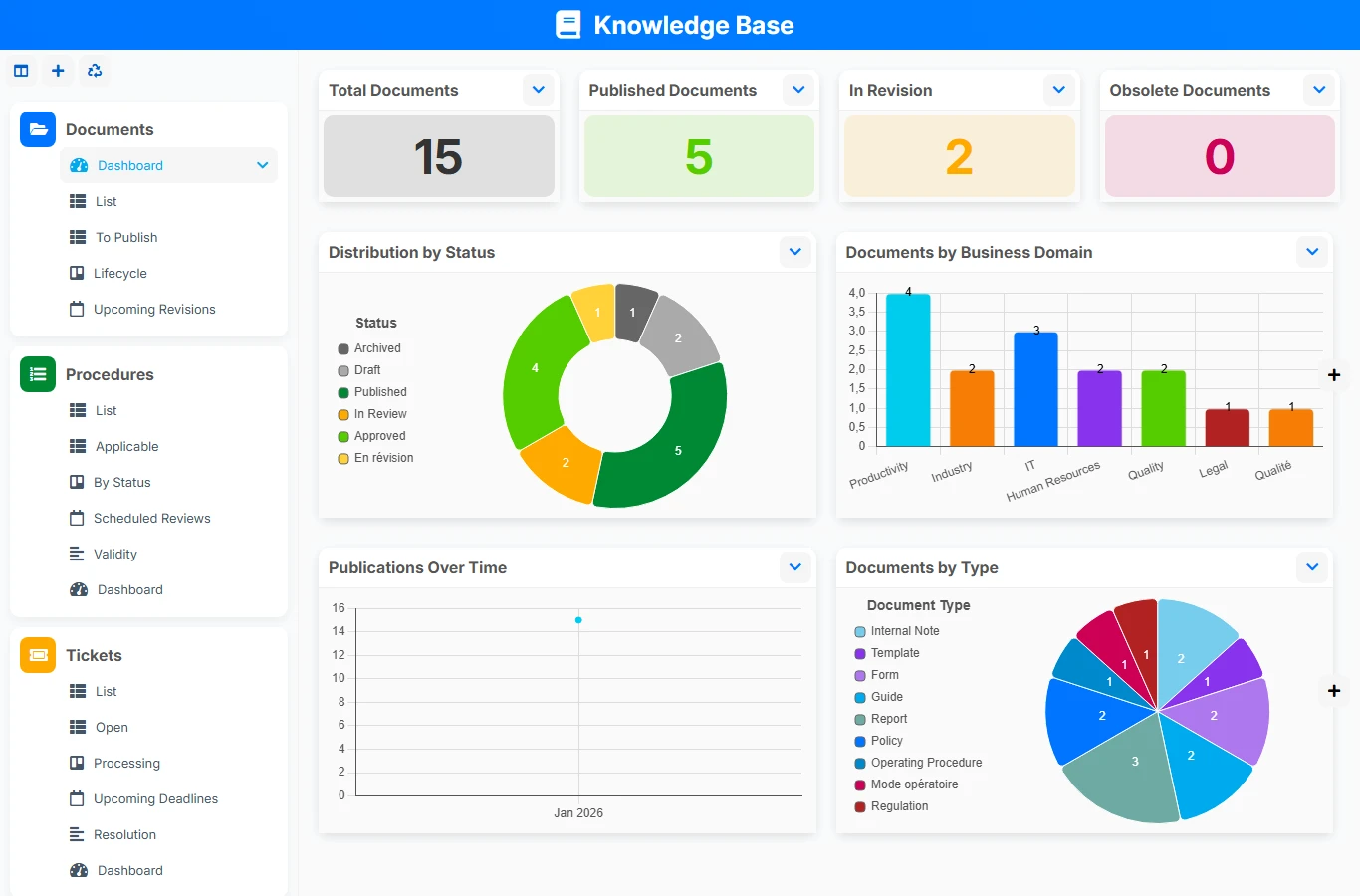
When procedures, reference documents, tickets, and incidents are scattered across files, emails, or separate tools, teams waste time and decisions lack context. This knowledge base brings useful information together in one space, with real links between contents, to quickly find the right version, understand business impact, and track what needs to be processed or revised.
1 click
To install the template
4
ready-to-use forms
100%
Customizable without development
France
Technology and hosting
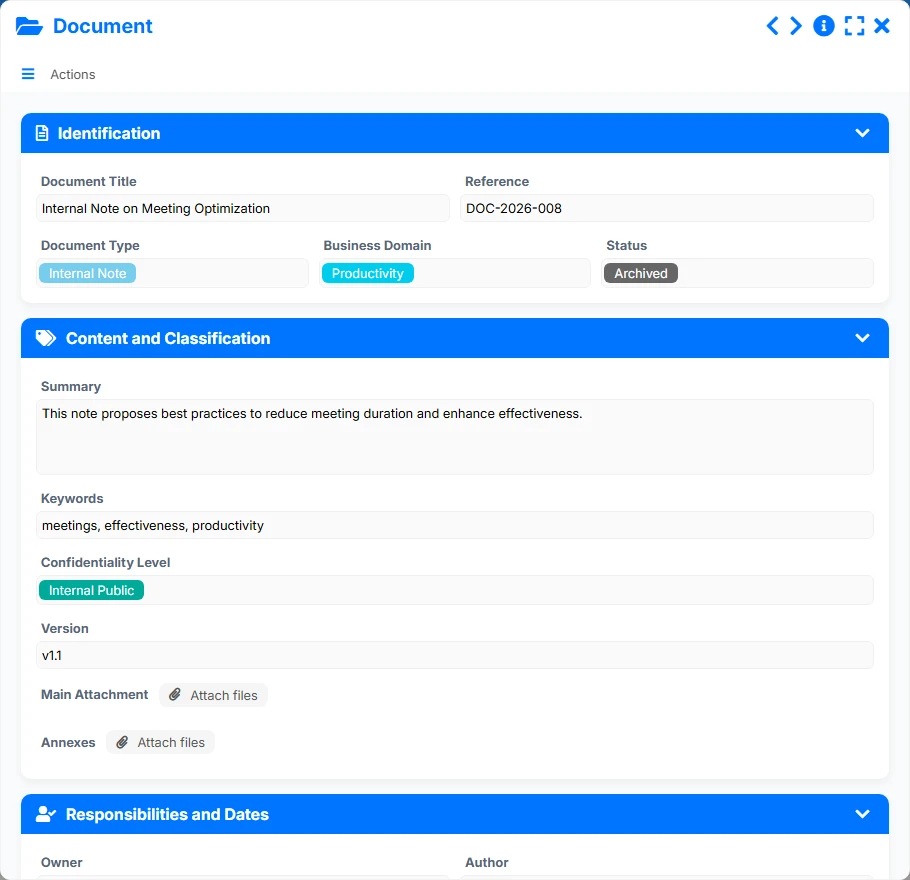
Reference sheets to centralize content, its classification, its confidentiality level, its versions, and its links to procedures or tickets.
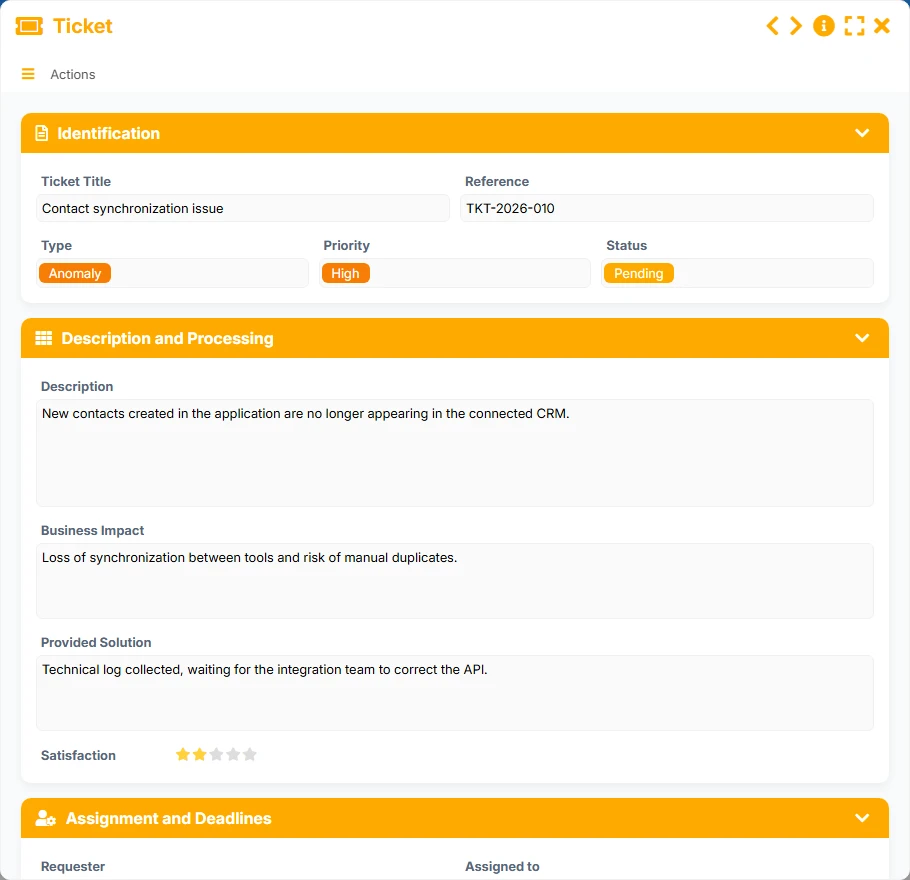
Requests, support topics, or processing needs tracked with priority, deadlines, resolution, and links to the documentation base.
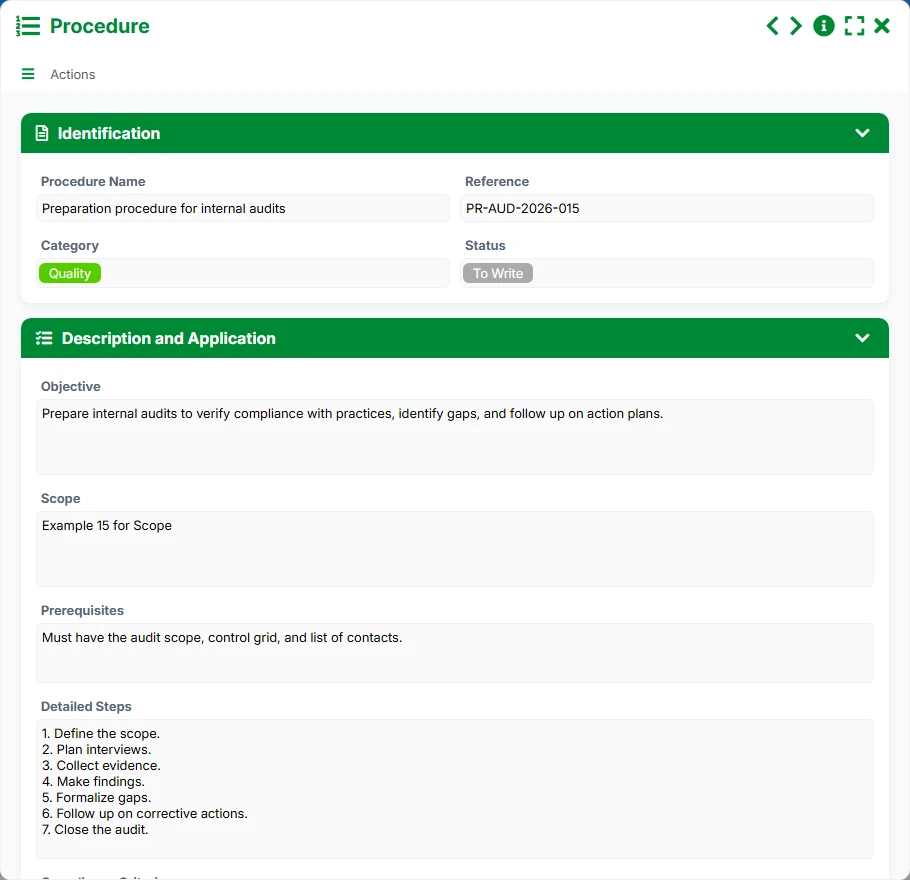
Formalized operating procedures with steps, scope, compliance, responsible parties, and relationships to associated incidents.
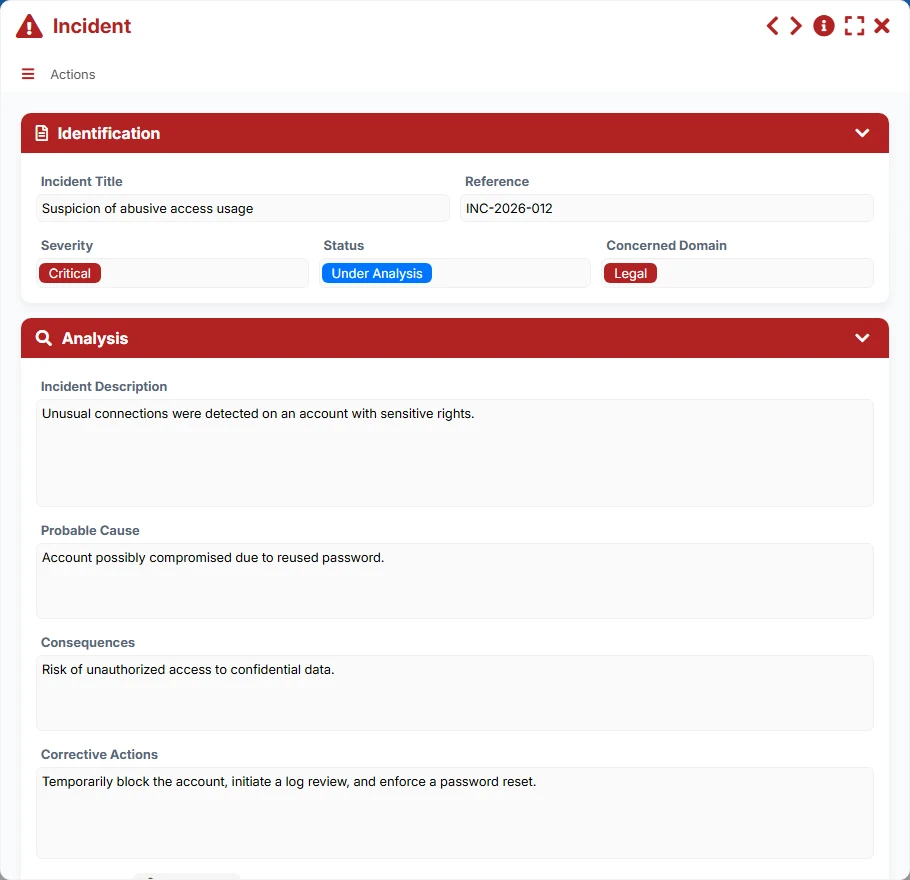
Events to analyze and correct, tracked from their declaration to corrective actions and resolution.
Manage titles, references, types, business areas, confidentiality levels, versions, statuses, summaries, and attachments to maintain usable and up-to-date documentation.
Formalize your procedures with their objectives, scope, prerequisites, detailed steps, compliance criteria, and responsible parties.
Track requests with their priority, status, business impact, provided solution, satisfaction, and processing deadlines.
Analyze incidents by severity, affected area, probable cause, consequences, corrective actions, and attachments to expedite resolution.
Link documents to procedures and tickets, then associate incidents with the relevant tickets or procedures to maintain an end-to-end view.
Utilize lists, kanbans, calendars, timelines, and dashboards to track reviews, publications, open tickets, and critical incidents.
The template organizes work starting from reference contents, then linking them to procedures, tickets, and incidents to transform information into action. The views then allow tracking validity, deadlines, and priorities on a daily basis.
A document is entered with its reference, business area, confidentiality level, version, status, and main attachment. This foundation serves as an anchor point for shared knowledge.
Documents can be linked to multiple procedures via the dedicated relationship. Procedures specify detailed steps, prerequisites, compliance criteria, and the responsible party, facilitating application in the field.
Tickets are linked in a many-to-many relationship to documents to quickly find the answer, the provided solution, or the useful documentation base. The type, priority, status, and business impact are also tracked for arbitration.
An incident is recorded with its severity, description, probable cause, consequences, and corrective actions. It can be linked to a ticket or a procedure to retrieve the exact context.
Calendar, timeline, kanban, and dashboard views help track upcoming revisions, applicable procedures, open tickets, critical incidents, and documents to be published.
All forms offered in the app templates are editable and adjustable to your business, as well as the colors and layouts.
Structure your documents and procedures without multiplying scattered files or losing key knowledge as the team grows.
Unify documentation, tickets, and incidents in processes shared among multiple teams, sites, or departments.
Organize procedures, internal references, and incident handling with a logic of traceability and compliance.
Disseminate clear instructions, track field requests, and capitalize on feedback in a shared space.
It serves to centralize documents, formalize procedures, track tickets, and analyze incidents within a single model, with links between elements to quickly find the right context.
Yes. The planned relationships allow connecting a document to multiple procedures and multiple tickets, facilitating the sharing of the same reference across various uses.
Dedicated views like To Publish, Upcoming Revisions, Planned Reviews, Applicable, or dashboards help identify contents to be updated or validated.
Yes. An incident can be linked to a procedure or a ticket to maintain a record of the context, identify the cause, and document corrective actions.
Yes. It is particularly suited for teams that need to document, process, qualify, and maintain operational contents with reliable tracking of statuses and deadlines.
Start with a ready-to-use template, then adapt documents, procedures, tickets, incidents, views, and tracking rules to your business practices without starting from scratch.
Here is what our clients say
Companies of all sizes and sectors that have optimized their operations with Airprocess



























