1 click
To install the template

Litigation tracking
Centralize your litigation files, contacts, cases, invoices, and events in a structured application to track each dispute, secure documents, and maintain a clear view of the amounts at stake.
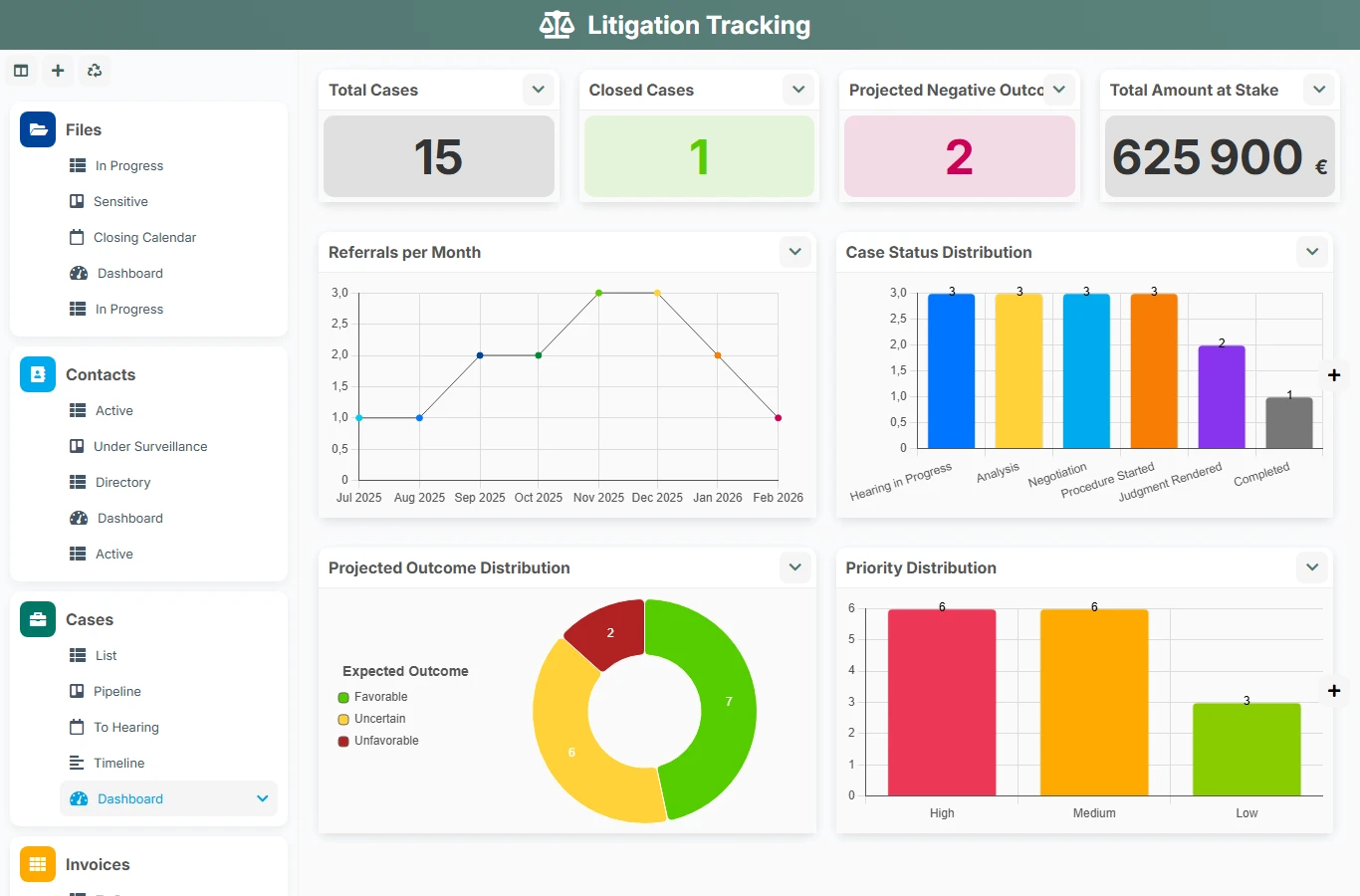
When disputes are tracked in separate spreadsheets, emails, or shared files, the risk of forgetting increases quickly: missing documents, overlooked deadlines, unmatched invoices, unclear responsibilities. This template creates a common control point to document each file, link contacts, trace associated cases, and monitor financial impacts without losing track.
1 click
To install the template
5
ready-to-use forms
100%
Customizable without development
France
Technology and hosting
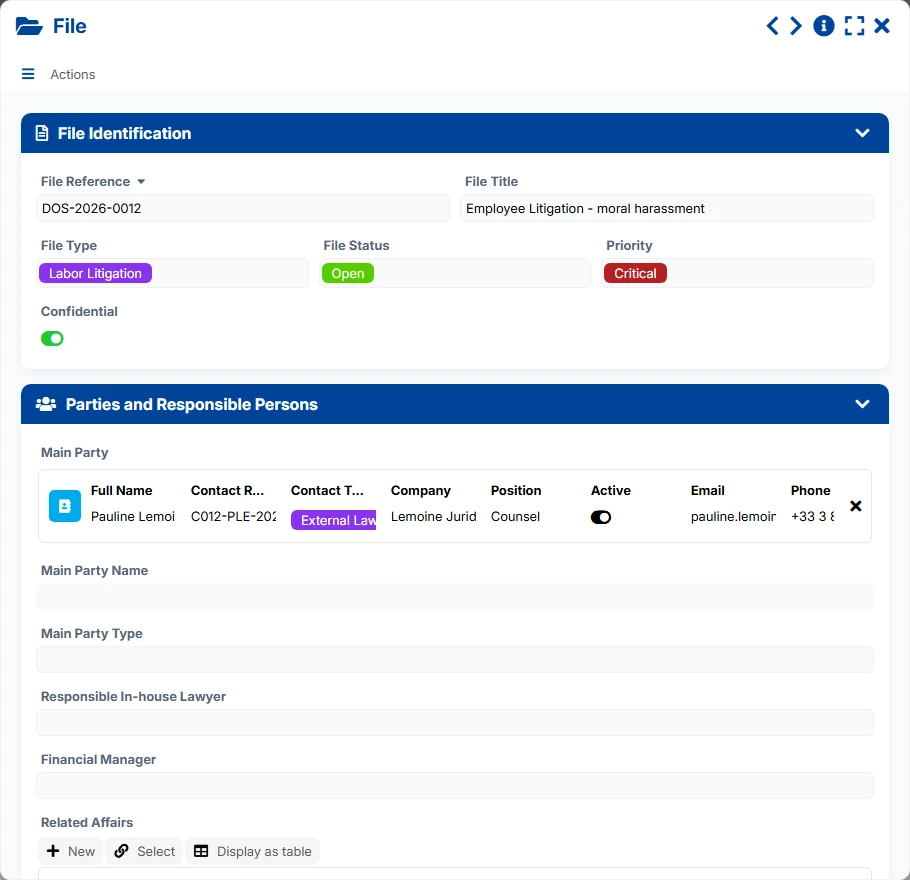
Central file sheet to identify the case, track its status, priority, confidentiality, parties, and internal responsible person.
Directory of people and organizations related to the cases, with their contact details, role, and relationship history.
Operational subset attached to a parent file to track aspects, statuses, responsible persons, and important dates.
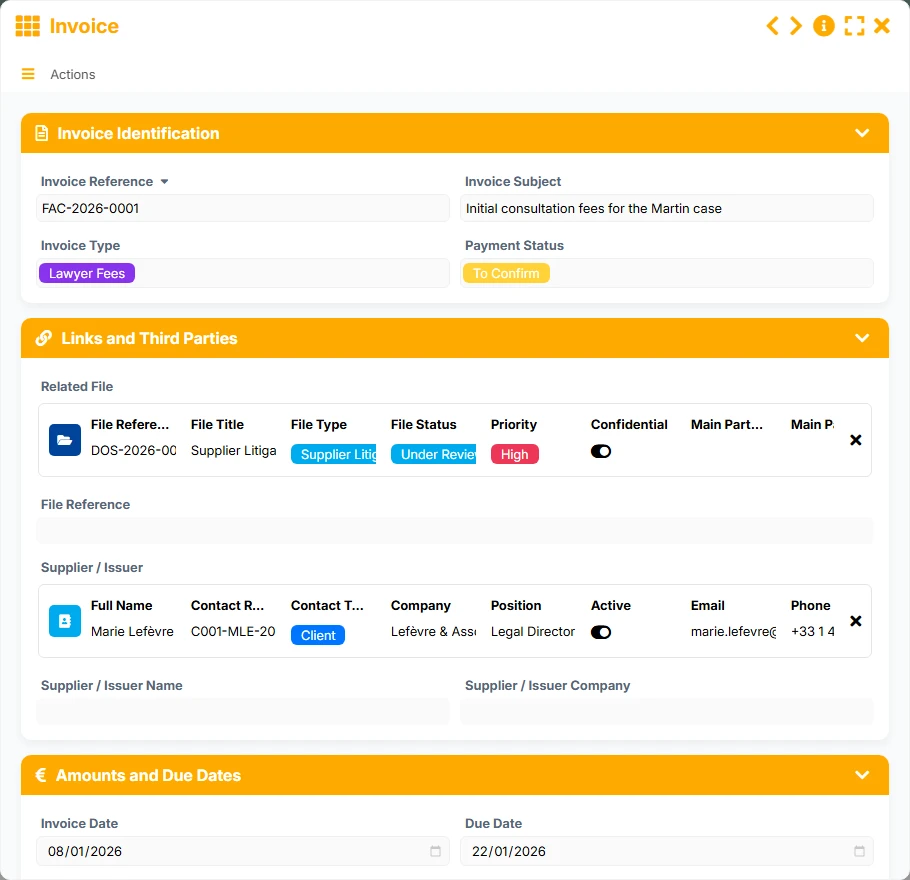
Tracking of invoices, amounts, deadlines, payments, and supporting documents, linked to the relevant file.
Management of hearings, appointments, actions, and procedural milestones related to the file or corresponding case.
Manage each file with its reference, status, priority, confidentiality, main parties, and internal responsible person, to maintain a clear view of progress and risks.
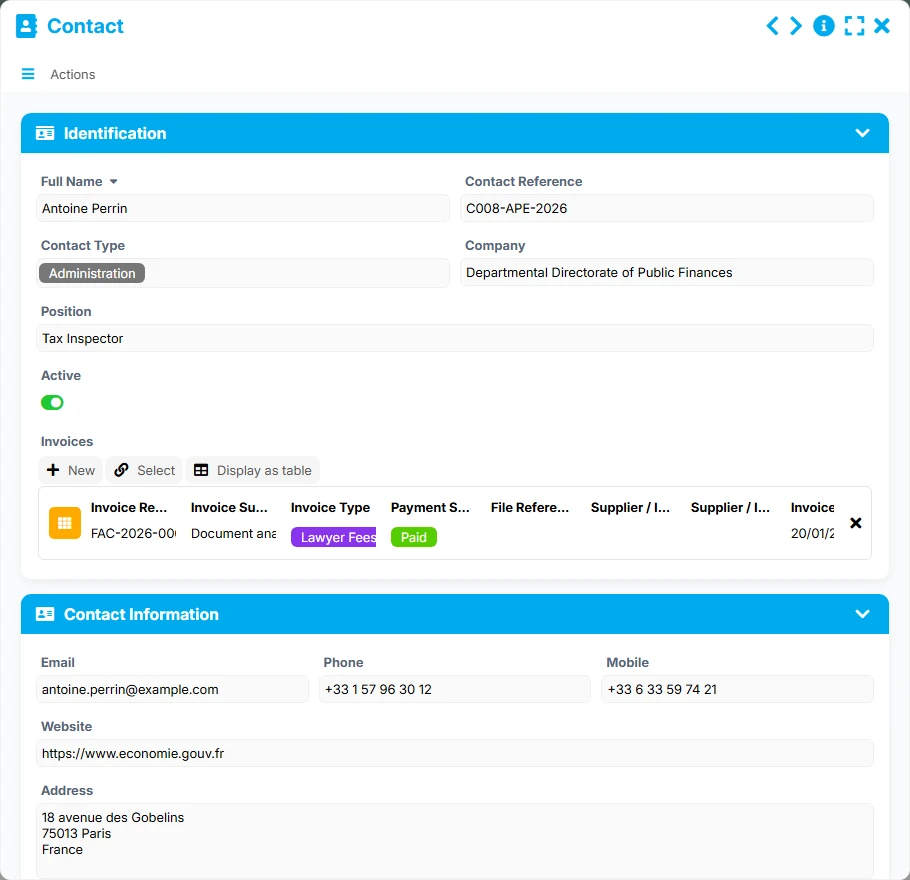
Link contacts to files and track their useful information: identity, company, role, contact details, and relational activity, to quickly find who is involved in each case.
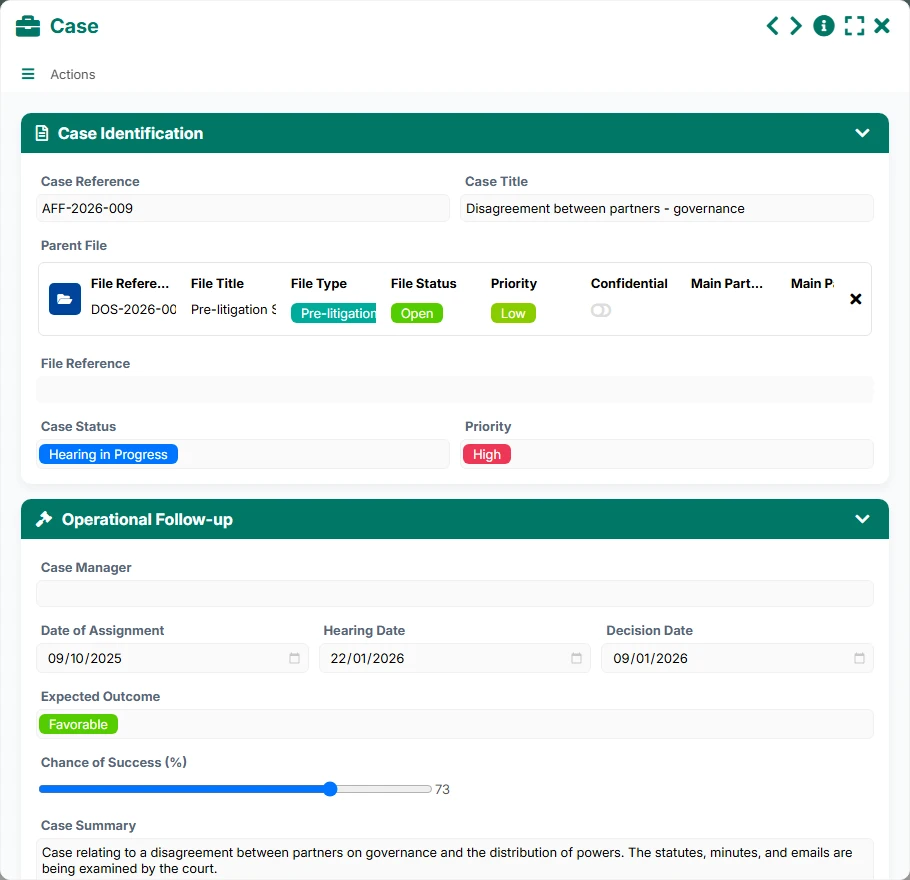
Structure sub-topics, procedures, or operational aspects around a parent file through the relationship between File and Case, with tracking by status, priority, responsible person, and key dates.
Associate invoices with files and contacts to monitor amounts, deadlines, payment statuses, and supporting documents, and better manage outstanding amounts or disputed situations.
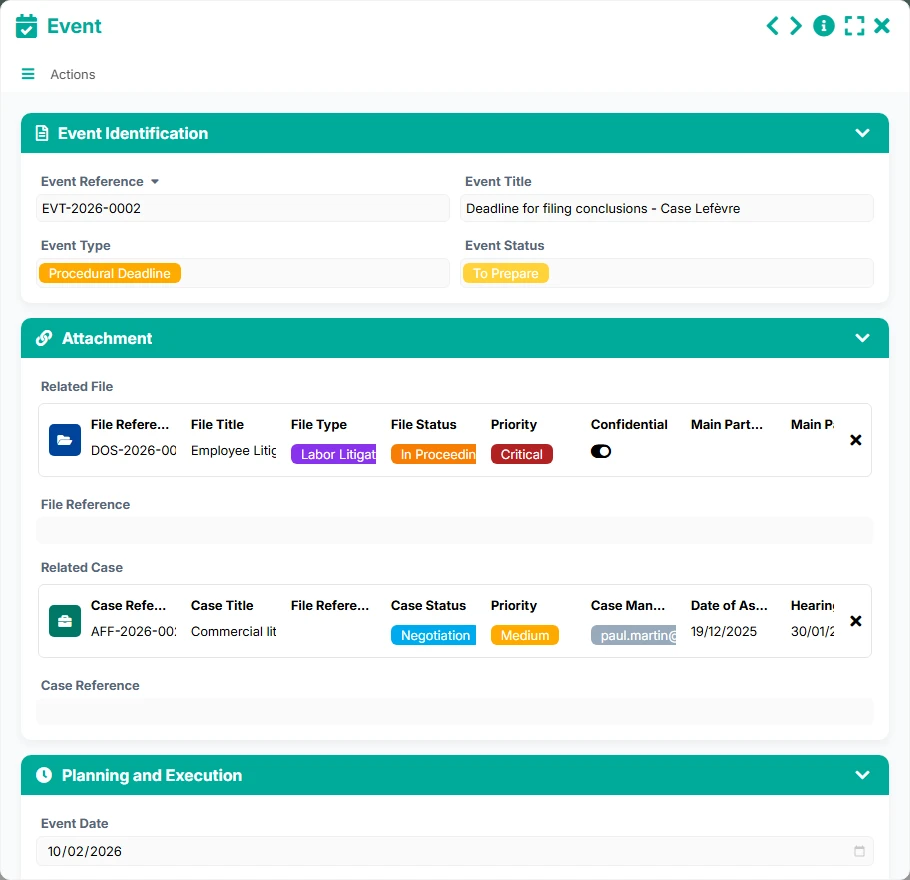
Plan and record events related to files and cases: hearings, appointments, preparation deadlines, or procedural acts, with a simple reading of priorities to address.
The template follows a natural litigation logic: first, the file is opened, the main party and contextual elements are linked, then the cases, financial documents, and events to track are detailed. The views then help to manage sensitive files, upcoming hearings, invoices to pay, and actions to prepare.
The File form serves as the entry point: reference, title, type, status, priority, confidentiality, main party, and internal responsible person. It is the pivot sheet that structures the rest of the tracking.
The Contact form allows recording the people and organizations involved. Thanks to the link between File and Contact, the same party can be found across multiple files, facilitating search and consolidation of relational tracking.
Each File can reference multiple Cases, while each Case points to its parent File. This structure allows distinguishing specific aspects, procedures, or issues while maintaining a consolidated view of the main dispute.
Invoices can be linked to the File and a supplier or issuer Contact. Teams thus track amounts excluding VAT/inclusive VAT, payment status, due date, and supporting documents to quickly identify bottlenecks.
Events are linked to the File or the relevant Case. This connection allows tracking hearings, preparation steps, appointments, and deadlines, with a direct reading in the calendar or the list of tasks to prepare.
All forms offered in the app templates are editable and adjustable to your business, as well as the colors and layouts.
Coordinate multiple files, interlocutors, and procedural milestones in a shared and readable structure.
Centralize the tracking of litigation, deadlines, and documents in a formal framework suited to internal circuits.
Keep control over your disputes without multiplying manual spreadsheets, with an easy-to-use tool.
Yes. The template links files, cases, invoices, and events to track both procedural issues, responsibilities, and associated amounts.
Yes. The relationship between File and Case allows managing multiple aspects or sub-topics within the same litigation while maintaining a unique parent file.
Events are linked to files and cases, making it easier to track hearings, preparation deadlines, and appointments in calendar or list views.
Yes. Invoices can be linked to the file and an issuing contact, which helps reconcile involved third parties, financial documents, and payment status.
Yes. Views dedicated to sensitive files, the closure calendar, and the dashboard allow spotting priority disputes, open volumes, and exposed amounts.
Start with a ready-to-use base to track your files, contacts, cases, invoices, and events, then adapt the fields, views, and working rules to your practices.
Here is what our clients say
Companies of all sizes and sectors that have optimized their operations with Airprocess



























