1 click
To install the template

Onboarding Tracking
Centralize arrivals, procedures, and checklists in a single application to streamline coordination between HR and IT, track progress in real-time, and secure each step of the onboarding.
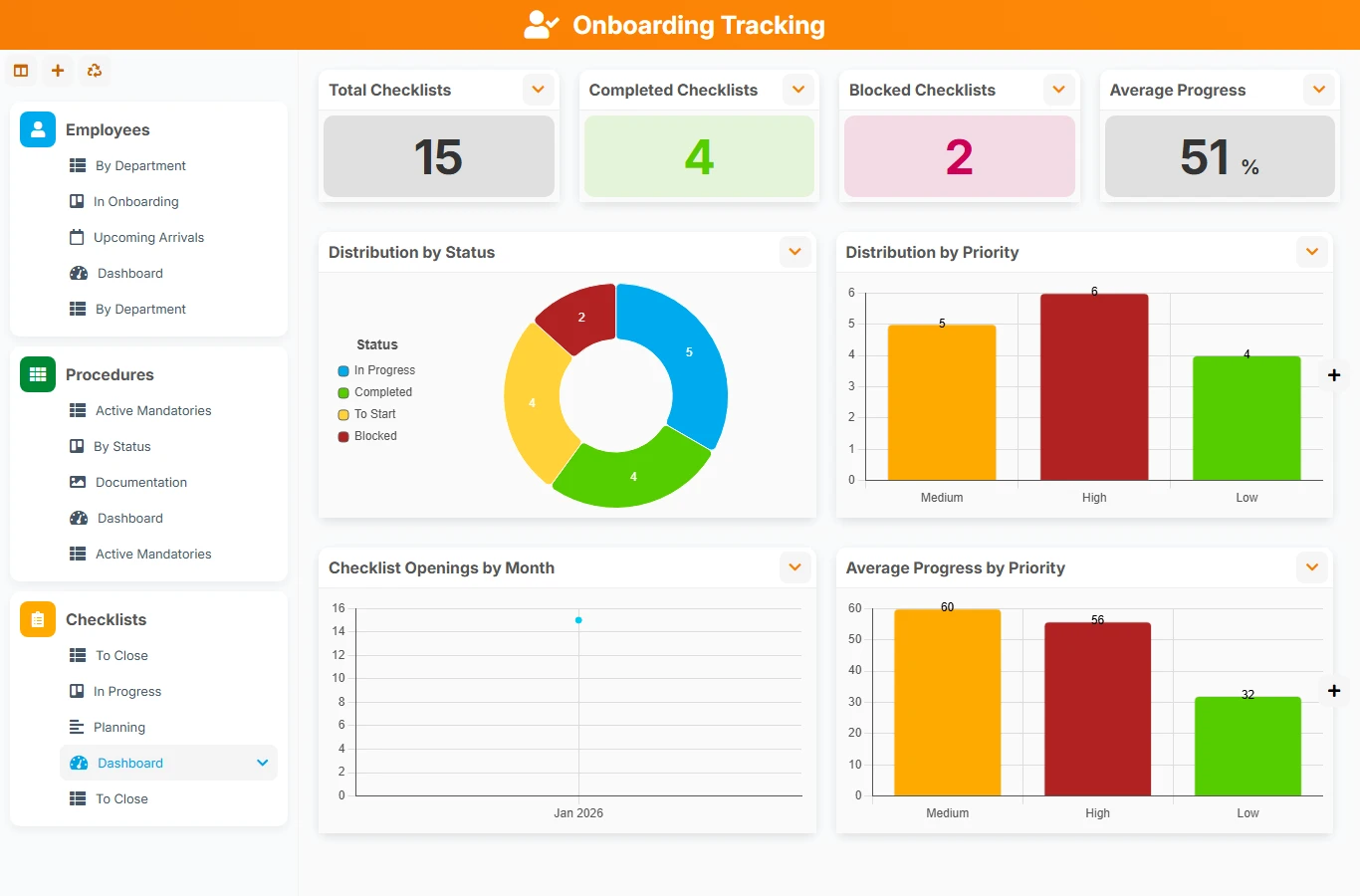
When the arrival of a new employee depends on scattered exchanges between emails, spreadsheets, and internal messages, tasks can quickly get lost. This template formalizes the onboarding process with employees, reusable procedures, and follow-up checklists, to better coordinate teams and ensure reliable integration.
1 click
To install the template
3
ready-to-use forms
100%
Customizable without development
France
Technology and hosting
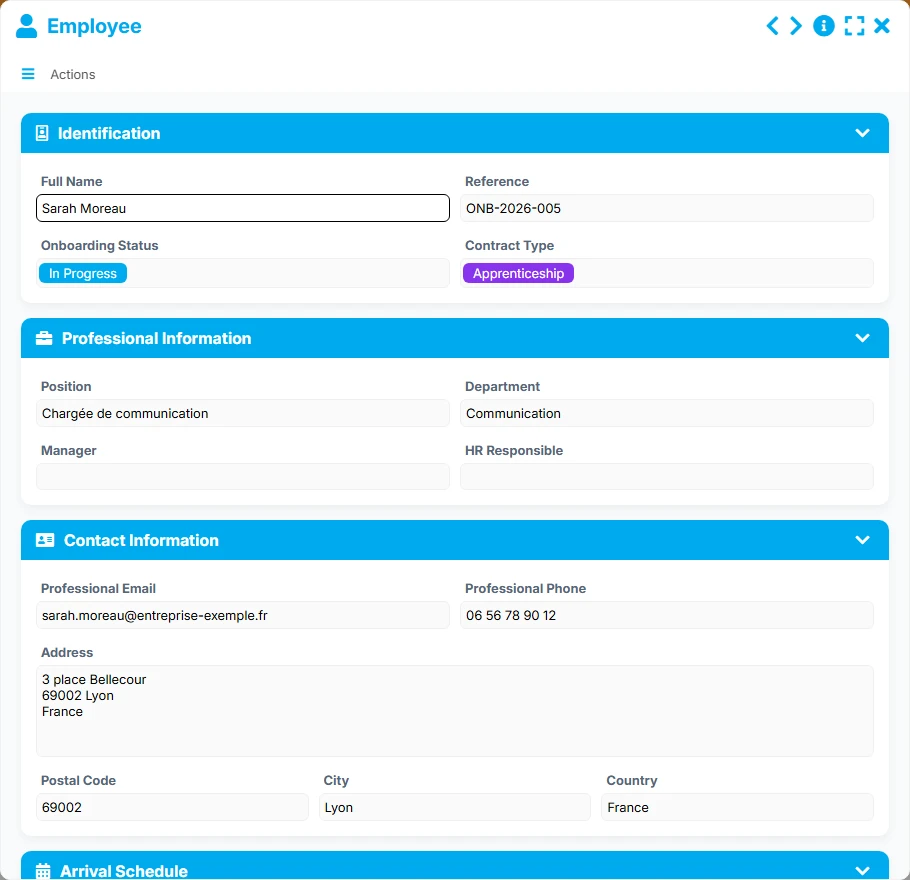
Central file of the new hire with their onboarding status, position, department, arrival dates, and link to the follow-up checklist.
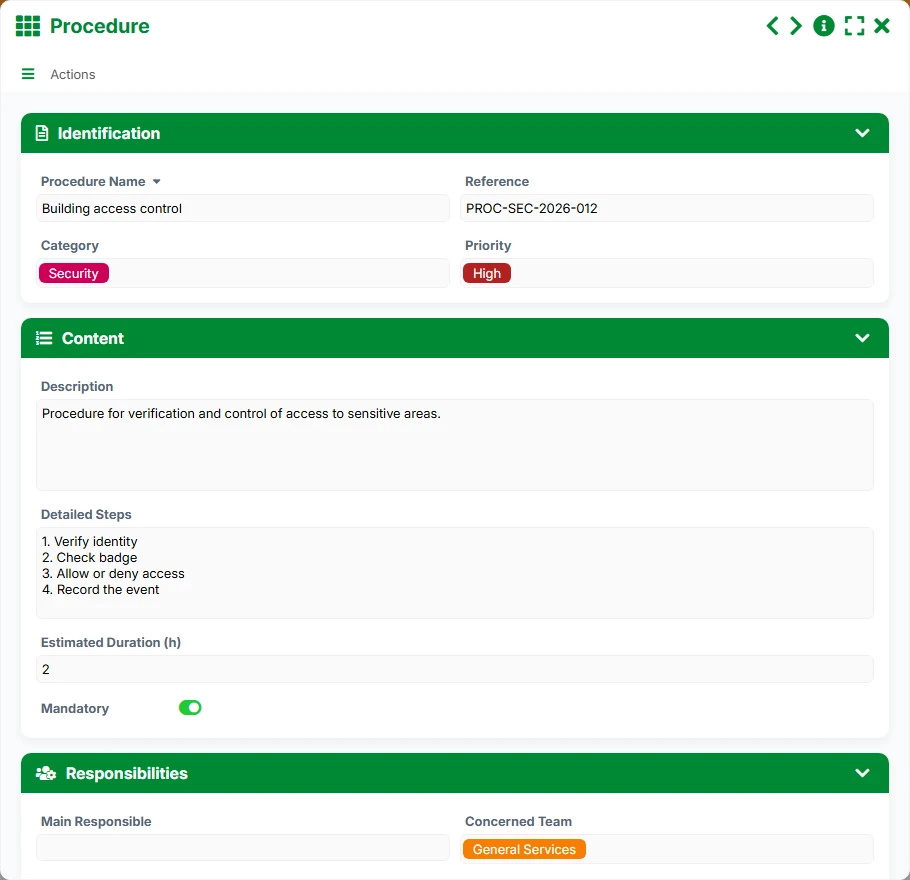
Reference of onboarding procedures to apply according to the context, with category, priority, concerned team, main responsible person, and estimated duration.
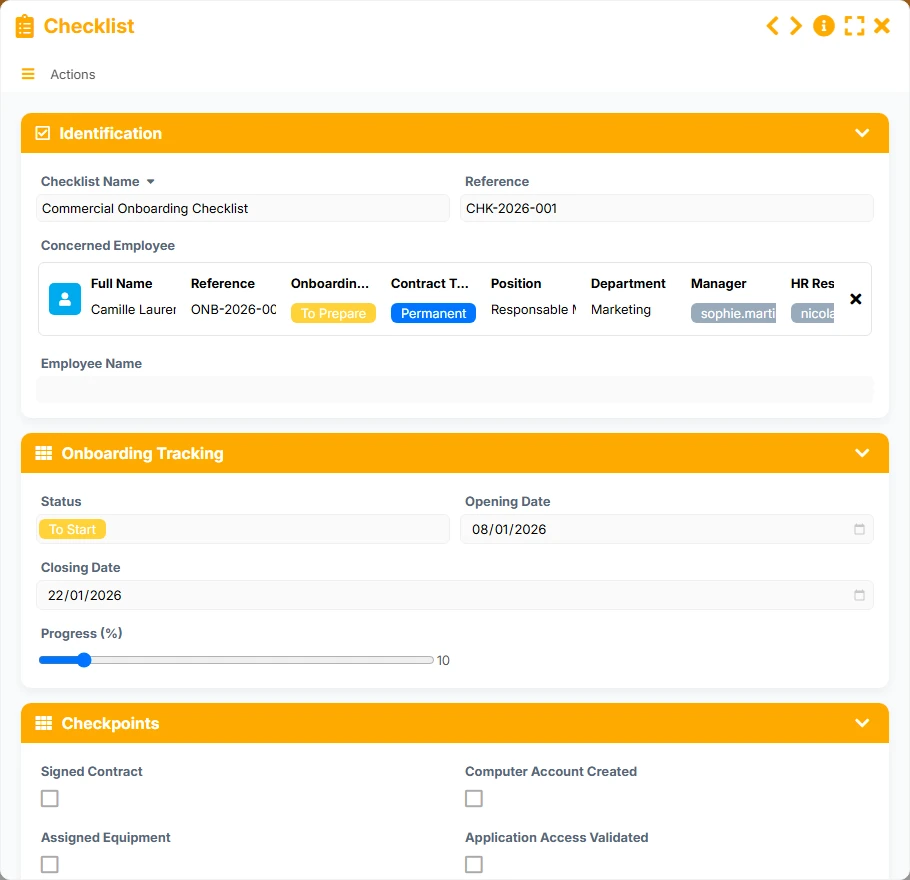
Management file of the onboarding process with status, progress, opening and closing dates, checkpoints, and administrative or IT elements.
Record each new collaborator with their onboarding status, position, department, manager, HR responsible, and key dates to manage arrivals without ambiguity.
Define onboarding procedures by category, priority, concerned team, and estimated duration to standardize actions according to the type of arrival.
Track the checkpoints of an onboarding with a dedicated checklist, from the signed contract to the creation of the IT account, until the file is closed.
The employee is linked to their checklist and can be associated with multiple procedures, allowing for quick retrieval of actions to be executed and the associated follow-up.
List, kanban, calendar, timeline, and dashboard views provide an immediate reading of upcoming arrivals, ongoing onboardings, and blocked items.
The template follows a concrete logic: prepare the procedures, create the employee to be integrated, then attach the follow-up checklist and necessary actions. The views then allow for managing progress, anticipating arrivals, and closing each onboarding at the right time.
HR and IT teams define onboarding procedures with their detailed steps, priority, estimated duration, and main responsible person. The documentation view helps maintain a clear and usable reference.
Each new arrival is entered with their identification information, contract, position, department, manager, and professional contact details. The calendar view helps visualize upcoming arrivals.
The employee is linked to a dedicated checklist and can receive multiple assigned procedures. This combination connects the HR file to the expected operational work on the IT side and the preparation actions.
The checklist tracks concrete steps such as progress, signed contract, creation of the IT account, opening and closing dates, as well as the follow-up responsible person.
The ongoing, to be closed, and dashboard views allow for identifying blocked onboardings, measuring average progress, and tracking volumes by status, contract, and month.
All forms offered in the app templates are editable and adjustable to your business, as well as the colors and layouts.
Gain rigor from the first recruitments with a simple-to-understand tracking system, without multiplying manual tables or losing integration tasks.
Standardize onboarding procedures among HR, IT, and managers, with clearer management of volumes, statuses, and responsibilities.
Structure the arrival of agents and contractors with a clear, traceable, and shared circuit among the involved services.
Yes. The model links the employee file, procedures, and checklist to coordinate HR and IT actions in the same workspace.
The checklist contains fields for progress, status, dates, and checkpoints. The kanban, timeline, and dashboard views facilitate tracking.
Yes. The procedures are designed as a reusable reference, and the employee can be associated with multiple assigned procedures.
The template covers identification, professional information, contact details, arrival schedule, progress tracking, and notes.
Yes. The employee calendar view allows visualizing upcoming arrivals by position, department, and assignment site.
Yes. The checklist views to be closed, ongoing, and the dashboard provide a quick reading of blockages, progress levels, and files to finalize.
Start with a ready-to-use structure to coordinate HR, IT, and managers, then adapt the forms, procedures, and views to your organization.
Here is what our clients say
Companies of all sizes and sectors that have optimized their operations with Airprocess



























