1 click
To install the template

Rental Tracking
Centralize the management of rental contracts, contacts, invoices, equipment, repairs, and bookings to gain visibility, reduce oversights, and secure each step of the rental cycle.
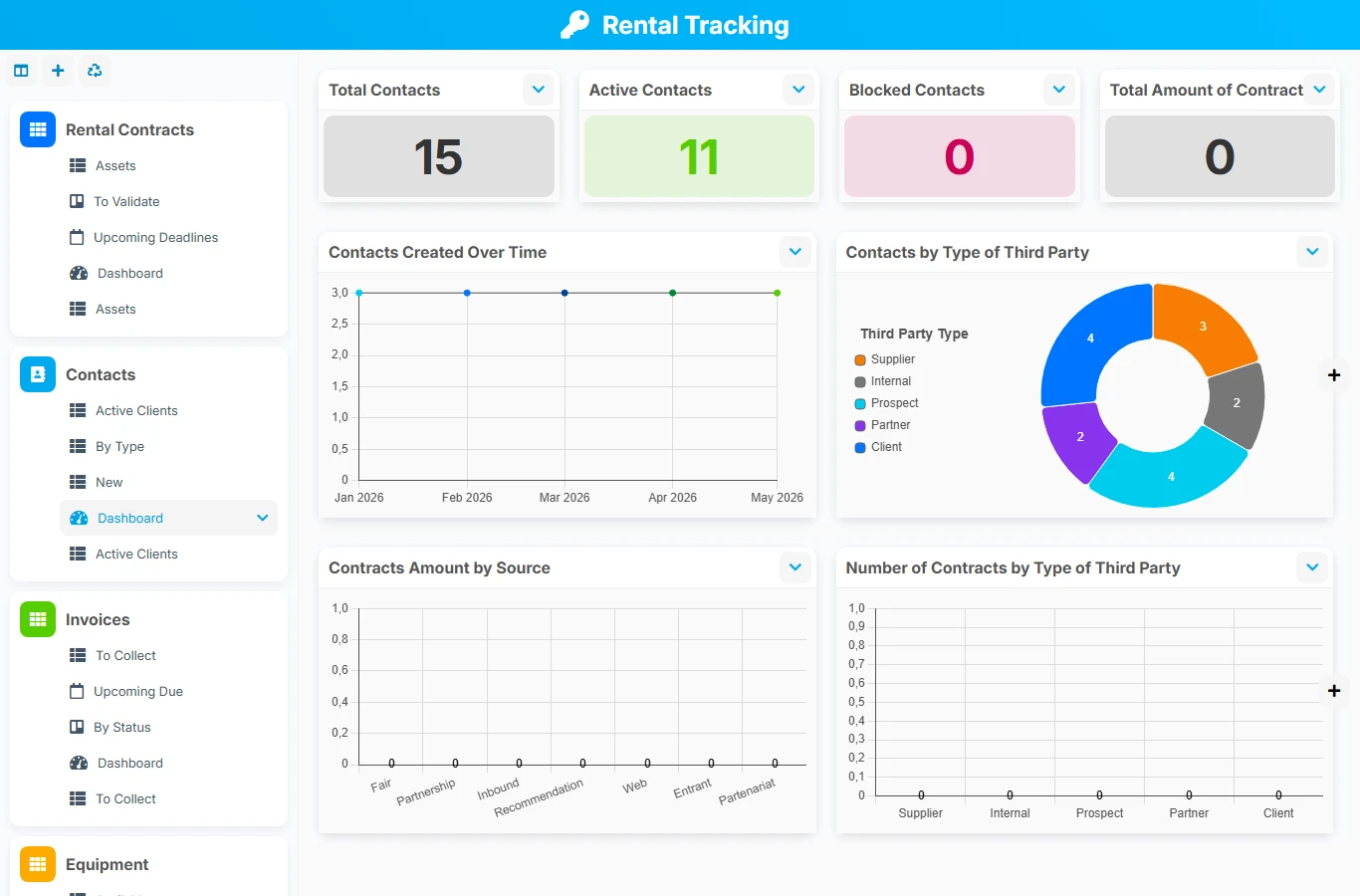
When rentals are tracked in separate files, teams waste time reconciling contracts, availability, interventions, and billing. This template gathers key data in a connected structure to reliably track each rental file from the first commitment to payment and return of the equipment.
1 click
To install the template
6
ready-to-use forms
100%
Customizable without development
France
Technology and hosting
Central file of the rental dossier with the client, the rented equipment, the periods, pricing, tracking, and associated documents.
Reference of clients and renters with their contact details, commercial status, and links to contracts, bookings, and invoices.
Management of invoices related to a contract and a billed contact, with tracking of dates, amounts, status, and payment.
Inventory of the rental fleet with condition, availability, operation, checks, documentation, and links to bookings and repairs.
Tracking of technical interventions on a concerned piece of equipment, with priority, dates, costs, and progress.
Organization of bookings related to the contract, the reserved equipment, and the renting contact, with a clear view of the schedule.
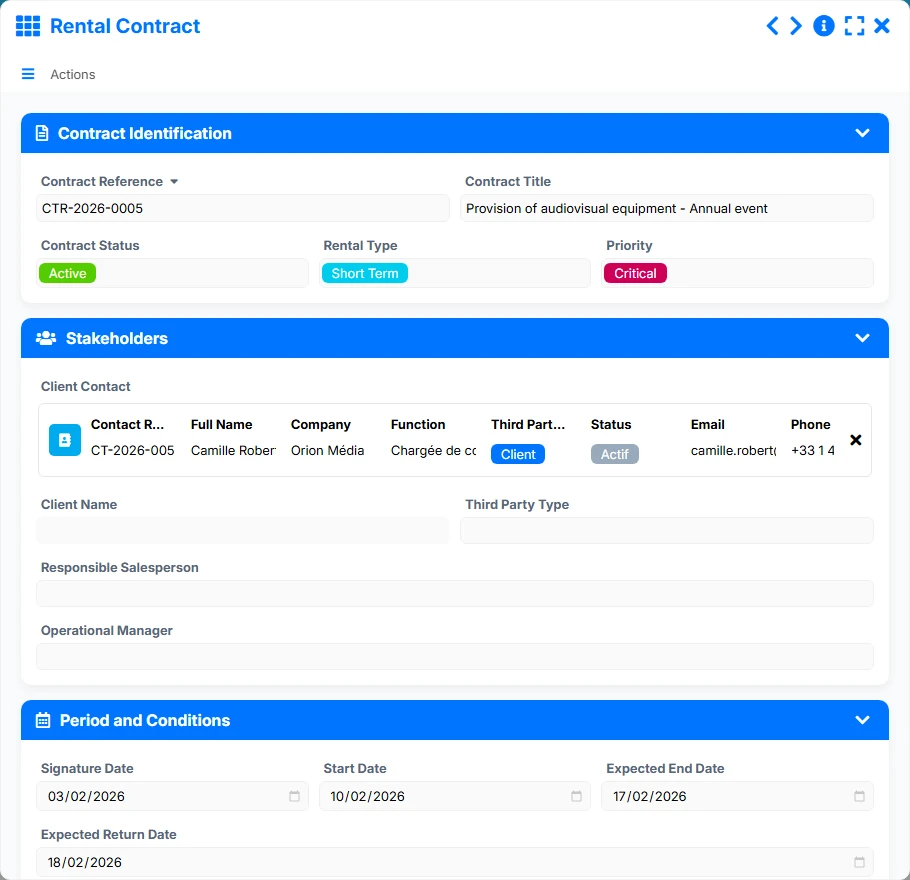
Record each contract with its status, dates, pricing, responsible salesperson, operational manager, client, and rented equipment. The view to validate helps prioritize pending files, while upcoming deadlines secure returns and restitutions.
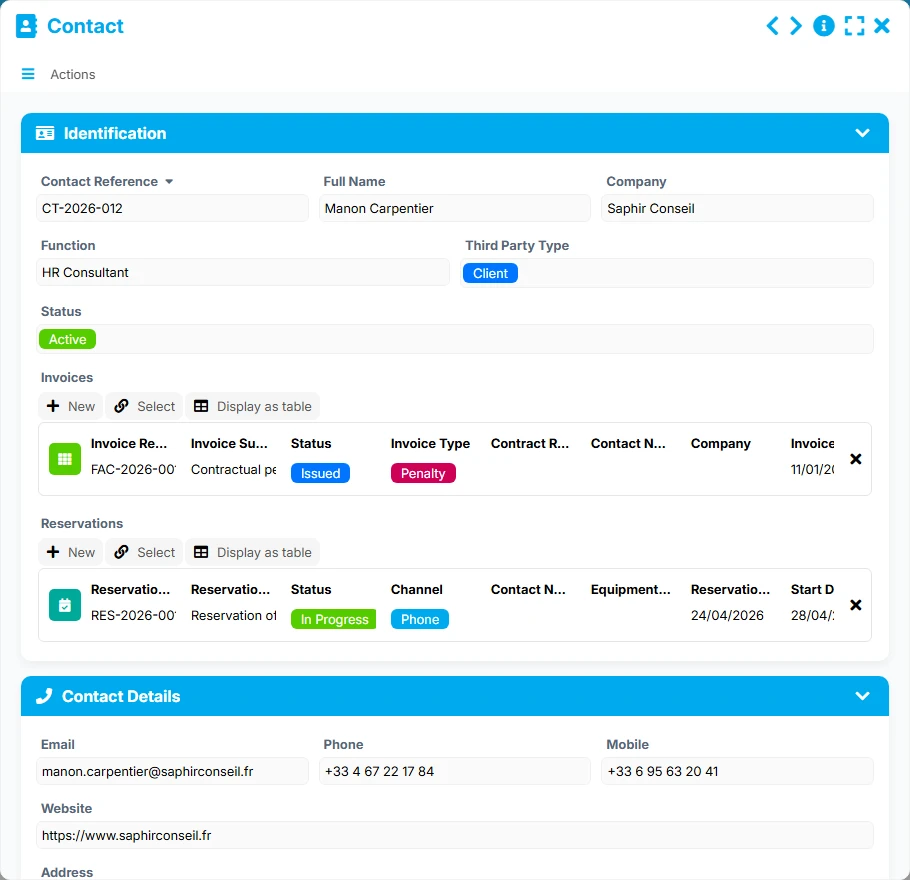
Track client and renter contacts with their details, status, and rental history. The relationships with contracts, bookings, and invoices provide a precise view of activity by interlocutor and company.
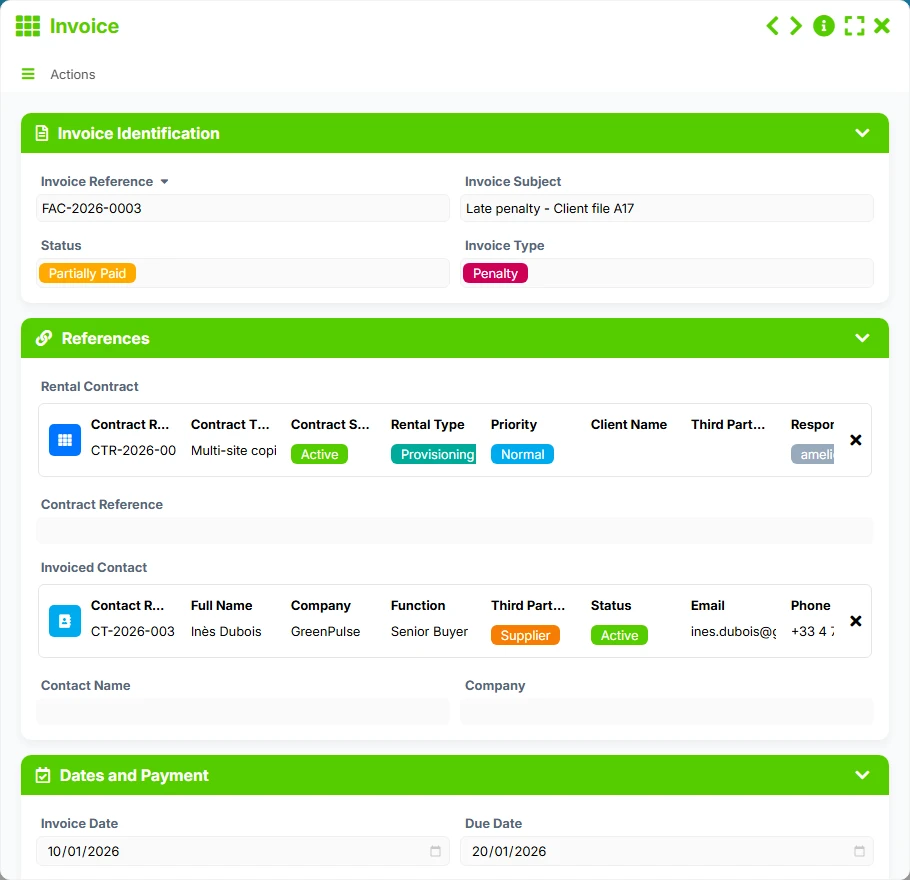
Associate invoices with a rental contract and a billed contact to keep a clear record of issued, collected, and pending amounts. The views to collect and by status facilitate the management of collections.
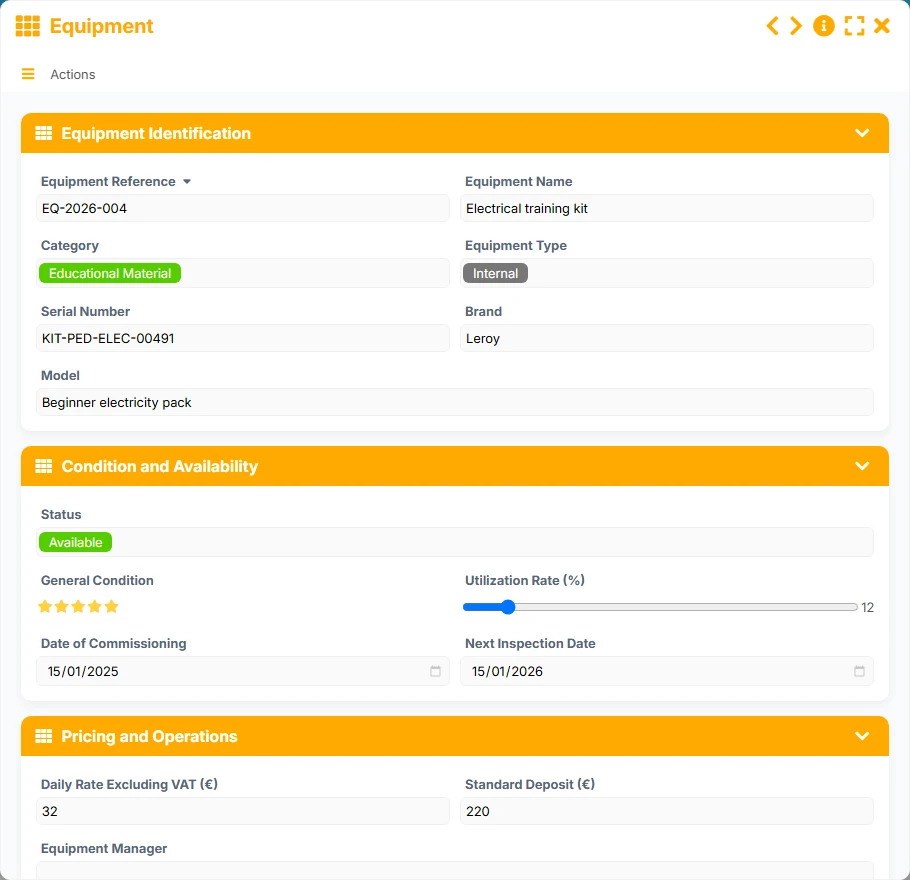
Manage your equipment with their status, condition, availability, upcoming checks, and usage rate. The view of available equipment allows for quick identification of what can be rented, while the documentation helps standardize operations.
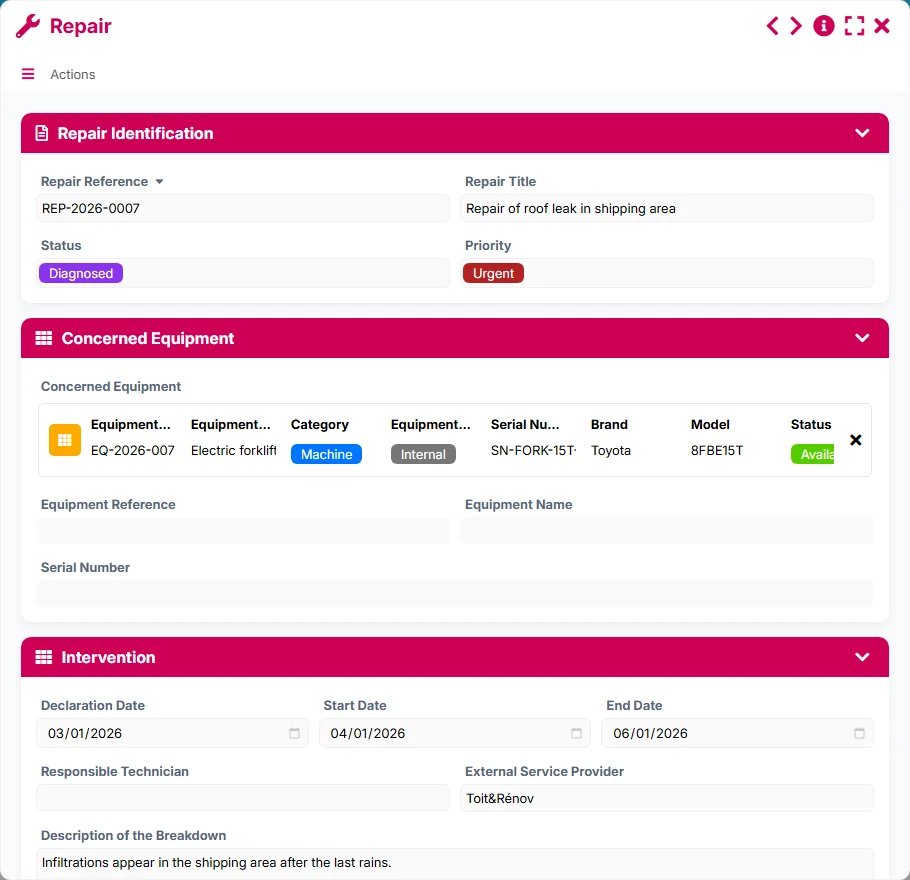
Report a repair directly on the concerned equipment, track its status, priority, cost, and intervention schedule. This keeps your fleet operational and limits unexpected unavailability.
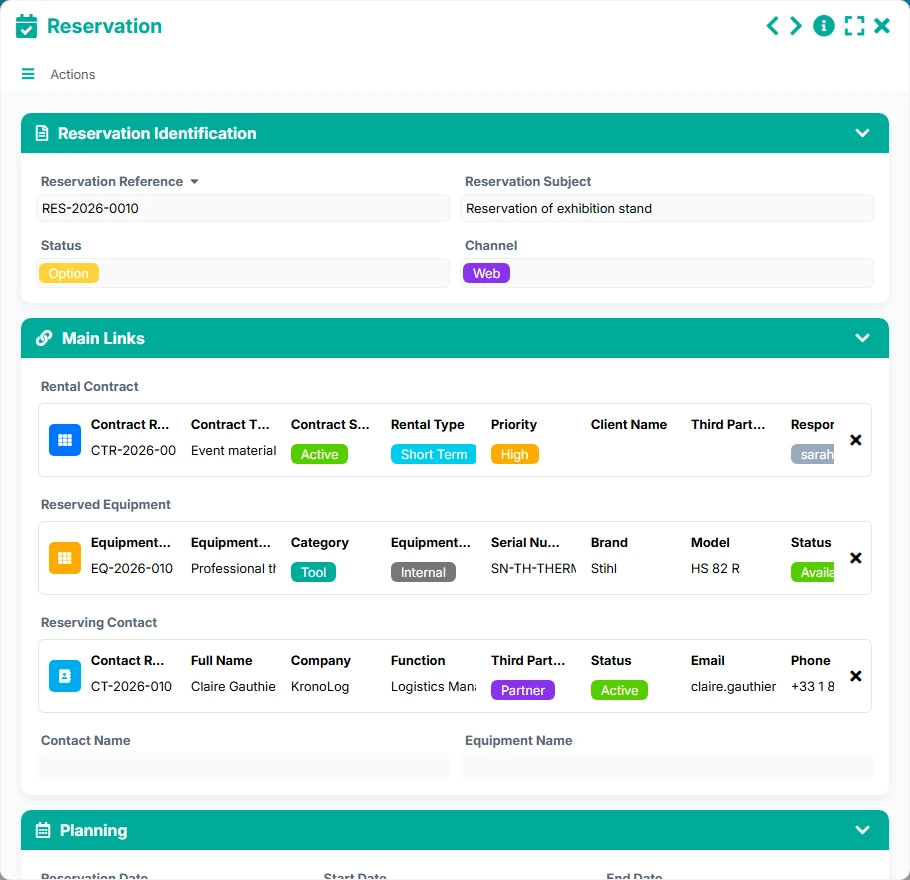
Organize bookings by contact, equipment, and rental contract. Calendar, timeline, and kanban views facilitate coordination between sales and operational teams.
The template follows a simple logic: identify the client, link the contract to the concerned equipment, then feed the bookings, billing, and maintenance from the same links. This structure avoids double entries and allows for managing each rental with consistent data.
The entry point is the contact, whether it is a client, a renter, or a follow-up interlocutor. Their contact details, status, and company serve as a basis for linking contracts, bookings, and invoices.
The contract links a client contact to a rented piece of equipment. It also groups information on period, conditions, pricing, and tracking. The Active and To Validate views allow distinguishing between engaged files and those still awaiting validation.
Each booking is linked to a contract, a reserved piece of equipment, and a renting contact. This step provides a concrete view of the schedule, upcoming confirmations, and fleet occupancy.
The equipment sheet centralizes the status, general condition, usage rate, upcoming checks, and documentation. The Available, By Status, and Upcoming Checks views help secure the client promise and operational continuity.
When a piece of equipment requires intervention, a repair is created with its priority level, progress, and costs. The direct link with the concerned equipment facilitates technical tracking until restoration.
Invoices are linked to the rental contract and the billed contact. The views To Collect, Upcoming Due Dates, and By Status provide an immediate reading of the amounts to be collected and actions to be followed up.
All forms offered in the app templates are editable and adjustable to your business, as well as the colors and layouts.
Quickly structure a simple and robust rental tracking without multiplying files, manual reminders, and scattered spreadsheets.
Standardize the management of a large fleet, with clear responsibilities between sales, operations, maintenance, and billing.
Secure the tracking of shared equipment, formalized contracts, and bookings across multiple services or sites.
Coordinate equipment rentals, bookings, and interventions with simple and readable traceability for field teams.
Yes. The rental contract is linked to the client contact and the rented equipment, allowing for tracking the commercial file and the usage of the fleet within the same structure.
Yes. Each booking can be linked to a rental contract, a reserved piece of equipment, and a renting contact, securing the schedule and traceability.
The Equipment form is linked to repairs. You can track interventions, priorities, costs, and control deadlines to keep a usable fleet.
Yes. Invoices are linked to the contract and the billed contact, facilitating tracking of amounts, due dates, payments, and outstanding balances.
Yes. The available views highlight contracts to validate, invoices to collect, equipment to check, ongoing repairs, and bookings to confirm.
Yes. You can adapt fields, statuses, views, and internal uses to fit your rental organization, management rules, and equipment fleet.
Start with a ready-to-use base to manage contracts, equipment, bookings, repairs, and invoices. Then customize fields, views, and processes to accurately reflect your way of working.
Here is what our clients say
Companies of all sizes and sectors that have optimized their operations with Airprocess



























