1 click
To install the template

Repair Tracking
Centralize repair requests, track concerned equipment, anticipate part orders, and maintain control over deadlines, priorities, and costs to get your assets back in service faster.
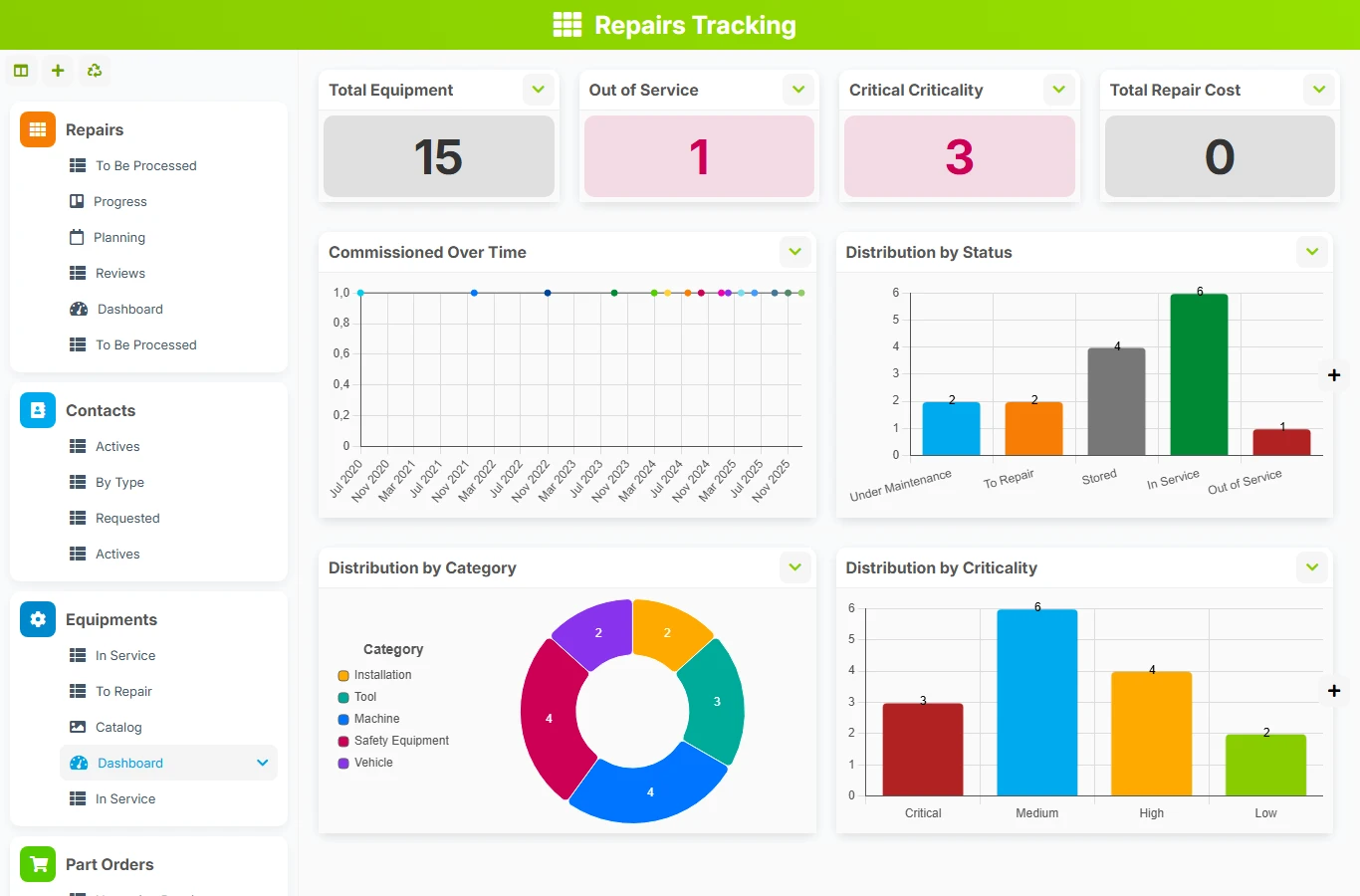
When requests, equipment, contacts, and part orders are tracked in separate tools, delays increase and priorities become unclear. This template structures the repair flow around real relationships between files, assets, and supply, to secure execution and better prioritize urgencies.
1 click
To install the template
4
ready-to-use forms
100%
Customizable without development
France
Technology and hosting
Central file to register the request, track the status, priority, concerned equipment, requester, diagnosis, costs, and related part order.
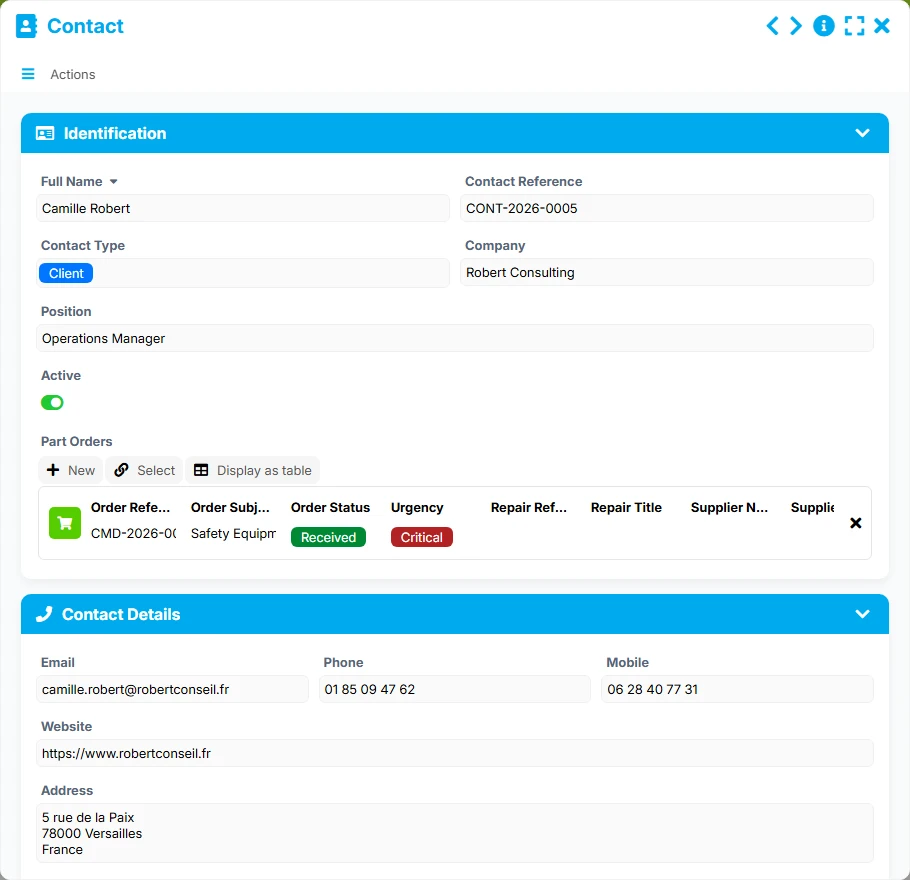
Reference for requesters and suppliers with contact details, company, position, activity, and history of associated repairs or orders.
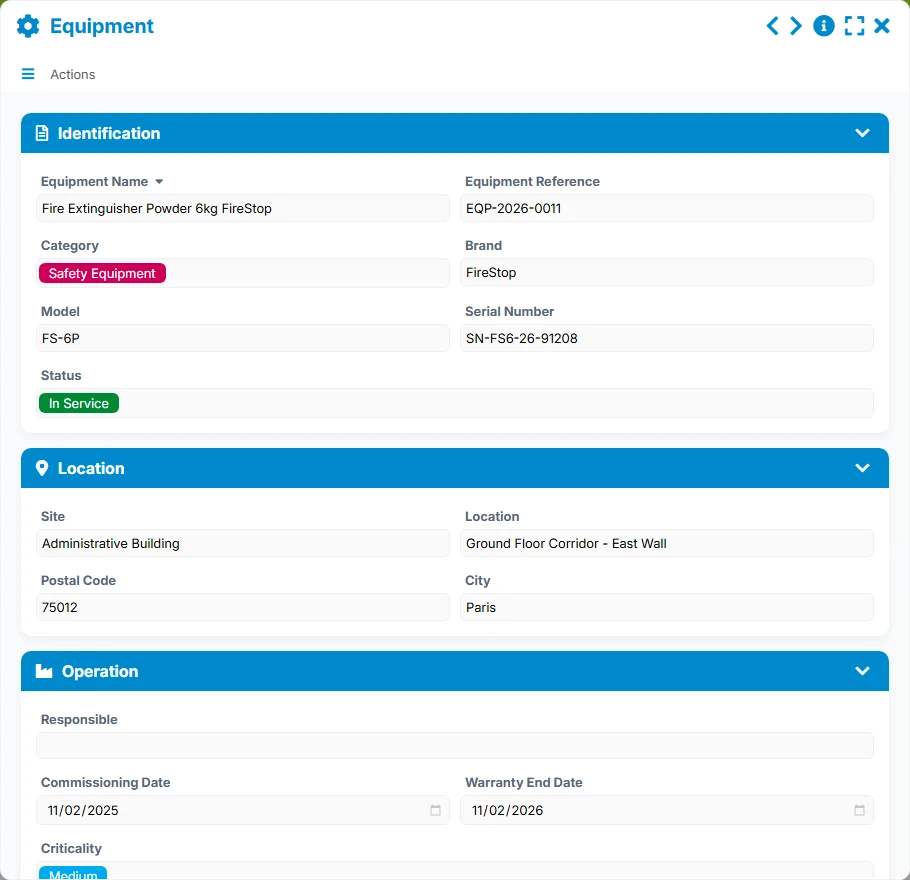
Inventory of tracked equipment, with their identification, location, status, operation, and list of associated repairs.
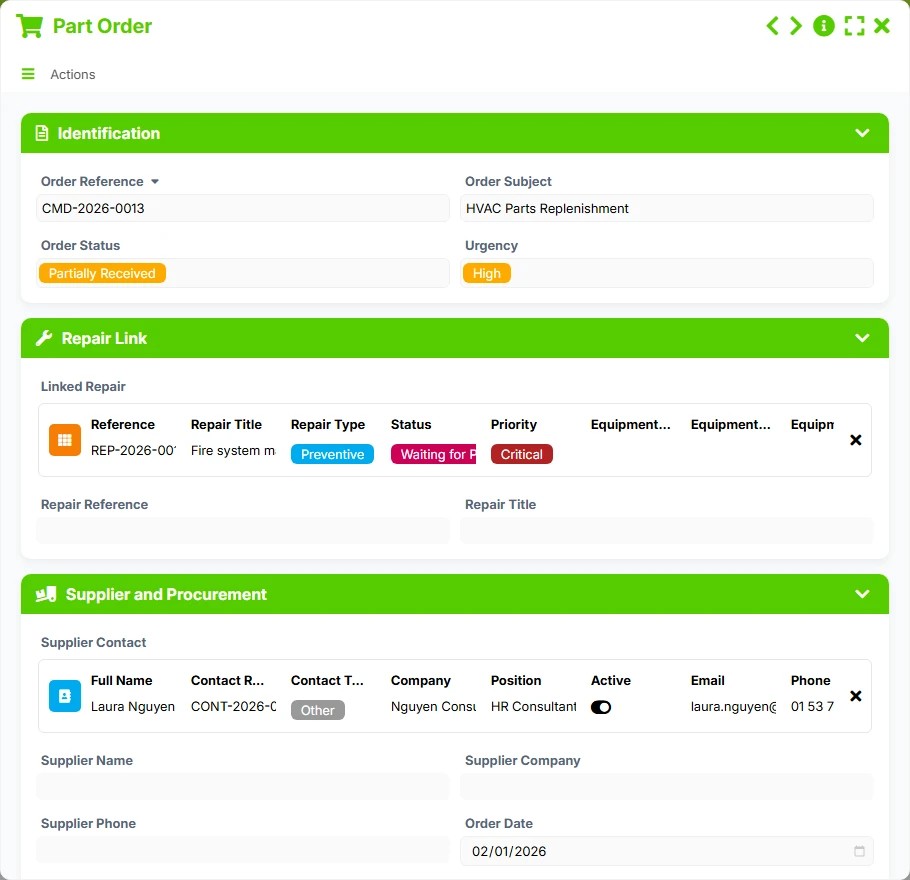
Tracking of orders related to repairs: supplier, urgency, order status, expected date, receipt, total amount, and attachment to a repair file.
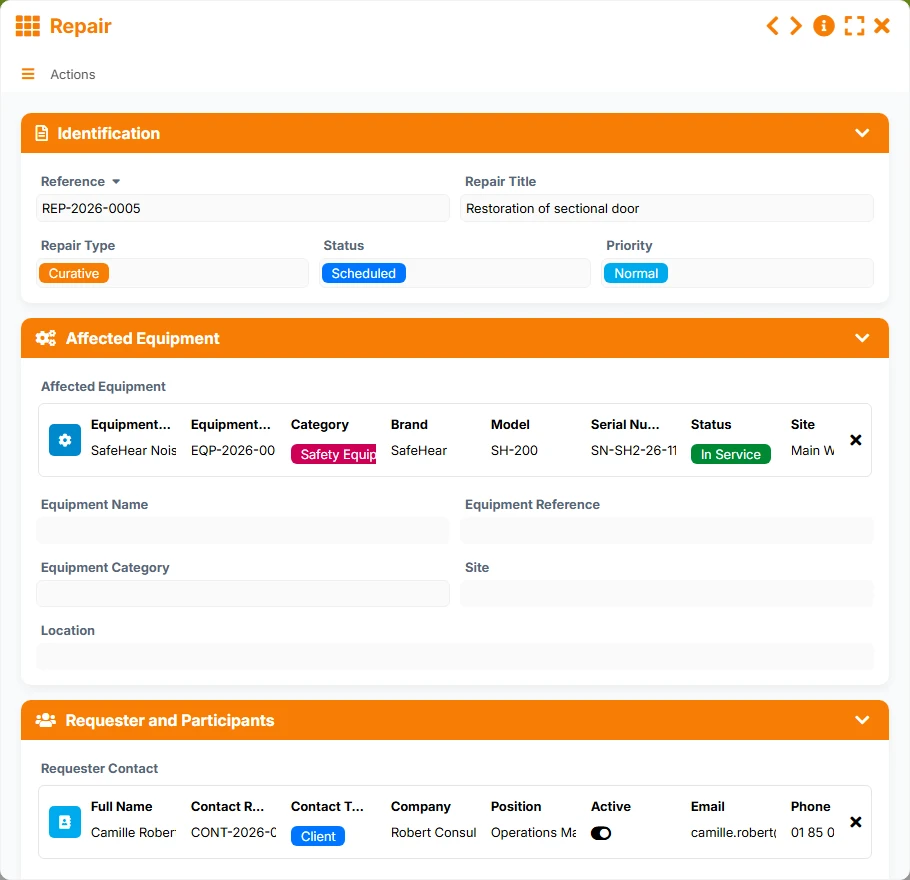
Each repair request groups its reference, status, priority, responsible person, concerned equipment, requester, diagnosis, costs, and associated documents.
Keep a structured catalog of equipment with their category, status, site, location, serial number, and related repairs.
Keep useful information about requesters and suppliers: identity, company, position, contact details, and history of repairs or part orders.
Link a repair to a part order to track material needs, urgency, supplier, expected dates, and delivery progress.
List views, to be processed, progress, planning, critical, urgent, and dashboards provide an immediate reading of files, delays, repairs pending parts, and accumulated costs.
The operation of the template follows the real logic of a maintenance operation: a repair is first declared, it is linked to an equipment and a requester contact, then it can trigger a related part order. The views then allow prioritization, planning, and tracking progress until closure.
The Repair sheet concentrates key information: reference, title, type, status, priority, concerned equipment, requester contact, and diagnostic elements to start tracking without loss of information.
The link to Equipment allows finding the concerned asset, its site, category, serial number, and all associated repairs. This provides a reliable view of the machine's history.
The requester is tracked in the Contact sheet, with their contact details and company. The same reference also manages suppliers related to part orders, avoiding duplicates and facilitating follow-ups.
When a repair depends on a component, the related Part Order takes over the repair, supplier, urgency, order status, delivery dates, and amounts to track supply end-to-end.
The views To be processed, Critical, Planning, Upcoming Receipts, and Urgent serve to arbitrate sensitive files, organize interventions, and identify blockages related to parts or deadlines.
All forms offered in the app templates are editable and adjustable to your business, as well as the colors and layouts.
Structure the tracking of repairs without piling up Excel files, while keeping a clear view of priorities and parts to order.
Manage larger volumes of equipment, requests, and orders with tracking views tailored for maintenance and supply teams.
Organize equipment repairs and supplier relationships in a traceable framework, useful for sites, services, and technical departments.
It covers both. The repair is the central file, and it can be linked to a part order to track material needs, the supplier, delivery times, and progress status.
Yes. Each equipment can group several repairs, allowing retrieval of past incidents, ongoing repairs, and useful information to analyze recurrence of failures.
The views To be processed, Critical, and Planning help identify priority files based on status, priority, deadline, and total cost.
Yes. Contacts also serve as a supplier reference, with a link to multiple part orders, facilitating tracking of supplies and follow-ups.
Yes. The equipment sheets, locations, sites, and dashboards allow consolidating repairs across multiple operational areas.
Install this template to connect your repairs, equipment, contacts, and part orders in a single database. You gain visibility, responsiveness, and operational control from the first files.
Here is what our clients say
Companies of all sizes and sectors that have optimized their operations with Airprocess



























