1 click
To install the template

Supplier tracking
Centralize the tracking of suppliers, evaluations, purchase orders, and purchase lines to secure your supplies, better anticipate deliveries, and strengthen supplier relationships.
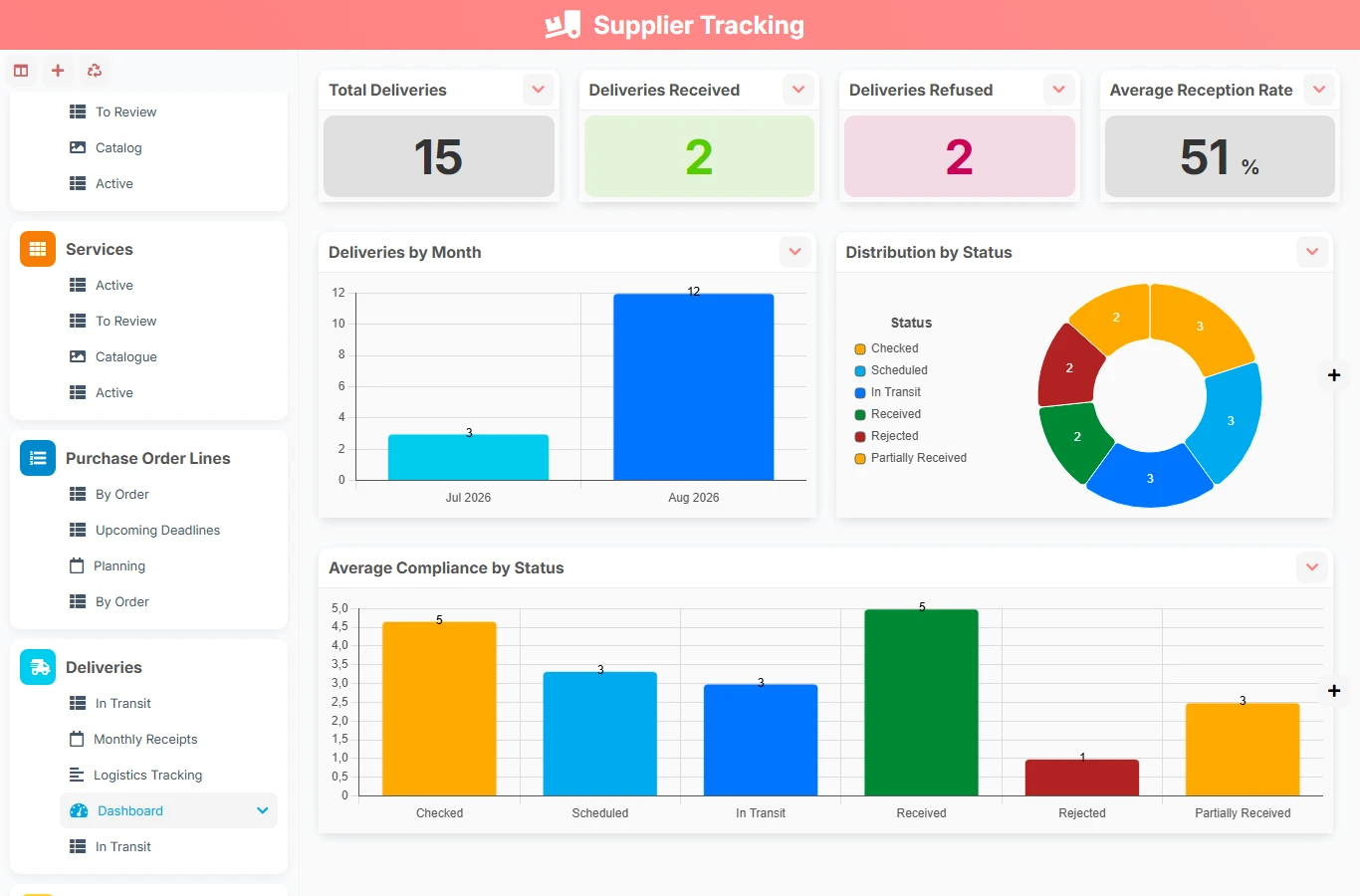
This template brings together all the useful components for supplier tracking in a single application: partner identification, quality control, orders, items, and line tracking. You gain visibility on deadlines, committed amounts, and suppliers to monitor, without relying on Excel or scattered exchanges.
1 click
To install the template
6
ready-to-use forms
100%
Customizable without development
France
Technology and hosting
Complete partner file with identification, contact details, purchasing conditions, quality monitoring, and documents.
Evaluation grid to measure quality, deadlines, communication, and associated decisions.
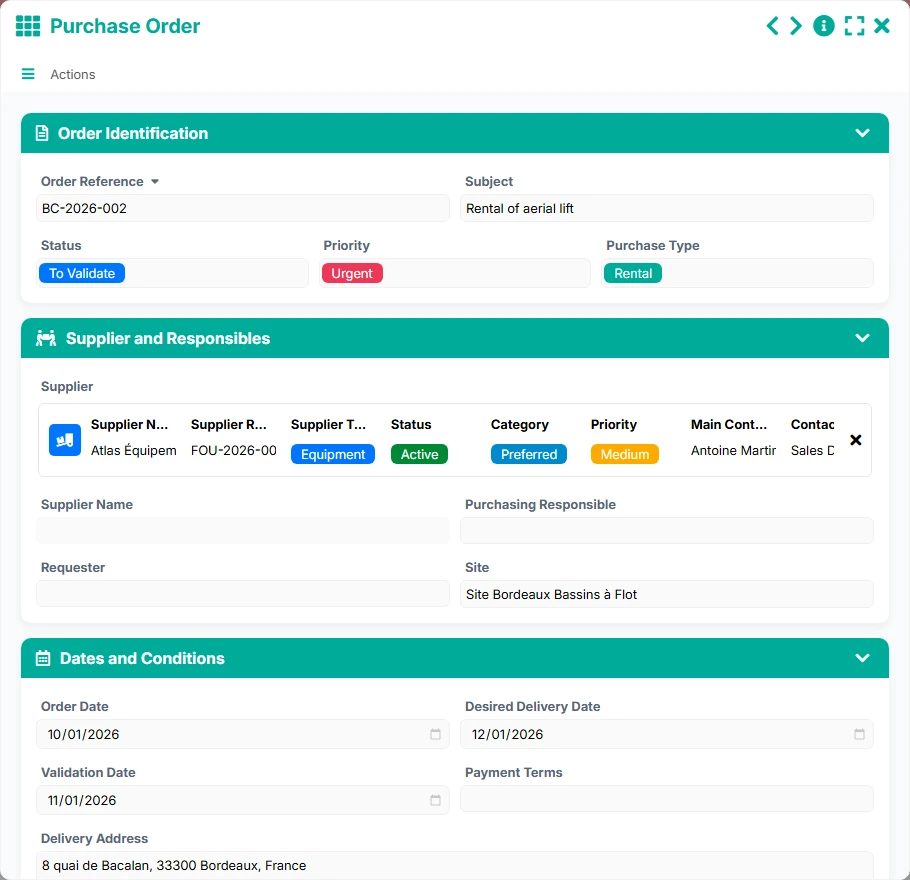
Purchase document with references, status, priority, supplier, dates, and amount.
Catalog of purchased products with characteristics, prices, VAT, and standard lead time.
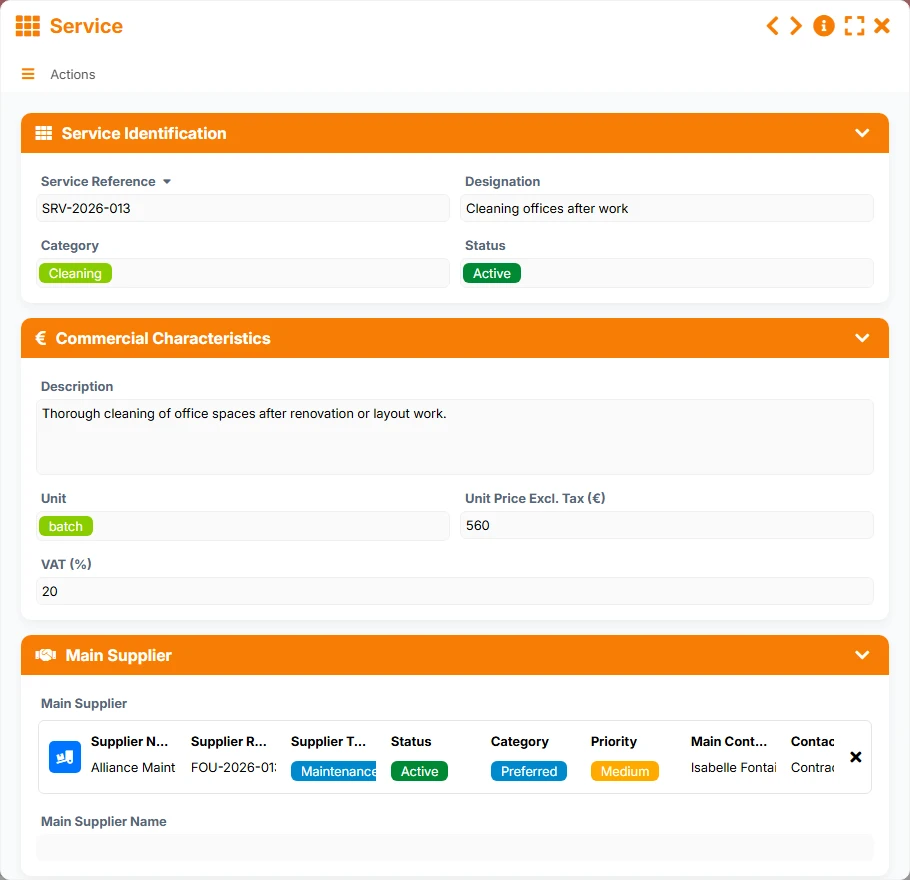
Catalog of purchased services with description, pricing, VAT, and execution conditions.
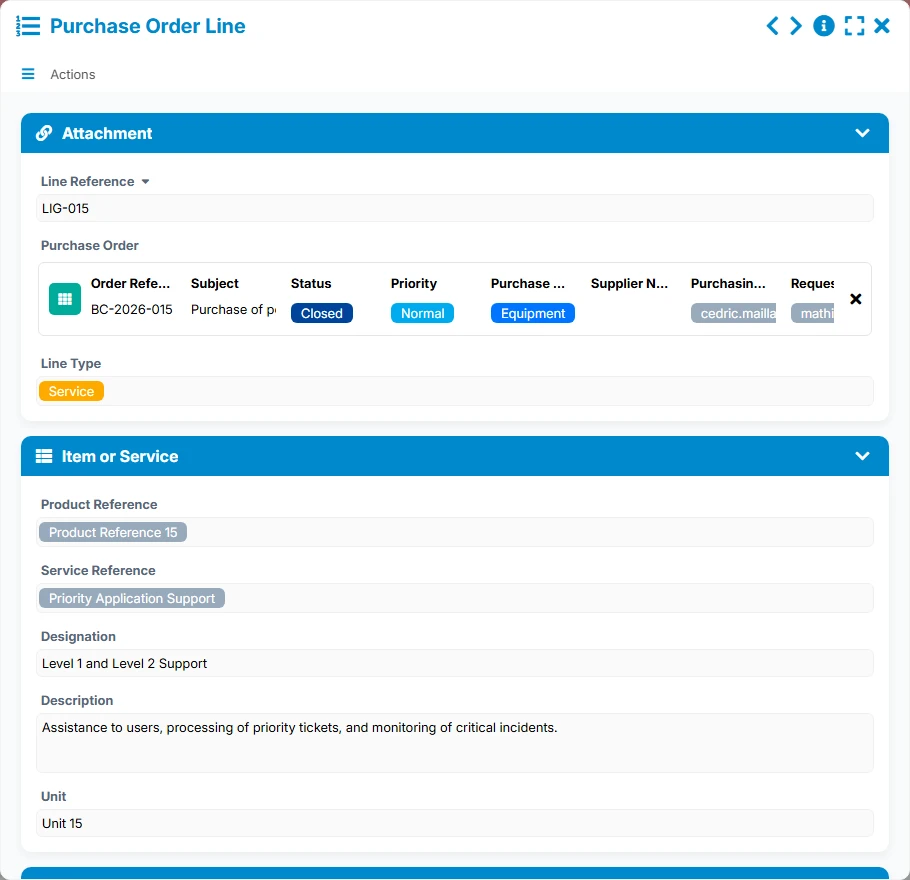
Operational detail of an order with attachment, item or service, quantities, prices, and receipt tracking.
Keep for each supplier their contact details, category, priority level, status, and documents to work with a reliable and shared database.
Historize evaluations by supplier with quality, deadline, and communication scores to objectify decisions on retention, monitoring, or delisting.
Track each order with its reference, supplier, status, priority, order date, and desired delivery date.
Break down each purchase order into related lines, with product or service, quantities, unit prices, VAT, amounts, and receipt tracking.
Structure purchased items with their references, categories, units, net prices, VAT, and standard lead times to facilitate order creation.
Access lists, kanbans, calendars, timelines, and dashboards to identify urgencies, orders to validate, upcoming deliveries, and suppliers to evaluate.
The template reflects a realistic purchasing process: it starts by referencing the supplier, then evaluating them, creating the purchase order, detailing it into lines, and tracking receipts and deadlines in the appropriate views.
The Supplier file centralizes identity, contacts, category, priority, status, and useful information for procurement. It is the common basis for all future orders and evaluations.
From the supplier file, related evaluations allow recording an overall score, quality, deadline, and communication criteria, as well as a follow-up or action decision.
The purchase order is linked to the chosen supplier. It includes the subject, priority, type, key dates, and responsible buyer, formalizing the purchase request.
Each purchase order consists of several related lines. One selects a product or service, then fills in quantity, price, VAT, description, and line tracking.
The views In progress, Urgent, Upcoming deliveries, Scheduled receptions, and Planning help track what needs to be received, anticipate delays, and secure supplies.
All forms offered in the app templates are editable and adjustable to your business, as well as the colors and layouts.
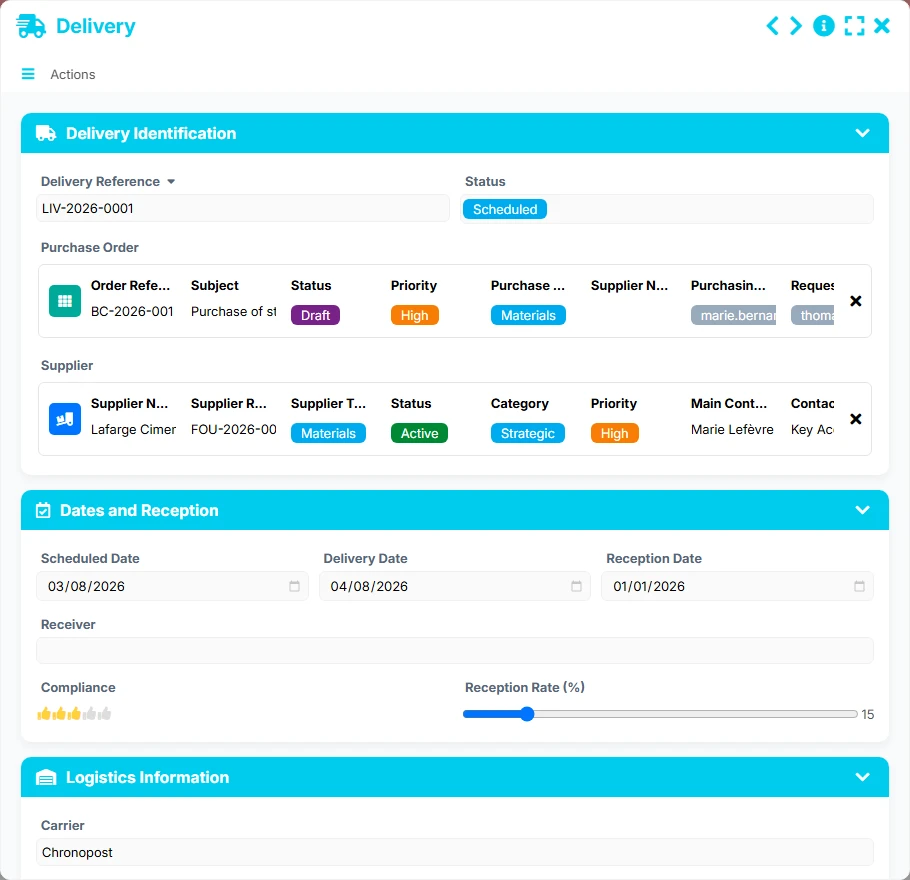
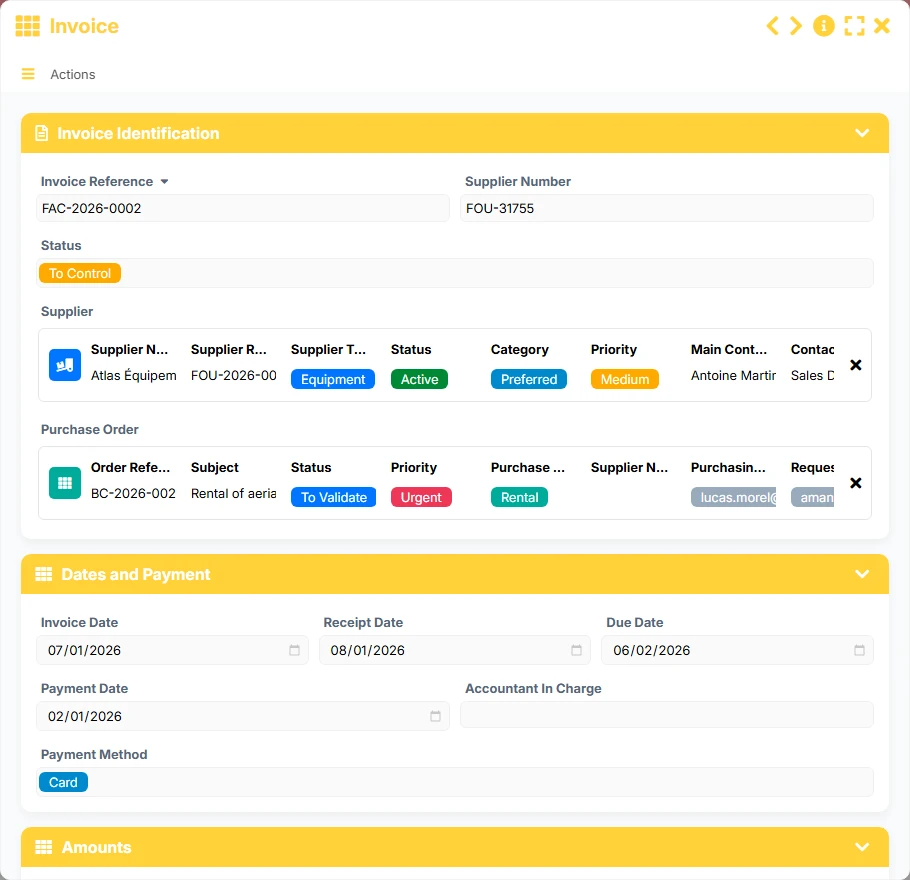
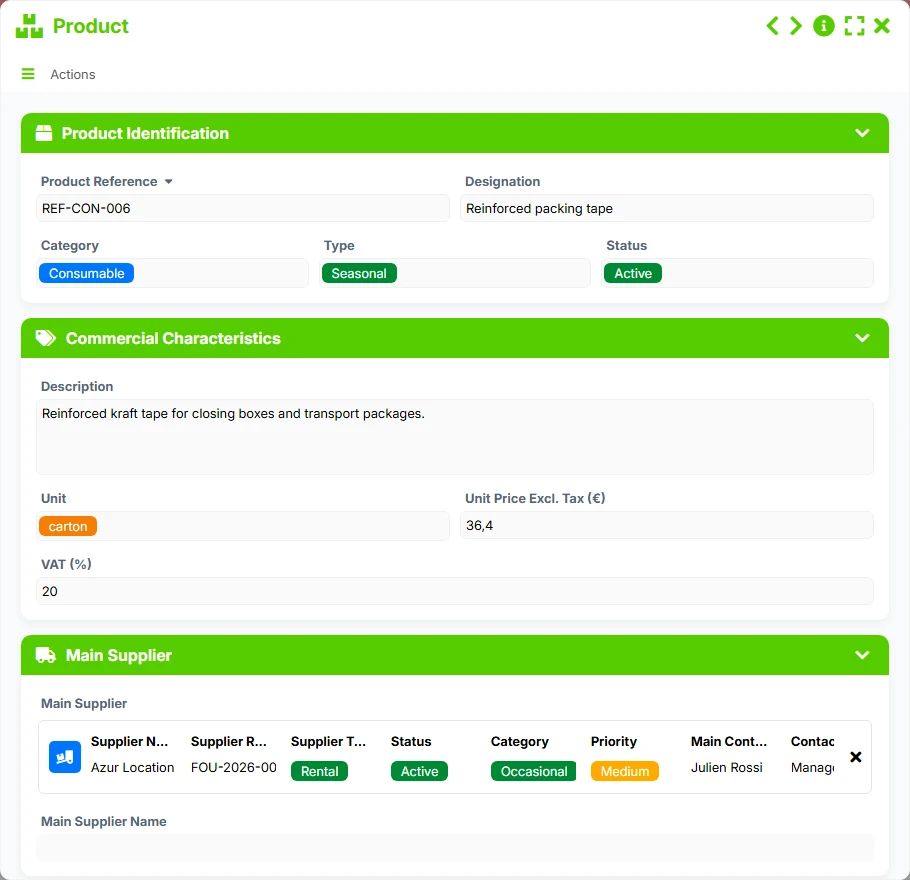
Structure your purchases without complexity, with clear tracking of suppliers, orders, and deliveries.
Standardize purchasing processes across teams, sites, or entities with common data and management views.
Secure the tracking of suppliers and purchasing commitments with a clearer and better-traced framework.
Manage supplies, service providers, and deliveries with a simple, shared, and documented organization.
It allows centralizing supplier files, evaluations, purchase orders, and order lines in a single application to better track purchases and deliveries.
A supplier can be linked to multiple evaluations and multiple purchase orders. Each purchase order can contain several lines, allowing for detailed tracking of the purchase.
Yes. Supplier evaluations historize scores, evaluated periods, and decisions, which helps compare performances and decide on actions to take.
Yes. The template distinguishes between products and services to facilitate the creation of purchase orders and maintain a cleaner purchasing nomenclature.
The views By status, To evaluate, In progress, Urgent, Upcoming deliveries, and Scheduled receptions are particularly useful for identifying priorities and anticipating blockages.
Yes. It provides a ready-to-use base that you can enrich with your internal rules, specific fields, validations, and automations.
Install this template to structure your suppliers, evaluations, and orders in a clear purchasing process. You can then adapt it to your management rules, business priorities, and organization.
Here is what our clients say
Companies of all sizes and sectors that have optimized their operations with Airprocess



























