1 click
To install the template

Training Tracking
Centralize your courses, sessions, bookings, and participant tracking to structure your training pathways, better fill your sessions, and maintain a clear view of results and certifications.
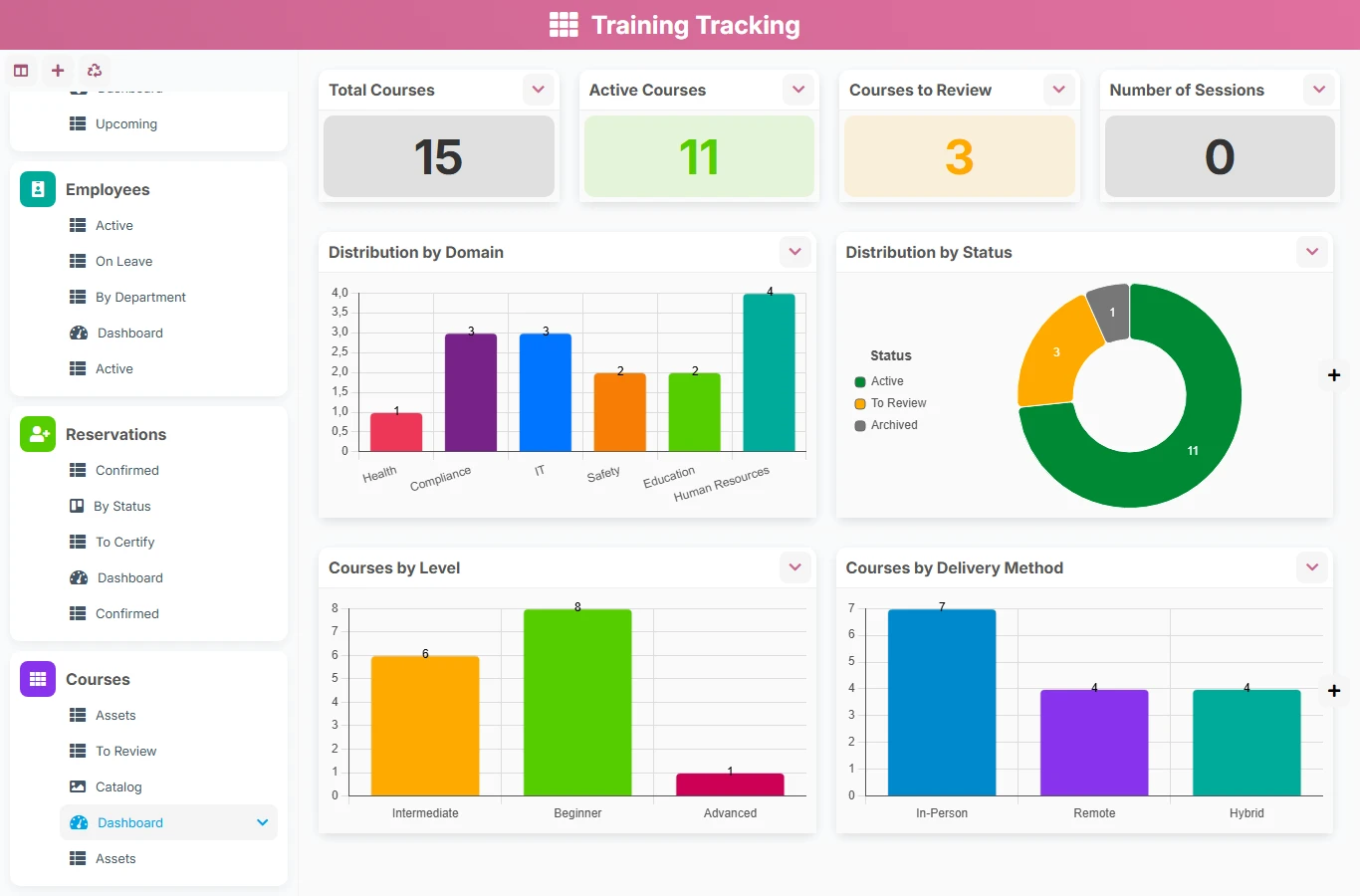
This template replaces Excel files, email exchanges, and isolated tracking tables with a training management application organized around real links between courses, sessions, employees, and bookings. You gain visibility on scheduling, registrations, progress, and evaluations while reducing tracking errors.
1 click
To install the template
4
ready-to-use forms
100%
Customizable without development
France
Technology and hosting
Manages the planning, status, location, trainer, and bookings associated with each session.
Keeps the reference of concerned individuals and their training registration history.
Tracks an employee's registration for a session, including progress, results, and certificate.
Describes the educational program, objectives, prerequisites, target audience, and course duration.
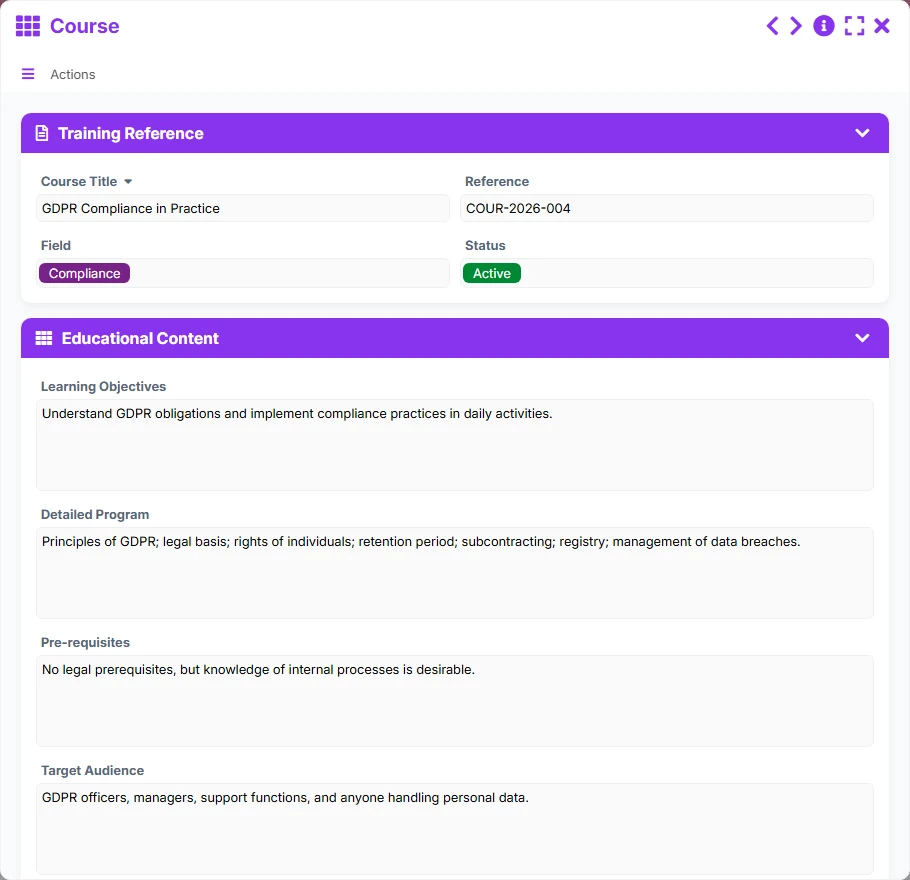
The Course form centralizes educational content, objectives, prerequisites, target audience, duration, and level to create a clear and usable catalog.
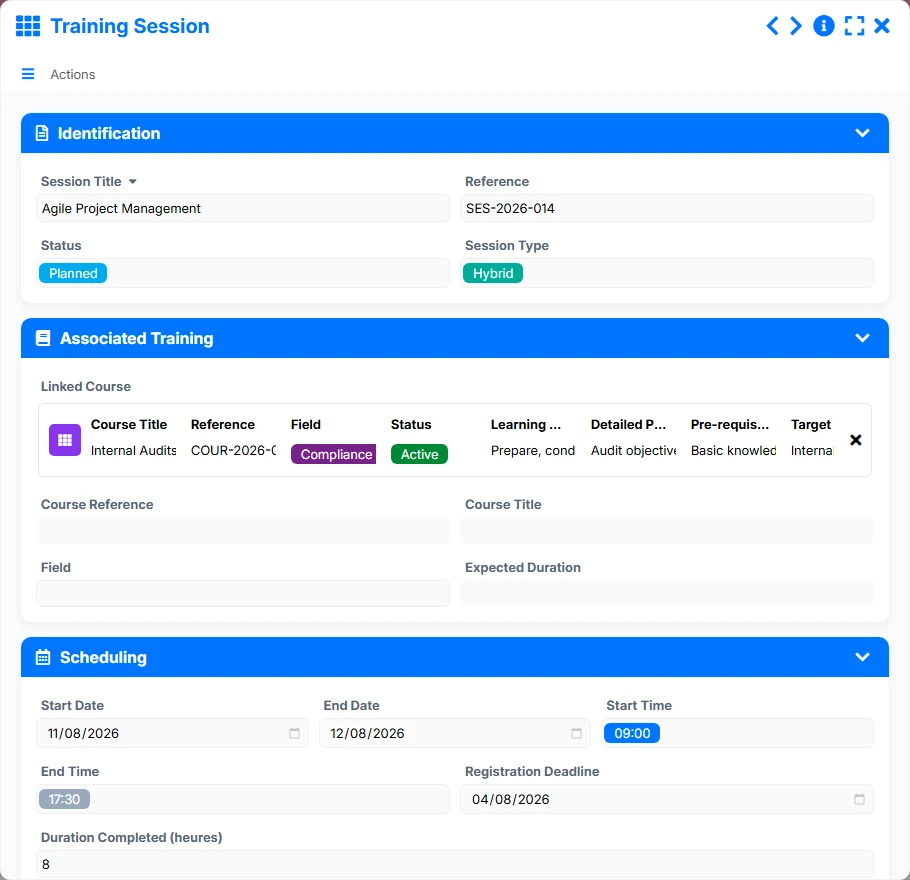
Each Training Session is linked to a Course, allowing multiple sessions to be planned for the same program and tracking their status, date, location, and organization.
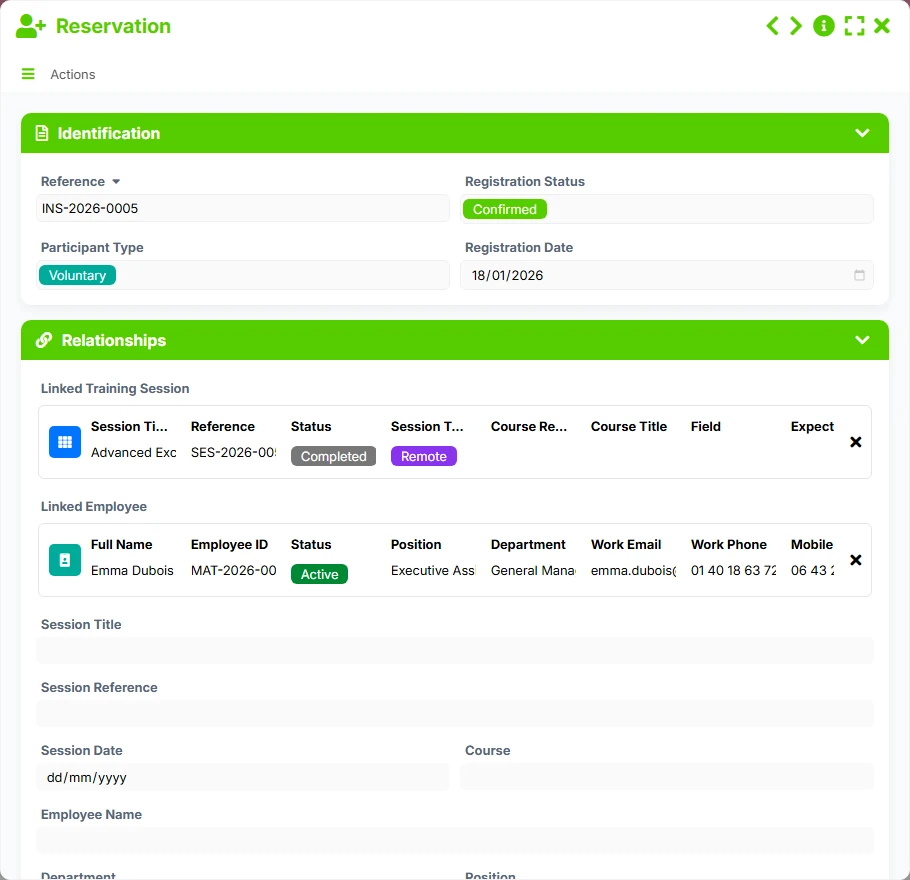
The Booking links each registration to a session and an employee, allowing tracking of participants, progress, final score, certificate issuance, and status.
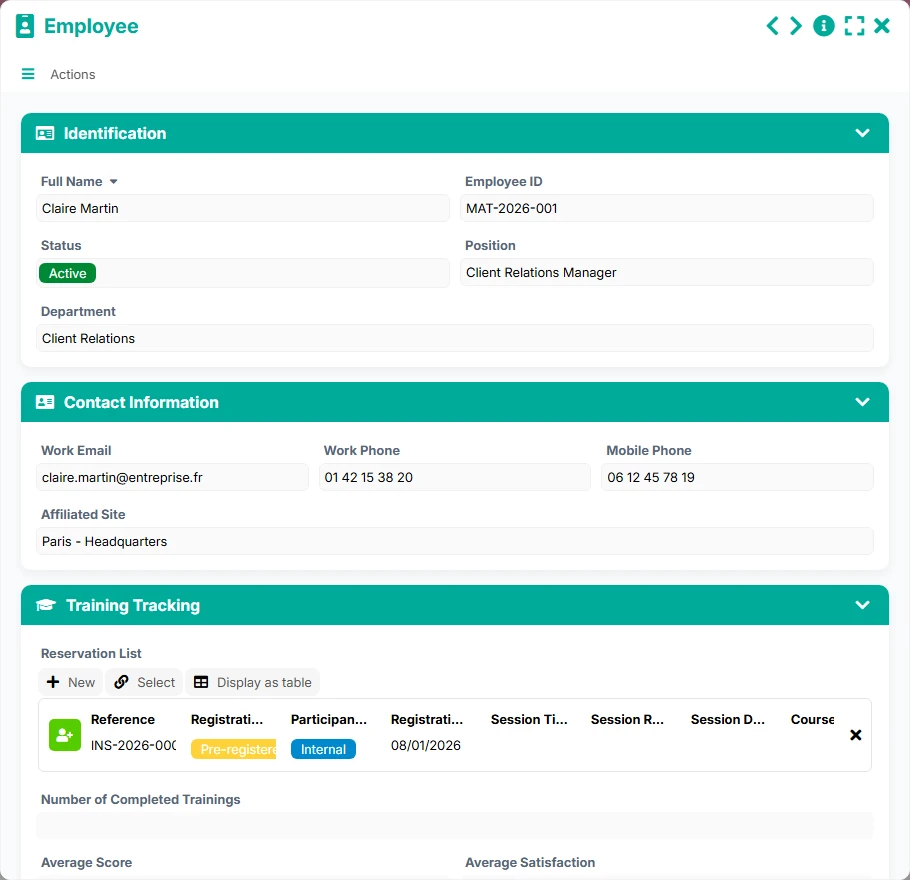
The Employee form retains useful information about trained individuals and their booking history to manage pathways by department, status, or site affiliation.
The List, Upcoming, By Status, Schedule, Confirmed, To Certify, Active, and To Review views allow tracking of sessions, registrations, and the catalog according to current operational needs.
The operation of the template is based on a simple logic: prepare the course repository, plan the sessions, then link the bookings to the right people. The dashboard and scheduling views then help control filling, progress, and actions to be taken.
Start by filling in the Course with its title, domain, educational objectives, program, prerequisites, and duration. This repository serves as the basis for all associated sessions.
Each Training Session is created from a linked Course. It tracks the start date, end date, registration deadline, responsible trainer, location, and session status.
Bookings link a session to a specific Employee. This bidirectional link allows knowing who is registered for which session, with what status, registration date, and participant type.
In the Booking, teams track progress, results, success, certification, and certificate issuance date to manage the process until final validation.
The Upcoming, Schedule, Confirmed, To Certify, or To Review views allow identifying upcoming sessions, confirmed registrations, certification actions, and courses to update.
All forms offered in the app templates are editable and adjustable to your business, as well as the colors and layouts.
Organize your sessions, registrations, and evaluations without multiplying files or losing participant history.
Standardize training management by department, site, or population, with management views tailored to large volumes.
Track sessions, registrations, and certifications with a clear structure that is easily shareable among teams.
Coordinate internal or external training with a simple repository, tracked registrations, and results monitoring.
Yes. The Training Session is linked to a Course via the linked Course field. This allows reusing the same course for multiple sessions while maintaining a unique educational repository.
Yes. Bookings are linked to both a Training Session and an Employee, allowing precise knowledge of registrations, statuses, and participation history.
Yes. The Schedule, Upcoming, By Status, and Confirmed views are designed to quickly visualize the sessions to manage, ongoing registrations, and priority actions.
Yes. The Booking form includes tracking of progress, final score, success, and certificate issuance, making it easier to control the end of the pathway.
Yes. The Catalog view of the Course form highlights available programs with their domain, duration, and modality, in a more visual presentation.
Yes. The structure is suitable for both internal training and tracking business sessions, skills development actions, or certification pathways.
Install this template to structure your courses, plan your sessions, manage your bookings, and oversee your evaluations. You start from a clear foundation, ready to be adapted to your organization and management rules.
Here is what our clients say
Companies of all sizes and sectors that have optimized their operations with Airprocess



























